
Free
$0Free plan available.
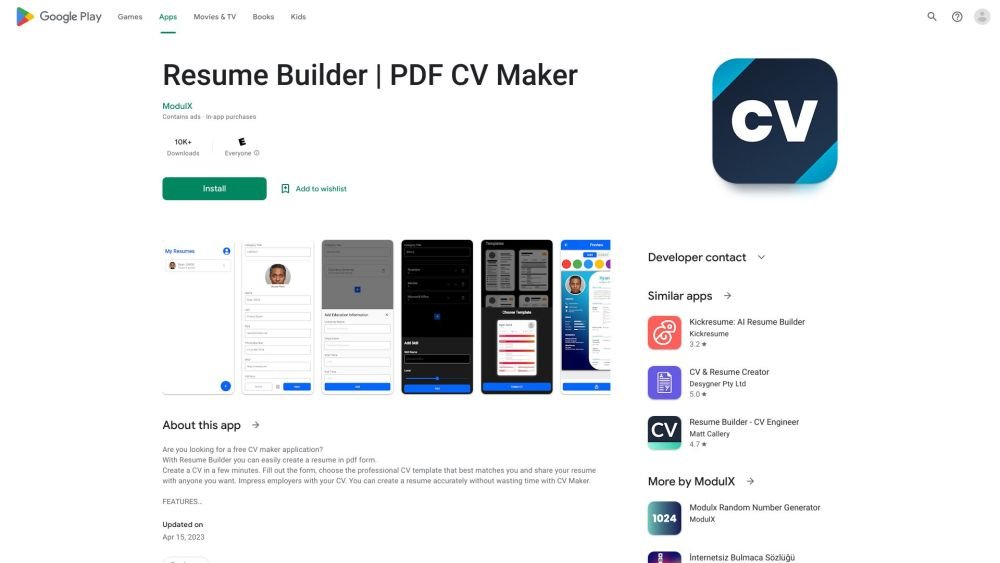
Resume Builder: PDF CV Maker is a Google Play application designed to help users create professional resumes in minutes. It features a user-friendly interface with customizable CV templates, allowing users to adjust colors, fonts, spacing, and paper sizes. The app provides a live preview function and enables users to print their resumes directly or save them as PDFs for easy sharing with employers.
To use Resume Builder: PDF CV Maker, complete the step-by-step CV creation form, select a professional template, customize the design using the available color, font, and spacing options, preview your resume, and save it as a PDF or print it directly from the app.
The app includes a user-friendly interface, a step-by-step creation form, various resume templates, and customizable options such as unlimited colors, fonts, spacing, and paper sizes. It also supports live previews, direct printing, high-resolution output, and PDF saving and sharing.
You can save your resume as a PDF file and share it with potential employers through email or other digital platforms.
The app is free to download and use, though it includes advertisements and optional in-app purchases.
Free plan available.
Use these comparison pages to understand the trade-offs between the models most relevant to Resume Builder: PDF CV Maker.
Compare Gemini 1.0 Pro Deprecated and Gemini 1.5 Flash Vision Deprecated across pricing, context window, capabilities, benchmarks, and API access to choose the better fit for long-context workloads versus general-purpose AI workloads.
Compare Gemini 1.5 Pro Vision Deprecated and Gemini 1.0 Pro Deprecated across pricing, context window, capabilities, benchmarks, and API access to choose the better fit for general-purpose AI workloads versus long-context workloads.
Compare Gemini 1.0 Pro Vision Deprecated and Gemini 1.5 Flash Vision Deprecated across pricing, context window, capabilities, benchmarks, and API access to choose the better fit for general-purpose AI workloads versus general-purpose AI workloads.
Compare Gemini 1.5 Pro Vision Deprecated and Gemini 1.0 Pro Vision Deprecated across pricing, context window, capabilities, benchmarks, and API access to choose the better fit for general-purpose AI workloads versus general-purpose AI workloads.

Similar AI tool in the Other category.
Similar AI tool in the AI Productivity Tools category.
Similar AI tool in the Other category.
Similar AI tool in the Other category.
Similar AI tool in the Other category.
Similar AI tool in the Other category.
Similar AI tool in the Other category.
Similar AI tool in the Other category.