
Free
$0Free plan available.
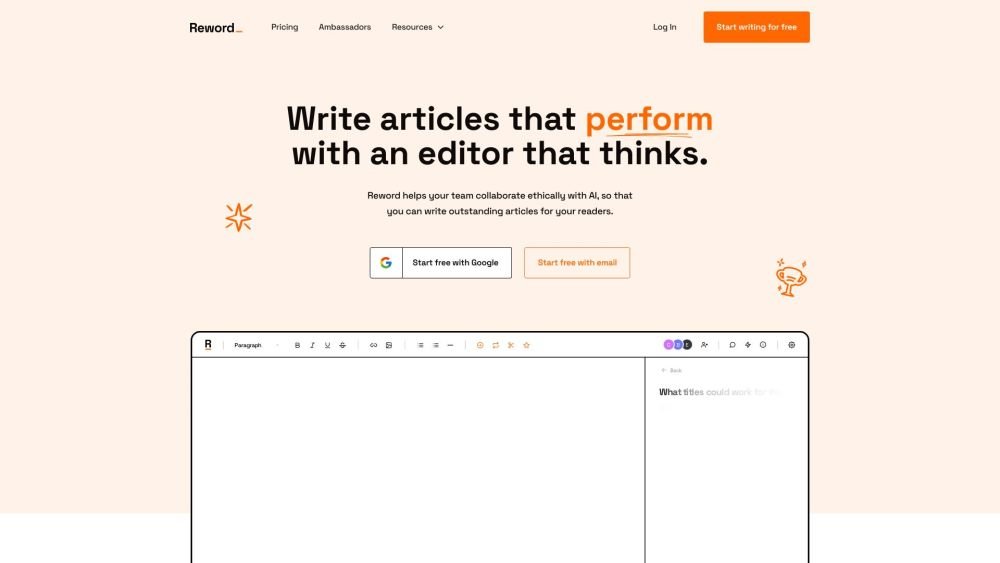
Reword is an AI writer designed to help users collaboratively write helpful, reliable, and search-optimized articles. It offers features like AI-powered content analysis, team collaboration tools, and integrations with platforms like WordPress, Webflow, and Ghost. Reword trains an AI on user-provided articles to create content in a familiar voice, optimize published articles, and augment team output while practicing ethical AI.
Users can train Reword's AI (Cowriter™) on their specific writing style and structure, collaborate within an AI-assisted editor, and optimize articles using AI-powered analysis. The platform also provides free tools, including a headline generator, a subheading generator, and a topic idea generator.
Reword trains the AI on your own articles and prioritizes human collaboration rather than attempting to replace the writer entirely.
Reword connects to your Google Search Console to identify and track your existing articles, progressively training the AI based on that content.
You retain full ownership of all content generated using Reword.
Training typically takes between 10 and 20 minutes, after which you will receive an email report outlining the data used.
The 7-day trial is commitment-free and can be canceled at any time. Upgraded accounts are eligible for a 14-day money-back guarantee on inactive accounts.
While there are technical limits in place to prevent misuse, you will not encounter noticeable restrictions during standard usage.
Yes, Reword is built for collaboration. You can add additional seats to your account via the Grow plan.
Yes, if you are unsatisfied with a paid plan, contact us within 14 days for a full refund. You may also downgrade or cancel your subscription at any time.
Yes, we offer a 20% discount on all annual plans. Please contact support to get started.
Reword uses your data exclusively to improve the AI assistant available to you. Further details can be found in our privacy policy.
Free plan available.
Use these comparison pages to understand the trade-offs between the models most relevant to Reword.
Compare Gemini 1.0 Pro Deprecated and Gemini 2.0 Flash across pricing, context window, capabilities, benchmarks, and API access to choose the better fit for long-context workloads versus long-context workloads.
Compare Gemini 1.0 Pro Deprecated and Gemini 2.5 Flash across pricing, context window, capabilities, benchmarks, and API access to choose the better fit for long-context workloads versus long-context workloads.
Compare Gemini 2.0 Flash Lite and Gemini 2.0 Flash across pricing, context window, capabilities, benchmarks, and API access to choose the better fit for long-context workloads versus long-context workloads.
Compare Gemini 2.5 Flash and Gemini 2.0 Flash across pricing, context window, capabilities, benchmarks, and API access to choose the better fit for long-context workloads versus long-context workloads.

Similar AI tool in the AI Copilot category.
Similar AI tool in the AI Assistant category.
Similar AI tool in the AI Assistant category.
Similar AI tool in the AI Writing Assistants category.
Similar AI tool in the AI Image Generator category.
Similar AI tool in the AI Assistant category.
Similar AI tool in the AI Writing Assistants category.
Similar AI tool in the AI Writing Assistants category.
Similar AI tool in the AI Assistant category.
Similar AI tool in the AI Chatbot category.
Similar AI tool in the AI Chatbot category.
Similar AI tool in the AI Writing Assistants category.