
Free
$0Free plan available.
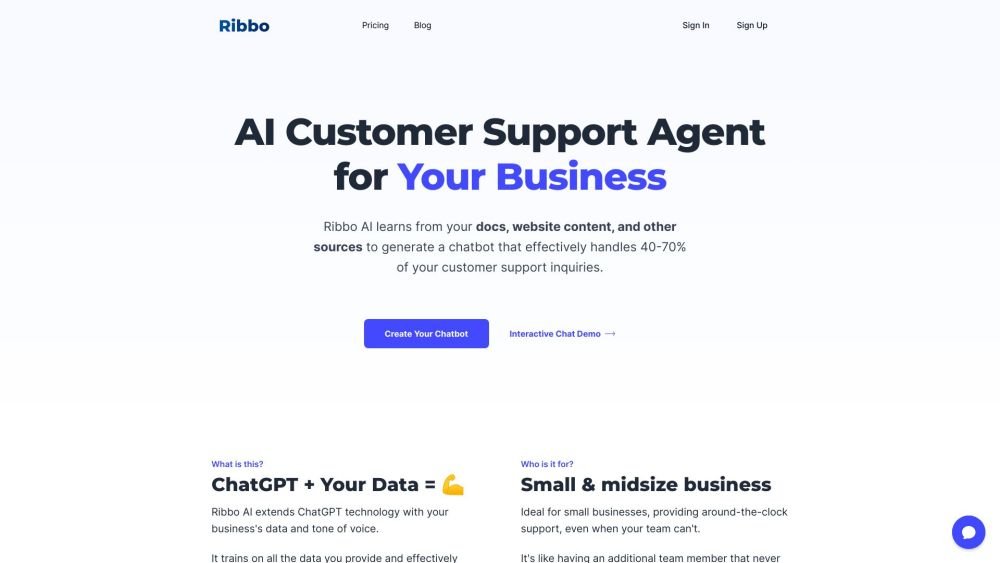
Ribbo AI is an AI Customer Support Agent for businesses that learns from your docs, website content, and other sources to generate a chatbot that effectively handles 40-70% of your customer support inquiries. It extends ChatGPT technology with your business's data and tone of voice, training on provided data to handle a large portion of customer support queries, benefiting both the business (by reducing costs) and customers (by providing instant answers).
1. Train Ribbo AI by uploading your data, such as documents, website content, or chat logs. 2. The AI processes this information to learn your business context. 3. Embed the chatbot as a live widget on your website. 4. Customize the widget's design and tone of voice to match your brand.
Yes, we offer a free plan that allows you to sign up and test all features before making a purchase.
Our system is designed to prevent responses that could harm your company's reputation. Additionally, you can configure the model's boundaries and set specific restrictions as needed.
You can upload various text formats, including PDF, DOCX, TXT, HTML, CSV, XLS, PPTX, EPUB, and XML, or import data directly from your website or blog. Additional data sources will be supported soon.
You can upload documents in any language and interact with your chatbot in multiple languages. For example, you can train the bot on English documents and communicate with it in Spanish.
Currently, you can select between GPT-3.5 and GPT-4 models, with more options coming in the future.
Yes, you can cancel your subscription at any time through your account settings.
Message credits are units used to bill for each bot response, depending on the AI model selected. For example, a response from the GPT-3.5 model costs one credit, while a response from the GPT-4 model costs 20 credits.
Both models are efficient and provide quality answers. The GPT-3.5 model is fast and cost-effective, suitable for most standard inquiries. The GPT-4 model is more accurate and better equipped to handle complex questions, though it costs 20 times more in credits.
Charges are applied only to bot-generated response messages. All other message types are free of charge.
Free plan available.
Use these comparison pages to understand the trade-offs between the models most relevant to Ribbo AI.
Compare GPT 5.4 and GPT 5.4 Pro across pricing, context window, capabilities, benchmarks, and API access to choose the better fit for long-context workloads versus long-context workloads.
Compare GPT 5.5 and GPT 5.4 across pricing, context window, capabilities, benchmarks, and API access to choose the better fit for long-context workloads versus long-context workloads.
Compare GPT 5.5 and Claude 4.6 Opus across pricing, context window, capabilities, benchmarks, and API access to choose the better fit for long-context workloads versus long-context workloads.
Compare GPT 5.5 and Claude 4.6 Sonnet across pricing, context window, capabilities, benchmarks, and API access to choose the better fit for long-context workloads versus long-context workloads.

Similar AI tool in the AI Assistant category.
Similar AI tool in the AI Assistant category.
Similar AI tool in the AI Assistant category.
Similar AI tool in the AI Productivity Tools category.
Similar AI tool in the AI Assistant category.
Similar AI tool in the AI Assistant category.
Similar AI tool in the AI Chatbot category.
Similar AI tool in the AI Chatbot category.
Similar AI tool in the AI Assistant category.
Similar AI tool in the AI Chatbot category.
Similar AI tool in the AI Assistant category.
Similar AI tool in the AI Assistant category.