
Free
$0Free plan available.
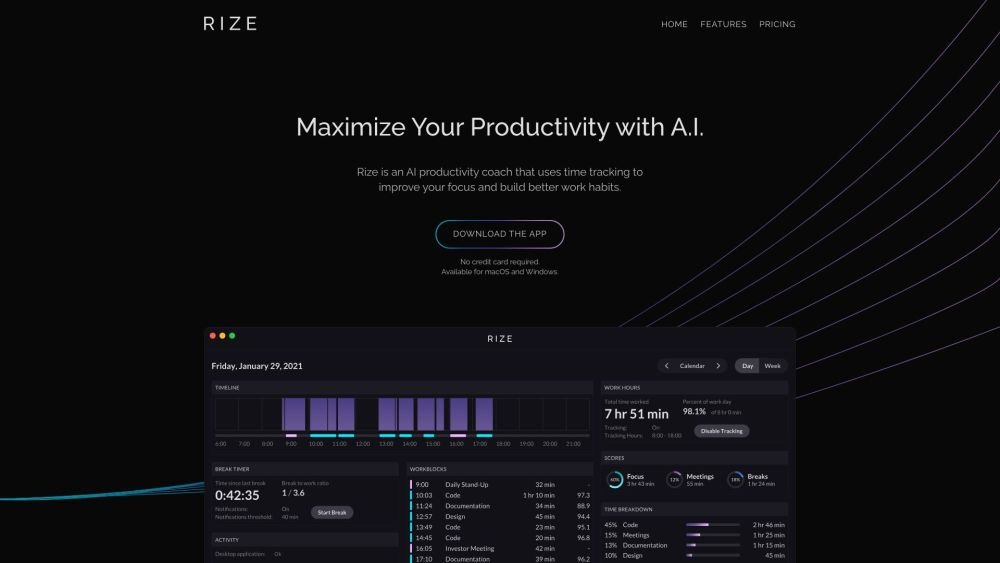
Rize is an AI-powered time tracker that improves your focus and helps you build better work habits. It automatically captures time spent on your computer, provides daily and weekly reports, and offers customizable categories for better insights into how your time is spent. Rize also includes features like AI break notifications, overworking notifications, calendar integration, focus time detection, distraction blocking, and focus music.
Rize is a macOS and Windows application that automatically tracks time spent on your active desktop window. Connect your Google or Outlook Calendar to log time spent in meetings. The AI productivity coach analyzes your activity to provide real-time guidance on when to focus and when to take breaks.
Rize is designed for anyone who values their time and wants to improve their productivity. This includes founders, freelancers, managers, researchers, and individuals looking to build better work habits.
Rize is a macOS and Windows application that automatically logs time spent on your active desktop window. It tracks websites by requesting the current URL and integrates with Google or Outlook Calendar to log meeting time.
Rize is currently available for macOS (Mojave 10.14.6 or later) and Windows (Windows 10 or later). Linux support is planned for the future.
Your data is hosted on Amazon Web Services with physical and electronic security measures. Access is restricted to your password-protected account, and all data is encrypted both at rest and in transit.
If you cancel your subscription, you retain access to your account and can export your historical data. However, the app will no longer track new activity.
Yes. After signing up, you can share a referral code to give friends one free month of Rize, and you will receive one free month for each friend who subscribes. We also offer an ambassador program for those with larger audiences, allowing you to earn 40% of recurring subscription payments from your referrals.
Free plan available.
Use these comparison pages to understand the trade-offs between the models most relevant to Rize.
Compare Gemini 1.0 Pro Deprecated and Gemini 2.0 Flash across pricing, context window, capabilities, benchmarks, and API access to choose the better fit for long-context workloads versus long-context workloads.
Compare Gemini 1.0 Pro Deprecated and Gemini 2.5 Flash across pricing, context window, capabilities, benchmarks, and API access to choose the better fit for long-context workloads versus long-context workloads.
Compare Gemini 2.0 Flash Lite and Gemini 2.0 Flash across pricing, context window, capabilities, benchmarks, and API access to choose the better fit for long-context workloads versus long-context workloads.
Compare Gemini 2.5 Flash and Gemini 2.0 Flash across pricing, context window, capabilities, benchmarks, and API access to choose the better fit for long-context workloads versus long-context workloads.

Similar AI tool in the AI Assistant category.
Similar AI tool in the AI Assistant category.
Similar AI tool in the AI Assistant category.
Similar AI tool in the AI Productivity Tools category.
Similar AI tool in the AI Assistant category.
Similar AI tool in the AI Assistant category.
Similar AI tool in the AI Assistant category.
Similar AI tool in the AI Productivity Tools category.
Similar AI tool in the AI Assistant category.
Similar AI tool in the AI Chatbot category.
Similar AI tool in the AI Assistant category.
Similar AI tool in the AI Assistant category.