
Free
$0Free plan available.
Scan My Kitchen is designed to help users decide what to cook based on the ingredients they have available. It eliminates the need for complicated recipe apps by suggesting recipes based on user-selected ingredients. The app also offers AI-powered flavor suggestions and customizable filters for diet preferences and meal types.
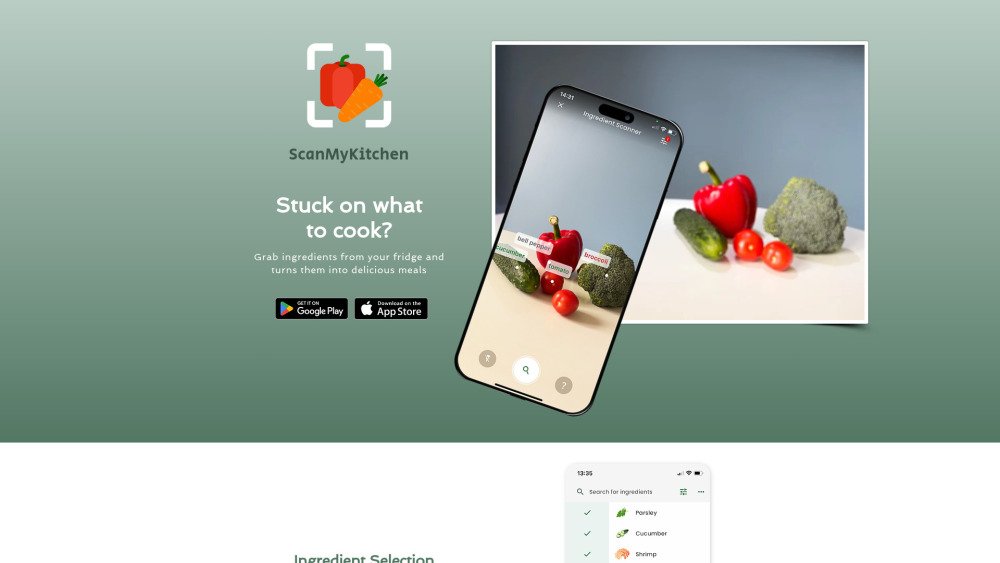
Users select the ingredients they have on hand, and Scan My Kitchen provides recipe suggestions. You can also use the camera scanning feature (Beta) to identify ingredients automatically. Filters can be applied to refine recipe results based on dietary requirements and meal types, and alternative cooking instructions are available.
Scan My Kitchen is designed to solve the common challenge of deciding what to cook based on the ingredients you have on hand or what you are craving.
No registration is required; you can simply open the app and start cooking.
Use the in-app camera to scan your ingredients, and the app will identify them for you, with options to manually adjust the results if necessary.
Free plan available.
Use these comparison pages to understand the trade-offs between the models most relevant to Scan My Kitchen.
Compare Gemini 1.0 Pro Deprecated and Gemini 2.0 Flash across pricing, context window, capabilities, benchmarks, and API access to choose the better fit for long-context workloads versus long-context workloads.
Compare Gemini 1.0 Pro Deprecated and Gemini 2.5 Flash across pricing, context window, capabilities, benchmarks, and API access to choose the better fit for long-context workloads versus long-context workloads.
Compare Gemini 2.0 Flash Lite and Gemini 2.0 Flash across pricing, context window, capabilities, benchmarks, and API access to choose the better fit for long-context workloads versus long-context workloads.
Compare Gemini 2.5 Flash and Gemini 2.0 Flash across pricing, context window, capabilities, benchmarks, and API access to choose the better fit for long-context workloads versus long-context workloads.

Similar AI tool in the AI Writing Assistants category.
Similar AI tool in the AI Assistant category.
Similar AI tool in the AI Assistant category.
Similar AI tool in the AI Writing Assistants category.
Similar AI tool in the AI Assistant category.
Similar AI tool in the AI Assistant category.
Similar AI tool in the AI Assistant category.
Similar AI tool in the AI Search Engine category.
Similar AI tool in the AI Productivity Tools category.
Similar AI tool in the AI Assistant category.
Similar AI tool in the AI Assistant category.
Similar AI tool in the AI Assistant category.