
Free
$0Free plan available.
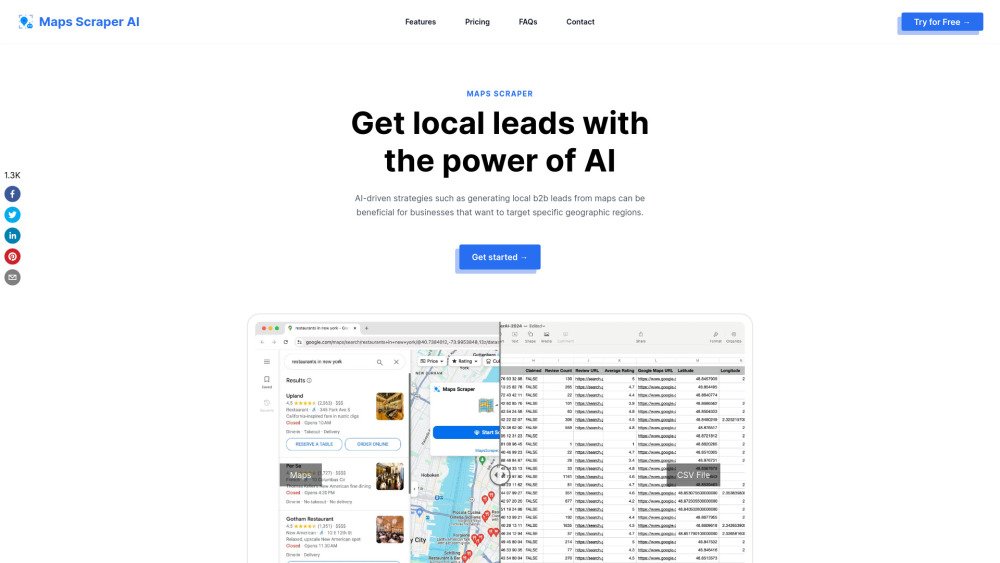
Maps Scraper AI is a tool designed to extract data from Google Maps, enabling users to collect business listings, addresses, phone numbers, reviews, and more. By utilizing AI-driven strategies, it helps generate local B2B leads for businesses targeting specific geographic areas. The tool mimics human browsing behavior to minimize the risk of being blocked by Google Maps and delivers rapid results without requiring custom web scraping solutions.
To use Maps Scraper AI, first perform a business search on Google Maps. Next, open the Chrome extension to export your results in CSV or XLS format. The software supports the extraction of emails, phone numbers, and various other business data points.
A Google Maps Scraper is a tool that extracts data from Google Maps, enabling users to collect information such as business listings, addresses, phone numbers, and reviews associated with specific locations.
The provided information indicates that scraping public data from websites like Google Maps is protected under the First Amendment of the U.S. Constitution, noting that large search engines also utilize scraping to collect data.
When searching large regions like an entire state, try searching for smaller areas such as cities or ZIP codes instead. For example, search for 'Los Angeles restaurants' rather than 'California restaurants'.
You can cancel your subscription by navigating to the settings menu within the app and selecting 'Manage Subscription,' or by contacting customer support via email to request a cancellation.
You can contact the customer support team at business@mapsscraper.ai.
Free plan available.
Use these comparison pages to understand the trade-offs between the models most relevant to Maps Scraper AI.
Compare Gemini 1.0 Pro Deprecated and Gemini 1.5 Flash Vision Deprecated across pricing, context window, capabilities, benchmarks, and API access to choose the better fit for long-context workloads versus general-purpose AI workloads.
Compare Gemini 1.5 Pro Vision Deprecated and Gemini 1.0 Pro Deprecated across pricing, context window, capabilities, benchmarks, and API access to choose the better fit for general-purpose AI workloads versus long-context workloads.
Compare Gemini 1.0 Pro Vision Deprecated and Gemini 1.5 Flash Vision Deprecated across pricing, context window, capabilities, benchmarks, and API access to choose the better fit for general-purpose AI workloads versus general-purpose AI workloads.
Compare Gemini 1.5 Pro Vision Deprecated and Gemini 1.0 Pro Vision Deprecated across pricing, context window, capabilities, benchmarks, and API access to choose the better fit for general-purpose AI workloads versus general-purpose AI workloads.