
Free
$0Free plan available.
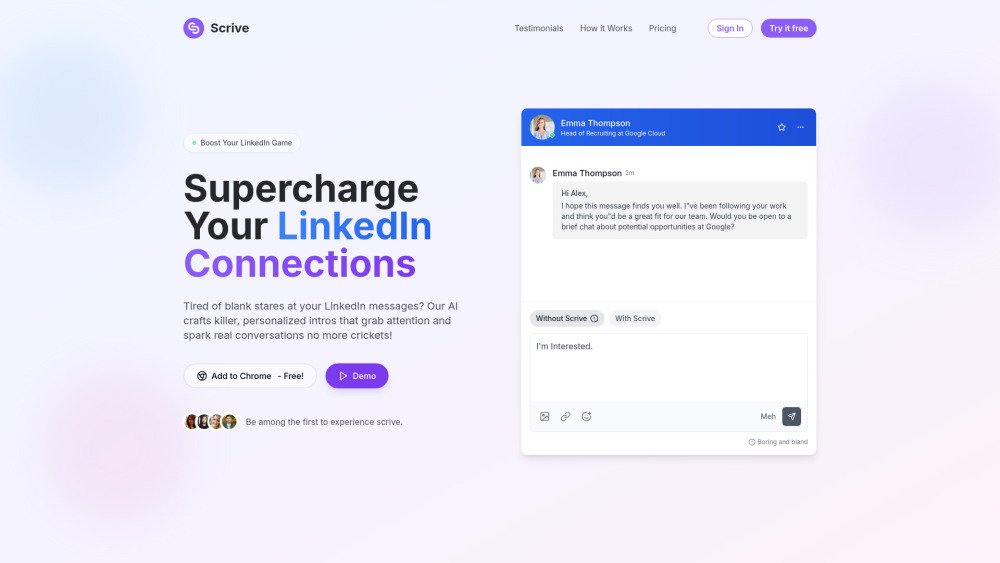
Scrive offers two distinct AI-powered tools: a thumbnail generator and a LinkedIn message assistant. The thumbnail generator transforms sketches and images into professional thumbnails using AI, catering to content creators on platforms like YouTube and social media. The LinkedIn message assistant crafts compelling LinkedIn messages that aim to increase response rates by optimizing outreach and personalizing templates.
To use the thumbnail generator, upload a sketch or image, and the AI will convert it into a polished thumbnail. To use the LinkedIn message assistant, utilize the Chrome extension to optimize your messages and templates directly within the LinkedIn interface.
The platform offers both free and paid options. The thumbnail generator operates on credit packs, while the LinkedIn message assistant is available through tiered monthly subscription plans.
While the website does not specify preferred sketch types, clear and well-defined sketches are likely to produce the best results.
The website does not explicitly state whether users can modify the thumbnails after they have been generated.
Free plan available.
Use these comparison pages to understand the trade-offs between the models most relevant to Scrive.
Compare Gemini 1.0 Pro Deprecated and Gemini 2.0 Flash across pricing, context window, capabilities, benchmarks, and API access to choose the better fit for long-context workloads versus long-context workloads.
Compare Gemini 1.0 Pro Deprecated and Gemini 2.5 Flash across pricing, context window, capabilities, benchmarks, and API access to choose the better fit for long-context workloads versus long-context workloads.
Compare Gemini 2.0 Flash Lite and Gemini 2.0 Flash across pricing, context window, capabilities, benchmarks, and API access to choose the better fit for long-context workloads versus long-context workloads.
Compare Gemini 2.5 Flash and Gemini 2.0 Flash across pricing, context window, capabilities, benchmarks, and API access to choose the better fit for long-context workloads versus long-context workloads.