
Free
$0Free plan available.
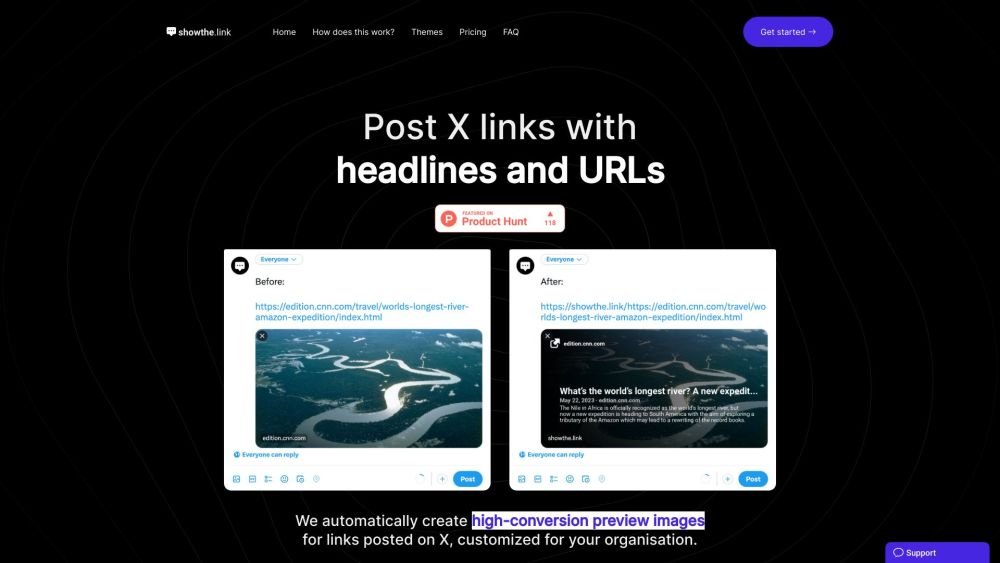
Show the Link is a tool for content creators that automatically generates informative image previews for links shared on X. By displaying your domain and headline, it helps prevent subscriber confusion and provides clear context for your linked content.
First, create a subdomain (e.g., yourcompany.showthe.link). When sharing a link on X, prefix the URL with your subdomain (e.g., yourcompany.showthe.link/https://example.com). The tool will then automatically generate an image preview containing the URL and title.
The professional plan offers full whitelabeling and custom themes, including your own colors and icons. Contact us for more information.
We support any link that includes Twitter Card meta markup. Please refer to the Twitter Card documentation for further details.
This typically occurs when the X bot takes a moment to cache the image. Try deleting and repasting the URL; it should appear on the second attempt. While we are working to improve this, it is largely dependent on X's caching process. Subsequent posts or reposts of the same URL should work immediately.
You can reach out via the support chat in the bottom right corner or by sending an email.
We are currently focused exclusively on X, though we may expand to other social networks in the future.
Free plan available.
Use these comparison pages to understand the trade-offs between the models most relevant to Show the Link.
Compare Amazon Nova Pro and Amazon Nova Lite across pricing, context window, capabilities, benchmarks, and API access to choose the better fit for tool-augmented workflows versus tool-augmented workflows.
Compare Amazon Nova Lite and Amazon Nova Micro across pricing, context window, capabilities, benchmarks, and API access to choose the better fit for tool-augmented workflows versus tool-augmented workflows.
Compare Amazon Nova Lite and Mistral Medium 3 across pricing, context window, capabilities, benchmarks, and API access to choose the better fit for tool-augmented workflows versus tool-augmented workflows.
Compare Amazon Nova Lite and Mistral Small 3.1 (25.03) across pricing, context window, capabilities, benchmarks, and API access to choose the better fit for tool-augmented workflows versus cost-efficient scale.

Similar AI tool in the AI Social Media category.
Similar AI tool in the AI Social Media category.
Similar AI tool in the AI Image Generator category.
Similar AI tool in the No-Code&Low-Code category.
Similar AI tool in the AI Marketing category.
Similar AI tool in the AI Chatbot category.
Similar AI tool in the AI Assistant category.
Similar AI tool in the AI Assistant category.
Similar AI tool in the AI Chatbot category.
Similar AI tool in the AI Design Generator category.
Similar AI tool in the AI Marketing category.
Similar AI tool in the AI Marketing category.