
Free
$0Free plan available.
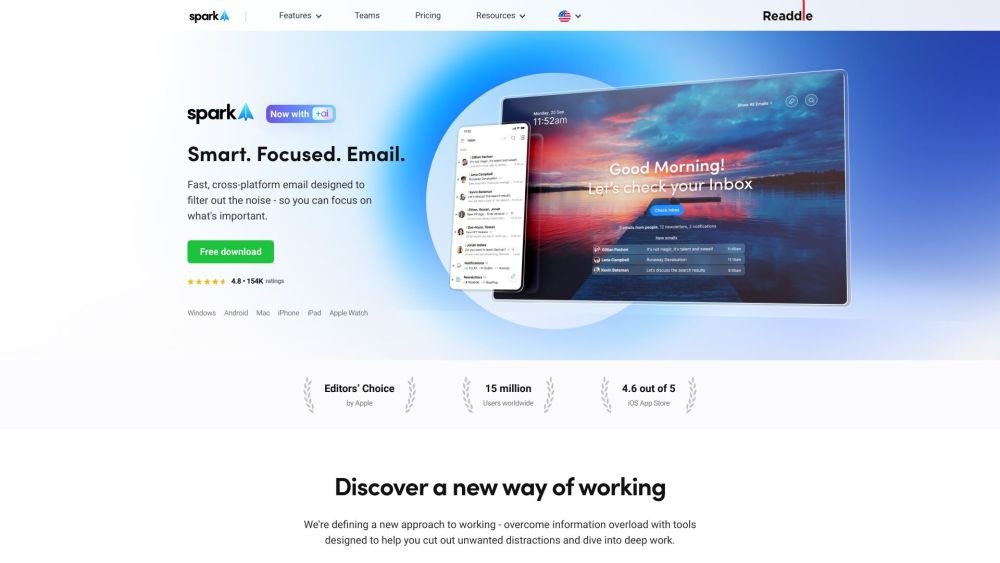
Spark Mail is an email application designed to help users manage their inbox more effectively. It focuses on prioritizing important emails, filtering out noise, and providing tools for collaboration and productivity. Key features include a Smart Inbox, AI-powered email writing assistant, Gatekeeper, Snooze Emails, Send Later, and team collaboration tools.
Spark Mail can be used by downloading the app on various platforms, including Mac, iPhone, iPad, Android, and Windows. Users can connect multiple email accounts, and the app will automatically prioritize important emails while filtering out unwanted noise. Collaboration features allow teams to compose, delegate, and manage emails together.
Currently, the Spark Premium trial lasts 7 days. If you need to extend the trial or change the start date, please contact our support team.
Navigate to your app Settings, select Spark Account, and click the “Manage” button next to “Spark Premium”.
1. Click Spark at the top left of your screen. 2. Go to Settings. 3. Select Teams. 4. Choose a team and click Manage Team. 5. You will be directed to the Team Preferences page where you can click Billing at the top to manage your subscription.
No, we do not offer a one-time purchase option.
Yes, Spark Premium unlocks features on all devices where you use Spark. For example, a subscription purchased on iOS is valid for Windows, Mac, and Android devices that have Spark installed.
You can still use all essential Spark features for free. By introducing an Individual subscription for our advanced focus-enhancing tools, we can ensure the continuous evolution of a high-quality product.
The Teams subscription includes Individual Premium, providing access to all available features.
Core Spark features remain free for new users, and existing users retain access to all previously free features. We are focused on building a product that meets email needs and saves time through innovative capabilities. To support this, we introduced individual premium subscriptions for a select range of new focus-enhancing tools.
On Mac, the original Spark can be installed from the Mac App Store and used alongside Spark Desktop. On iOS/Android, there is no way to downgrade to a previous version; however, you retain all previous free features and can switch to the old Smart Inbox or Classic view in Spark Settings.
We offer both monthly and annual subscription plans. You can purchase a monthly plan via our pricing page or directly through the Spark app. For annual plans, we display the monthly cost equivalent to help you compare value and choose the option that best fits your budget.
+AI is included with the Spark Premium subscription and includes a monthly quota for generating emails, replies, or editing drafts. If your quota is depleted, you can wait for the next month for an automatic refill or purchase an add-on. We will notify you when you reach 10% of your remaining quota.
Free plan available.
Use these comparison pages to understand the trade-offs between the models most relevant to Spark Mail.
Compare Amazon Nova Pro and Amazon Nova Lite across pricing, context window, capabilities, benchmarks, and API access to choose the better fit for tool-augmented workflows versus tool-augmented workflows.
Compare Amazon Nova Lite and Amazon Nova Micro across pricing, context window, capabilities, benchmarks, and API access to choose the better fit for tool-augmented workflows versus tool-augmented workflows.
Compare Amazon Nova Lite and Mistral Medium 3 across pricing, context window, capabilities, benchmarks, and API access to choose the better fit for tool-augmented workflows versus tool-augmented workflows.
Compare Amazon Nova Lite and Mistral Small 3.1 (25.03) across pricing, context window, capabilities, benchmarks, and API access to choose the better fit for tool-augmented workflows versus cost-efficient scale.

Similar AI tool in the AI Assistant category.
Similar AI tool in the AI Writing Assistants category.
Similar AI tool in the AI Image Generator category.
Similar AI tool in the AI Assistant category.
Similar AI tool in the AI Writing Assistants category.
Similar AI tool in the AI Writing Assistants category.
Similar AI tool in the AI Assistant category.
Similar AI tool in the AI Chatbot category.
Similar AI tool in the AI Chatbot category.
Similar AI tool in the AI Writing Assistants category.
Similar AI tool in the AI Assistant category.
Similar AI tool in the AI Summarizer category.