Study Fetch

14
5 1 Reviews 14 Saved
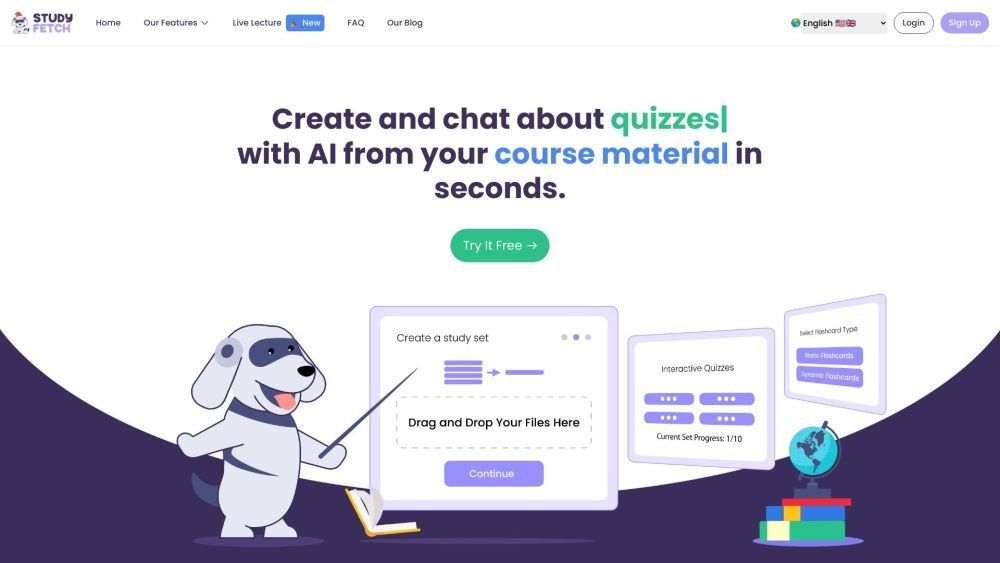
Introduction: Study Fetch is an AI-powered learning platform that converts course materials—such as PowerPoints, lectures, class notes, and study guides—into interactive study resources. Key features include AI-generated flashcards, quizzes, automated note-taking, and an AI tutor named Spark.e. The platform is designed to accelerate learning by providing personalized feedback, progress tracking, and instant study tool generation from uploaded content.
Monthly Visitors: 1.9M

Study Fetch Product Information

What is Study Fetch?

Study Fetch is an AI learning platform that transforms various course materials like PowerPoints, lectures, class notes, and study guides into AI-powered study tools. It offers features such as AI flashcards, quizzes, notes generation, and an AI tutor named Spark.e. The platform aims to make learning faster and more effective by providing personalized feedback, tracking progress, and generating focused study tools in seconds from uploaded content.

How to use Study Fetch?

To use Study Fetch, register on the platform and select 'Create a Set' to upload your course materials. The platform supports various formats, including PDF, DOC, DOCX, PPT, PPTX, TXT, PNG, JPEG, MP3, MP4, YouTube videos, and Google Docs. Once uploaded, the AI tutor, Spark.e, automatically converts these materials into interactive study tools like flashcards, quizzes, and notes, while providing real-time assistance and personalized feedback.

Study Fetch's Core Features

  • Notes AI
  • Flashcards AI
  • Quizzes AI
  • Spark.E AI (Personal AI Tutor)
  • Spark.E Visuals (Ask questions about pictures/diagrams)
  • Record Live Lecture
  • Essay Grader
  • Tutor Me (Get taught a lecture by Spark.E)
  • Call with Spark.E
  • Audio Recap (Generate podcast/summary from materials)
  • Explainer Video (Generate educational video using AI)
  • Study Calendar
  • PDF to Game

Study Fetch Use Cases

#1 AI Writing Assistance
#2 Document Summarization
#3 Flashcard Generation
#4 Quiz and Test Preparation
#5 Subject-Specific AI Study Aids
#6 Video Learning Tools
#7 PDF to Game Conversion
#8 Explainer Videos

FAQ from Study Fetch

What is StudyFetch? +

StudyFetch is a platform that allows you to upload course materials to create interactive study sets. You can study with an AI tutor, generate flashcards and notes, and take practice tests.

Can I upload my whole class lecture to StudyFetch? +

Yes, you can upload lecture recordings that are up to one hour in length.

What types of course material can I upload? +

You can upload various formats, including PDF, DOC, DOCX, PPT, PPTX, TXT, PNG, JPEG, MP3, MP4, YouTube videos, and Google Docs.

Does my course material automatically convert into other features? +

Yes, Spark.e, our AI tutor, allows you to interact with your study materials. You can ask questions, generate flashcards, take practice tests, and customize your learning experience.

How do I upload my material? +

The process is simple: register with StudyFetch, select 'Create a Set,' and choose your preferred method to upload your study materials.

How does the AI work? +

StudyFetch's AI, Spark.e, uses machine learning to provide an interactive tutoring experience. After you upload your materials, Spark.e indexes them to make the content searchable for real-time queries.

Who is Spark.e? +

Spark.e is your AI tutor. This virtual assistant is powered by machine learning algorithms designed to understand your course materials and help you study more effectively.

Study Fetch Pricing

Free

$0

Free plan available.

Related Model Comparison Pages

Use these comparison pages to understand the trade-offs between the models most relevant to Study Fetch.

Compare Gemini 2.5 Flash and DeepSeek V4 Flash across pricing, context window, capabilities, benchmarks, and API access to choose the better fit for long-context workloads versus long-context workloads.

Compare Gemini 2.5 Flash and Gemini 2.5 Flash Lite across pricing, context window, capabilities, benchmarks, and API access to choose the better fit for long-context workloads versus long-context workloads.

Compare Gemini 2.5 Flash and Kimi K2.6 across pricing, context window, capabilities, benchmarks, and API access to choose the better fit for long-context workloads versus reasoning-heavy tasks.

Compare Gemini 3.1 Pro and Gemini 2.5 Flash across pricing, context window, capabilities, benchmarks, and API access to choose the better fit for long-context workloads versus long-context workloads.

You Might Also Like

XOR - Chrome Extension

XOR - Chrome Extension

AI Assistant

The XOR Chrome extension streamlines recruiting and HR workflows by enabling you to add candidate phone numbers from your ATS to campaigns with a single click. By leveraging an AI chatbot, XOR automates repetitive tasks including interview scheduling, employee onboarding, and pulse surveys. The platform also supports large-scale communication via text and WhatsApp to enhance candidate and employee engagement. Trusted by global organizations like IKEA, McDonald's, Exxon Mobil, and Manpower Group, XOR helps teams improve hiring efficiency.

Contact N/A Views
Details
ChatTuesday.com - Chrome Extension

ChatTuesday.com - Chrome Extension

AI Assistant

ChatTuesday.com is an AI-powered platform that enables users to build personalized, ChatGPT-style chatbots trained on their own data. These digital assistants can be embedded directly into websites or accessed via API and various integrations, featuring support for custom data sources, flexible configurations, multi-bot management, and multi-language capabilities.

Contact N/A Views
Details
ECharts Data Visualization - Chrome Extension

ECharts Data Visualization - Chrome Extension

AI Assistant

The ECharts Data Visualization Chrome extension provides access to a powerful, free library for creating diverse charts, including line, bar, pie, scatter, and map visualizations. It is highly customizable and interactive, enabling the development of dynamic data displays for web applications, dashboards, and reports. Developers can utilize both declarative configuration and imperative programming to tailor charts, while features like data zooming, tooltips, and visual encoding facilitate deeper data exploration.

Contact N/A Views
Details
ChatGPT Assistant - Chrome Extension

ChatGPT Assistant - Chrome Extension

AI Assistant

The ChatGPT Assistant Chrome extension is designed to improve your experience with GPT chat platforms. It features a comprehensive prompt library, tools for creating and managing custom prompts, speech-to-text functionality, a community prompt library, custom instructions, a quick-pick tool, a text chunker, conversation saving, a reader, RoboHelp, and web prompt collection. It also provides links to AI learning resources at MyBrainOnAI.com.

Contact N/A Views
Details
SinteseAI - Chrome Extension

SinteseAI - Chrome Extension

AI Chatbot

SinteseAI is a Chrome extension that converts educational videos into concise, easy-to-read summaries. By leveraging artificial intelligence, it analyzes YouTube content to extract essential points and core concepts.

Contact N/A Views
Details
Datafi for Chrome Extension - Chrome Extension

Datafi for Chrome Extension - Chrome Extension

AI Assistant

The Datafi Chrome Extension integrates directly with the Datafi Platform to provide real-time data productivity tools within your browser. It is designed to streamline data workflows by offering immediate access to custom insights, one-click data card insertion, and integrated data chat functionality.

Contact N/A Views
Details
TEE Buddy - Chrome Extension

TEE Buddy - Chrome Extension

AI Assistant

TEE Buddy is a Chrome extension designed to automate the process of booking tee times at high-demand golf courses. By mimicking user behavior on reservation websites, it repeatedly attempts to secure a slot based on your specific criteria, improving your likelihood of a successful booking.

Contact N/A Views
Details
SpeedClip - Chrome Extension

SpeedClip - Chrome Extension

AI Assistant

SpeedClip is an AI-powered Chrome extension designed to help you navigate long YouTube videos efficiently. It automatically highlights key segments on the video timeline, eliminating the need for manual scrubbing. With a single click, you can jump between segments and view AI-generated summaries directly on the video to quickly grasp the content.

Contact N/A Views
Details
doSmartQA - Chrome Extension

doSmartQA - Chrome Extension

AI Assistant

doSmartQA is a Chrome extension that provides a SmartQA toolbox based on the HyBIST (Hypothesis Based Immersive Session Testing) methodology. It is designed to support QA professionals in Agile development environments by enhancing intellectual testing practices. The tool assists in creating smart probes and conducting system testing through structured reconnaissance, exploration, and recoup sessions.

Contact N/A Views
Details
GPT-EW - Chrome Extension

GPT-EW - Chrome Extension

AI Assistant

GPT-EW is a Chrome extension that integrates ChatGPT directly into your browser, allowing you to access AI assistance on any website. It can analyze and summarize page content, generate various types of text—such as emails, product descriptions, and social media posts—and create images using OpenAI's generation tools.

Contact N/A Views
Details
KauGPT Chrome Extension - Chrome Extension

KauGPT Chrome Extension - Chrome Extension

AI Assistant

KauGPT is a Chrome extension that integrates GPT-4 and other AI models directly into your browser. It enhances your online workflow by providing file flexibility, real-time information access, customizable AI templates, and an integrated image generator.

Contact N/A Views
Details
Deep Find - Chrome Extension

Deep Find - Chrome Extension

AI Chatbot

Deep Find is a Chrome extension that identifies AI-generated text directly on webpages, eliminating the need to copy and paste content into external detectors. Similar to a grammar checker, it highlights AI-written text in real time. Use it to help identify fake emails, news articles, social media bots, and AI-generated academic papers.

Contact N/A Views
Details