
Free
$0Free plan available.
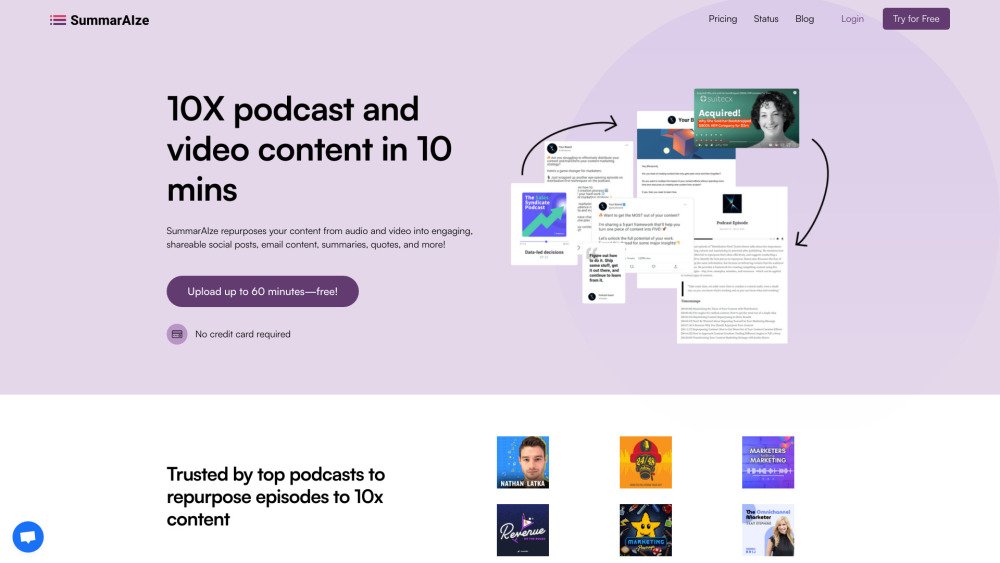
SummarAIze repurposes content from podcast episodes, webinars, or other video content into social media posts, email content, and more. It helps scale your content reach by turning audio and video into engaging, shareable social posts, email content, summaries, and quotes. The platform offers tools including Audio to Text, Video to Text, video repurposing, and a podcast transcript generator.
Upload your audio or video files, provide specific details for accuracy—such as speaker names or custom terminology—and receive fresh content ready for use in social media, email, and other channels.
Credits are the currency used within SummarAIze. You use them to transcribe audio or video (1 credit = 1 minute), generate assets like social posts or blogs, and use the 'Ask SummarAIze' chat feature. Different models and asset types consume varying amounts of credits, giving you control over your usage.
SummarAIze is designed for podcast creators, content marketers, and anyone who produces long-form audio or video content.
We recommend choosing a plan based on your monthly content volume. For example, our content manager plan allows you to generate transcripts for 10 hours of content and create up to 200 additional assets.
Yes. We offer bulk discounts if you plan to process 10 or more files. Please contact us at mail@summaraize.com for more information.
Yes, you can change your plan at any time. If you upgrade during your billing cycle, you will be charged the difference between your current plan and your new plan.
Approximately 90% of files are processed within 2 minutes.
The amount of content is up to you. Upon signing up, we suggest templates, but you can also install any template from our marketplace or create your own. Credits are consumed based on the content you create and repurpose. For example, in our trial, you could upload two 30-minute videos and generate up to 7 assets for each, or upload 30 one-minute videos and generate 1-2 assets for each.
Free plan available.
Use these comparison pages to understand the trade-offs between the models most relevant to SummarAIze.
Compare Gemini 1.0 Pro Deprecated and Gemini 2.0 Flash across pricing, context window, capabilities, benchmarks, and API access to choose the better fit for long-context workloads versus long-context workloads.
Compare Gemini 1.0 Pro Deprecated and Gemini 2.5 Flash across pricing, context window, capabilities, benchmarks, and API access to choose the better fit for long-context workloads versus long-context workloads.
Compare Gemini 2.0 Flash Lite and Gemini 2.0 Flash across pricing, context window, capabilities, benchmarks, and API access to choose the better fit for long-context workloads versus long-context workloads.
Compare Gemini 2.5 Flash and Gemini 2.0 Flash across pricing, context window, capabilities, benchmarks, and API access to choose the better fit for long-context workloads versus long-context workloads.

Similar AI tool in the AI Social Media Post Generator category.
Similar AI tool in the AI Assistant category.
Similar AI tool in the AI Writing Assistants category.
Similar AI tool in the AI Image Generator category.
Similar AI tool in the AI Chatbot category.
Similar AI tool in the AI Writing Assistants category.
Similar AI tool in the AI Assistant category.
Similar AI tool in the AI Chatbot category.
Similar AI tool in the AI Chatbot category.
Similar AI tool in the AI Design Generator category.
Similar AI tool in the AI Writing Assistants category.
Similar AI tool in the AI Art Generator category.