
Free
$0Free plan available.
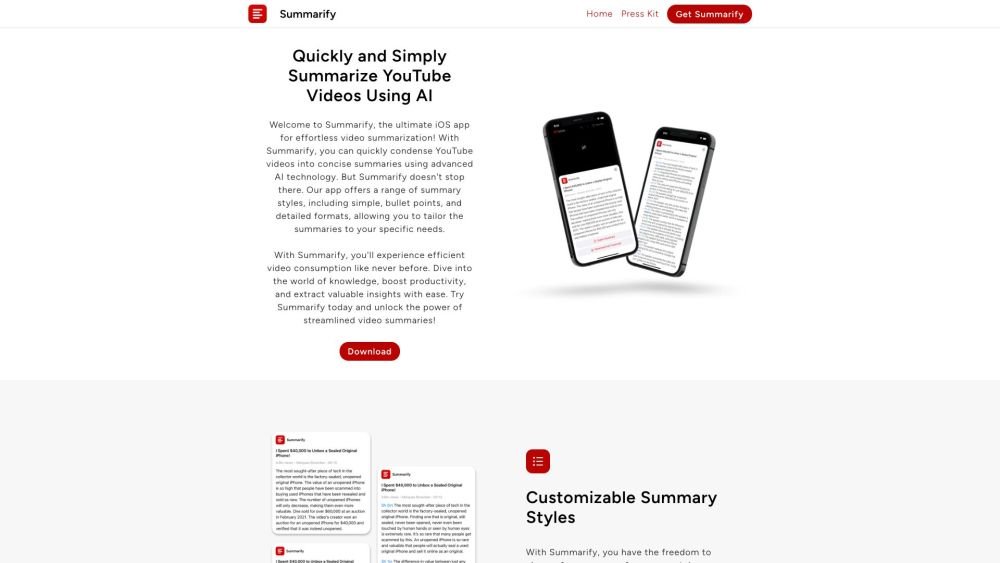
Summarify is an iOS app that uses AI to summarize YouTube videos. It allows users to summarize videos directly from the YouTube app using a share extension and offers different summary styles, including simple, bullet points, and detailed summaries. Timestamps with links are included for easy navigation.
Share a YouTube video to the Summarify app via the iOS share extension. Select your preferred summary style—simple, bullet points, or detailed—to receive an instant summary complete with timestamps.
Summarify is an iOS app that utilizes AI to summarize YouTube videos, enabling you to understand video content quickly without watching the full duration.
Share a YouTube video to the Summarify app using the iOS share extension, then select a summary style to generate an instant summary with timestamps.
Summarify provides simple, bulleted, and detailed summary formats.
Yes, summaries can be exported in PDF, Markdown (MD), or plain text (TXT) formats.
Yes, you can download transcripts in various formats, such as PDF, TXT, and XML.
Yes, Summarify provides a Chrome extension for accessing summaries on Windows, Linux, and Chromebook devices.
Free plan available.
Use these comparison pages to understand the trade-offs between the models most relevant to Summarify.
Compare Gemini 1.0 Pro Deprecated and Gemini 2.0 Flash across pricing, context window, capabilities, benchmarks, and API access to choose the better fit for long-context workloads versus long-context workloads.
Compare Gemini 2.0 Flash Lite and Gemini 2.0 Flash across pricing, context window, capabilities, benchmarks, and API access to choose the better fit for long-context workloads versus long-context workloads.
Compare Gemini 1.0 Pro Deprecated and Gemini 1.5 Flash Deprecated across pricing, context window, capabilities, benchmarks, and API access to choose the better fit for long-context workloads versus general-purpose AI workloads.
Compare Gemini 1.0 Pro Deprecated and Gemini 1.5 Flash Vision Deprecated across pricing, context window, capabilities, benchmarks, and API access to choose the better fit for long-context workloads versus general-purpose AI workloads.

Similar AI tool in the AI Image Generator category.
Similar AI tool in the AI Assistant category.
Similar AI tool in the AI Assistant category.
Similar AI tool in the AI Productivity Tools category.
Similar AI tool in the No-Code&Low-Code category.
Similar AI tool in the AI Assistant category.
Similar AI tool in the AI Chatbot category.
Similar AI tool in the AI Chatbot category.
Similar AI tool in the AI Chatbot category.
Similar AI tool in the AI Writing Assistants category.
Similar AI tool in the AI Assistant category.
Similar AI tool in the AI Chatbot category.