
Free
$0Free plan available.
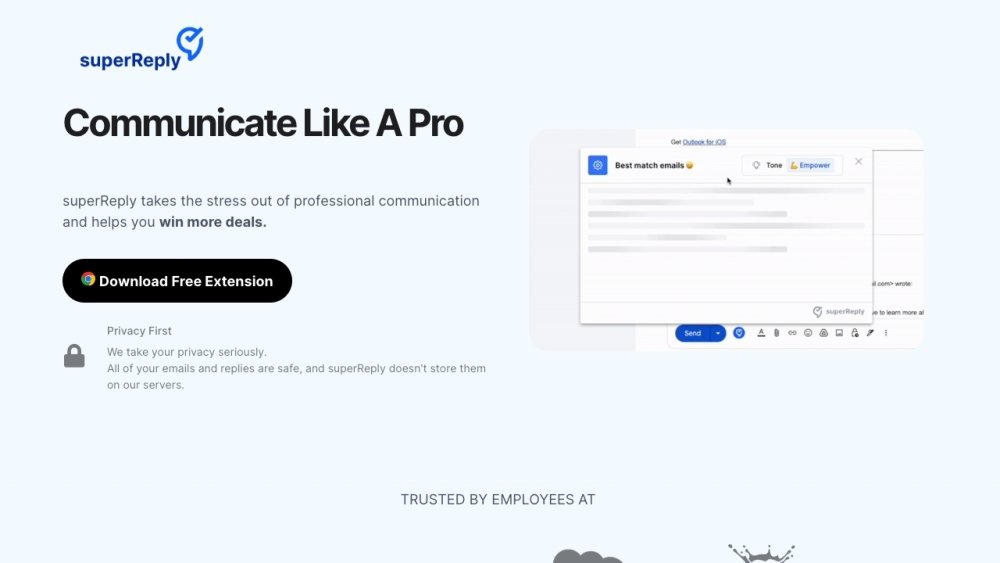
superReply is an AI-powered email response generator extension for Gmail and Outlook. It helps users quickly and easily create effective email replies by suggesting personalized responses that match the tone of the original email. The extension aims to improve productivity and save time by automating the email response process.
To use superReply, install the Chrome extension and access Outlook or Gmail through your Chrome browser. Open the email you want to respond to and click the superReply icon. The extension will generate three tailored response options. Select the message you prefer, make any necessary adjustments, and hit send.
superReply uses advanced technology and security protocols to protect your emails and personal information. We prioritize your privacy and will never share your data without your consent. superReply only accesses the email threads you choose to use it on and does not store any emails or replies on our servers. We use industry-standard encryption to ensure your data remains protected.
superReply is designed to be compatible with major email providers, including Gmail and Outlook. Integration is straightforward and requires no technical skills, allowing you to optimize your email workflow quickly.
Yes. superReply enhances your email experience by offering suggestions and automation, but you retain full control over your communications. You can customize settings to fit your specific needs.
Yes, we offer a free plan that allows you to send up to 3 emails per day. For agencies, freelancers, or teams requiring higher volume, our unlimited plan allows you to respond to as many emails as needed without limitations.
Our pricing starts at $24.99 per month for unlimited emails with no long-term commitment. If you choose our annual plan, the cost is reduced to $10.70 per month.
You can chat with us in-app or send us an email, and our team will respond within 24 hours. We value your feedback and look forward to assisting you.
To use superReply with Outlook, install the extension and access your Outlook account via the Chrome browser.
To use superReply with Gmail, install the extension and access your Gmail account via the Chrome browser.
Setting up superReply is simple. Once the Chrome extension is installed, open Outlook in your browser. Open the email you wish to reply to and click the superReply icon. You will receive three tailored response options; select the one you prefer, make any necessary edits, and hit send.
To cancel your subscription, click the superReply icon in your email, then select the settings icon. Under “Manage Account,” click the “manage” button to cancel your subscription via the Stripe portal. If you need assistance, please email us at shahar@superReply.co.
Free plan available.
Use these comparison pages to understand the trade-offs between the models most relevant to superReply.
Compare Gemini 1.0 Pro Deprecated and Gemini 2.0 Flash across pricing, context window, capabilities, benchmarks, and API access to choose the better fit for long-context workloads versus long-context workloads.
Compare Gemini 1.0 Pro Deprecated and Gemini 2.5 Flash across pricing, context window, capabilities, benchmarks, and API access to choose the better fit for long-context workloads versus long-context workloads.
Compare Gemini 2.0 Flash Lite and Gemini 2.0 Flash across pricing, context window, capabilities, benchmarks, and API access to choose the better fit for long-context workloads versus long-context workloads.
Compare Gemini 2.5 Flash and Gemini 2.0 Flash across pricing, context window, capabilities, benchmarks, and API access to choose the better fit for long-context workloads versus long-context workloads.

Similar AI tool in the AI Assistant category.
Similar AI tool in the AI Assistant category.
Similar AI tool in the AI Writing Assistants category.
Similar AI tool in the AI Writing Assistants category.
Similar AI tool in the AI Assistant category.
Similar AI tool in the AI Image Generator category.
Similar AI tool in the AI Writing Assistants category.
Similar AI tool in the AI Writing Assistants category.
Similar AI tool in the AI Productivity Tools category.
Similar AI tool in the AI Chatbot category.
Similar AI tool in the AI Assistant category.
Similar AI tool in the AI Assistant category.