
Free
$0Free plan available.
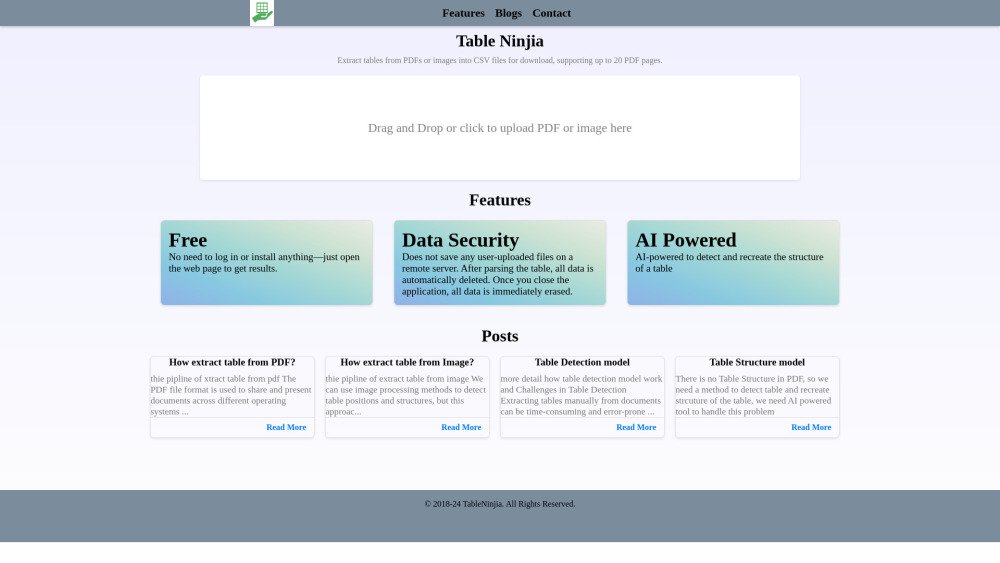
Table Ninjia is a web application designed to extract tables from PDF and image files and convert them into CSV format. It allows users to upload PDF or image files, and the AI-powered tool detects and recreates the table structure, enabling users to download the extracted data in CSV format. The service supports up to 20 PDF pages.
Users can drag and drop or click to upload a PDF or image file. The application processes the file, detects tables, and allows users to download the extracted table data in CSV format. The website supports navigating through multiple pages of a PDF to identify and extract tables.
Table Ninjia does not save user-uploaded files on a remote server. After the table is parsed, all data is automatically deleted. Once you close the application, all data is immediately erased.
Table Ninjia supports PDF and image files for table extraction.
Yes, Table Ninjia is free to use. No login or installation is required.
Free plan available.
Use these comparison pages to understand the trade-offs between the models most relevant to Table Ninjia.
Compare Gemini 1.0 Pro Deprecated and Gemini 2.0 Flash across pricing, context window, capabilities, benchmarks, and API access to choose the better fit for long-context workloads versus long-context workloads.
Compare Gemini 2.0 Flash Lite and Gemini 2.0 Flash across pricing, context window, capabilities, benchmarks, and API access to choose the better fit for long-context workloads versus long-context workloads.
Compare Gemini 1.0 Pro Deprecated and Gemini 1.5 Flash Deprecated across pricing, context window, capabilities, benchmarks, and API access to choose the better fit for long-context workloads versus general-purpose AI workloads.
Compare Gemini 1.0 Pro Deprecated and Gemini 1.5 Flash Vision Deprecated across pricing, context window, capabilities, benchmarks, and API access to choose the better fit for long-context workloads versus general-purpose AI workloads.

Similar AI tool in the AI Copilot category.
Similar AI tool in the AI Assistant category.
Similar AI tool in the AI Assistant category.
Similar AI tool in the AI Writing Assistants category.
Similar AI tool in the AI Image Generator category.
Similar AI tool in the AI Writing Assistants category.
Similar AI tool in the AI Writing Assistants category.
Similar AI tool in the AI Assistant category.
Similar AI tool in the AI Design Generator category.
Similar AI tool in the AI Chatbot category.
Similar AI tool in the AI Chatbot category.
Similar AI tool in the AI Assistant category.