
Free
$0Free plan available.
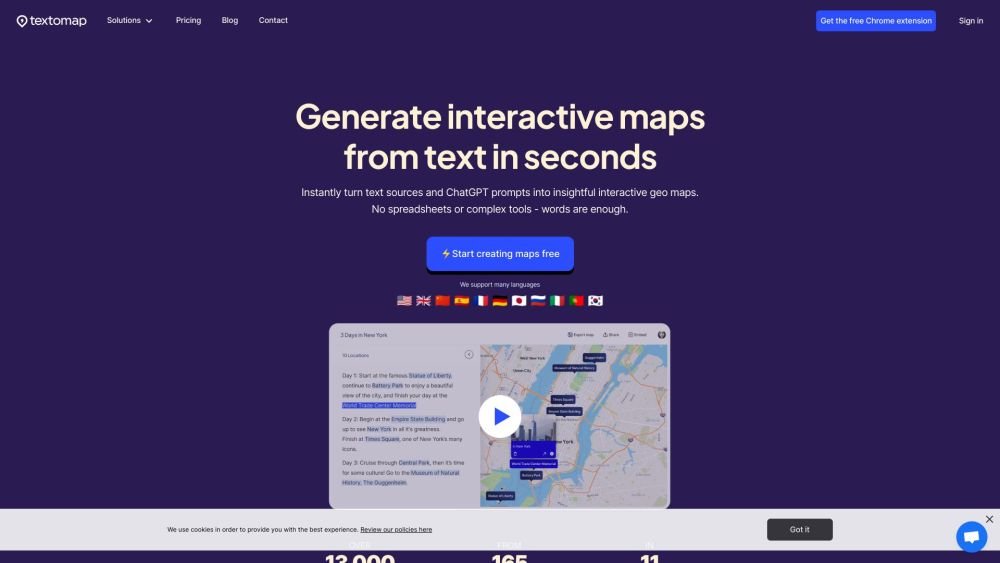
Textomap is a tool that allows users to create interactive maps from text sources, ChatGPT prompts, or CSV files. It simplifies the process of visualizing location-based data, saving time and effort compared to traditional mapping methods. Users can customize map pins with descriptions, colors, images, and links, and embed the maps on their websites.
Users can create maps by inputting text containing locations, using a ChatGPT prompt to generate locations, or uploading a CSV file with latitude and longitude coordinates. The tool automatically identifies and plots the locations on a map, which can then be customized and embedded.
Textomap can be used to create interactive maps from various text sources, including travel itineraries, blog posts, educational materials, news articles, and eBooks.
Textomap simplifies map creation by allowing you to generate maps directly from text, eliminating the need for spreadsheets or complex software. It also features AI-powered map generation via ChatGPT.
Textomap supports multiple languages, including English, Spanish, Chinese, German, French, Italian, Portuguese, Russian, Japanese, and Korean.
Textomap offers a free plan with limited features and paid plans that provide more extensive capabilities. Please visit the pricing page for specific details.
The provided information does not specify how payments are processed.
The provided information does not state whether tax or VAT refunds are available.
Yes, you may cancel your subscription at any time.
You can contact the Textomap team using the contact form available on their website.
Free plan available.
Use these comparison pages to understand the trade-offs between the models most relevant to Textomap.
Compare GPT 5.4 and GPT 5.4 Pro across pricing, context window, capabilities, benchmarks, and API access to choose the better fit for long-context workloads versus long-context workloads.
Compare GPT 5.5 and GPT 5.4 across pricing, context window, capabilities, benchmarks, and API access to choose the better fit for long-context workloads versus long-context workloads.
Compare GPT 5.5 and Claude 4.6 Opus across pricing, context window, capabilities, benchmarks, and API access to choose the better fit for long-context workloads versus long-context workloads.
Compare GPT 5.5 and Claude 4.6 Sonnet across pricing, context window, capabilities, benchmarks, and API access to choose the better fit for long-context workloads versus long-context workloads.

Similar AI tool in the AI Assistant category.
Similar AI tool in the AI Assistant category.
Similar AI tool in the AI Image Generator category.
Similar AI tool in the No-Code&Low-Code category.
Similar AI tool in the AI Assistant category.
Similar AI tool in the AI Chatbot category.
Similar AI tool in the AI Assistant category.
Similar AI tool in the AI Chatbot category.
Similar AI tool in the AI Chatbot category.
Similar AI tool in the AI Design Generator category.
Similar AI tool in the AI Art Generator category.
Similar AI tool in the AI Assistant category.