
Free
$0Free plan available.
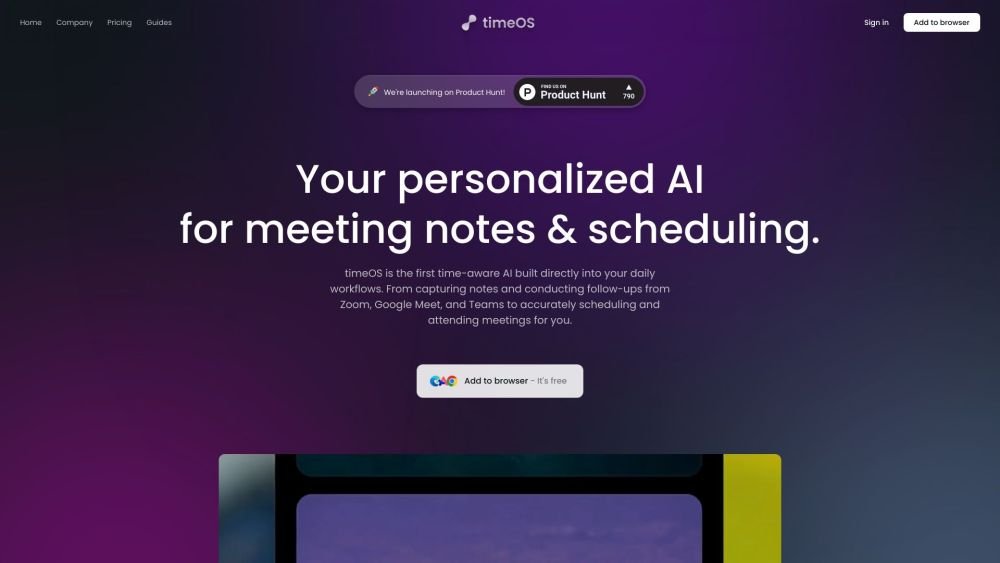
timeOS is a time-aware AI built directly into your daily workflows. It automates meeting notes, conducts follow-ups, manages scheduling, and attends meetings for you. It enhances time management through automated note-taking and scheduling, while providing proactive insights, action item tracking, and seamless task delegation. It is compatible with Zoom, Google Meet, and Microsoft Teams.
Install the browser extension or download the macOS app to get started. Once connected to your calendar and meeting platforms, timeOS automatically records, transcribes, and summarizes your meetings. You can also use the tool to schedule appointments, delegate tasks, and generate follow-up emails.
timeOS uses a customizable AI bot that joins your Google Meet, Zoom, or Teams calls to provide a full recording, transcription, and summary. It also offers an 'Invisible AI' option to capture meetings without a visible bot.
timeOS integrates with Notion, Google Docs, monday.com, HubSpot, Trello, Slack, Google Calendar, Gmail, and LinkedIn.
Yes, timeOS is built with security in mind and adheres to high privacy standards, including SOC II Type II compliance. All data is encrypted in transit via TLS/HTTPS and at rest using AES-256. Users retain the ability to delete their data at any time.
timeOS supports over 60 languages for meeting summaries.
Free plan available.
Use these comparison pages to understand the trade-offs between the models most relevant to timeOS.
Compare Gemini 1.0 Pro Deprecated and Gemini 2.0 Flash across pricing, context window, capabilities, benchmarks, and API access to choose the better fit for long-context workloads versus long-context workloads.
Compare Gemini 1.0 Pro Deprecated and Gemini 2.5 Flash across pricing, context window, capabilities, benchmarks, and API access to choose the better fit for long-context workloads versus long-context workloads.
Compare Gemini 2.0 Flash Lite and Gemini 2.0 Flash across pricing, context window, capabilities, benchmarks, and API access to choose the better fit for long-context workloads versus long-context workloads.
Compare Gemini 2.5 Flash and Gemini 2.0 Flash across pricing, context window, capabilities, benchmarks, and API access to choose the better fit for long-context workloads versus long-context workloads.

Similar AI tool in the AI Assistant category.
Similar AI tool in the AI Assistant category.
Similar AI tool in the AI Assistant category.
Similar AI tool in the AI Assistant category.
Similar AI tool in the AI Chatbot category.
Similar AI tool in the AI Chatbot category.
Similar AI tool in the AI Chatbot category.
Similar AI tool in the AI Assistant category.
Similar AI tool in the AI Assistant category.
Similar AI tool in the AI Assistant category.
Similar AI tool in the AI Summarizer category.
Similar AI tool in the AI Summarizer category.