
Free
$0Free plan available.
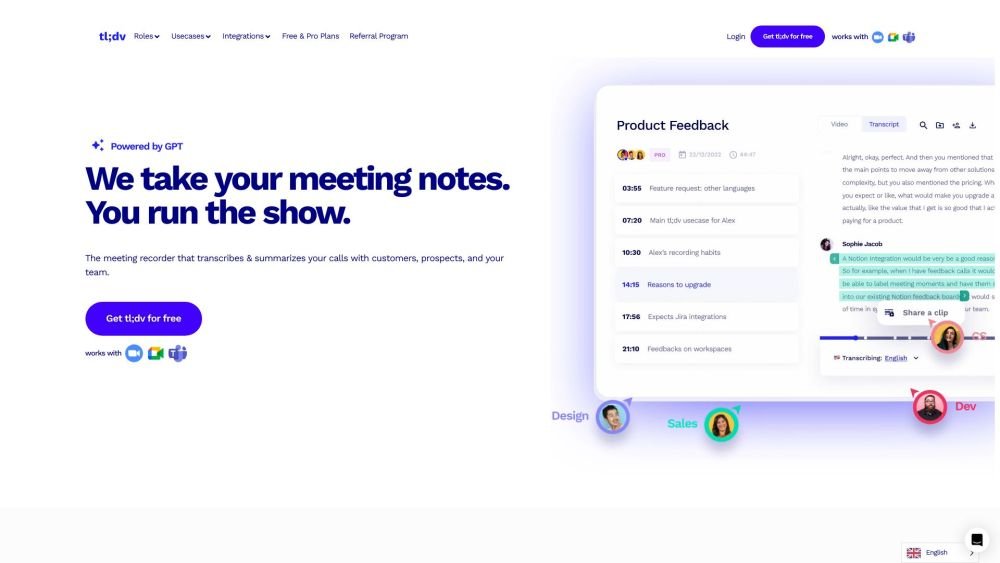
tl;dv is an AI-powered meeting assistant that records, transcribes, and summarizes sessions on Zoom, MS Teams, and Google Meet. It automates workflows such as CRM updates, follow-up drafting, and discussion tracking. Key features include meeting recording and transcription, AI-generated notes and summaries, cross-meeting insights, sales coaching tools, multilingual support, and various platform integrations.
tl;dv automatically records and transcribes your meetings. Once the meeting concludes, it generates AI-powered summaries and notes. You can then customize these notes, sync them with integrated tools, and share key insights with your team.
tl;dv is an AI-powered meeting assistant that records, transcribes, and summarizes your meetings to provide actionable insights for improved team collaboration.
tl;dv offers AI-powered transcription in over 30 languages and dialects, allowing multilingual teams to accurately capture, transcribe, and summarize their meetings.
Yes, tl;dv provides a Free Forever plan that includes access to AI-powered meeting transcription, recording, and insights without time limits.
Yes, tl;dv integrates with Google Meet, Zoom, and Microsoft Teams to provide AI-powered transcription, automatic recording, and intelligent meeting summaries.
Yes, although tl;dv does not currently have a native mobile app, you can still automatically record, transcribe, and summarize mobile meetings using the auto-recording feature.
Free plan available.
Use these comparison pages to understand the trade-offs between the models most relevant to tl;dv.
Compare Gemini 1.0 Pro Deprecated and Gemini 2.0 Flash across pricing, context window, capabilities, benchmarks, and API access to choose the better fit for long-context workloads versus long-context workloads.
Compare Gemini 1.0 Pro Deprecated and Gemini 2.5 Flash across pricing, context window, capabilities, benchmarks, and API access to choose the better fit for long-context workloads versus long-context workloads.
Compare Gemini 2.0 Flash Lite and Gemini 2.0 Flash across pricing, context window, capabilities, benchmarks, and API access to choose the better fit for long-context workloads versus long-context workloads.
Compare Gemini 2.5 Flash and Gemini 2.0 Flash across pricing, context window, capabilities, benchmarks, and API access to choose the better fit for long-context workloads versus long-context workloads.

Similar AI tool in the AI Copilot category.
Similar AI tool in the AI Assistant category.
Similar AI tool in the AI Assistant category.
Similar AI tool in the AI Productivity Tools category.
Similar AI tool in the AI Assistant category.
Similar AI tool in the AI Assistant category.
Similar AI tool in the AI Chatbot category.
Similar AI tool in the AI Assistant category.
Similar AI tool in the AI Chatbot category.
Similar AI tool in the AI Productivity Tools category.
Similar AI tool in the AI Assistant category.
Similar AI tool in the AI Assistant category.