
Free
$0Free plan available.
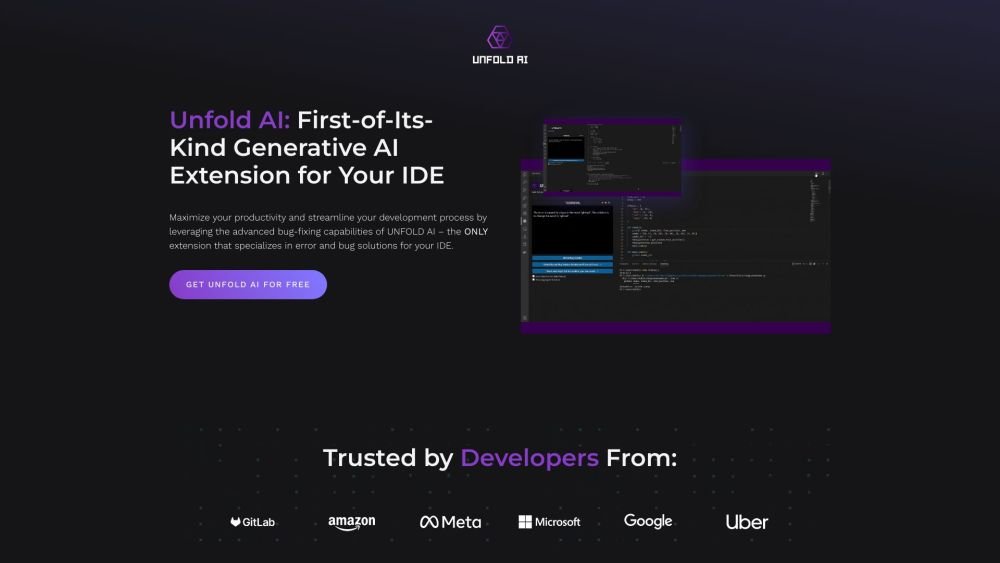
UnfoldAI is an AI coding assistant that specializes in real-time bug and error solutions for developers within their IDEs. It offers features like automatic error detection, manual error solutions, code completion, and the ability to ask the model questions in natural language. UnfoldAI aims to enhance coding speed and productivity by focusing on bug fixing and error resolution.
Install the UnfoldAI extension from the VS Code marketplace. The extension automatically monitors your terminal to detect errors and suggest solutions. You can also manually submit errors or attach specific code snippets for more accurate results. Click the 'Unfold Bug Solution' button to have the AI model analyze the error and display a solution directly in your terminal.
When an error occurs in your terminal, click the 'Unfold Bug Solution' button. The extension gathers the relevant information and parameters, processes them through the AI model, and displays a solution in the UI terminal.
The feature acts as a terminal monitor that automatically identifies errors and provides suggested solutions.
This feature allows you to manually submit errors, including those that were not automatically detected or that originated from external sources.
Use the 'Attach Code' button in the VS Code toolbar to include a specific code snippet related to your issue. This provides the AI with better context for more precise solutions. For optimal results, use both 'Attach Code' and 'Unfold Bug Solution' together.
Yes, you can ask the model anything, whether you need help understanding your code, have general programming questions, or want assistance writing better code.
This feature allows you to view comprehensive solutions by accessing your log history.
Free plan available.

Similar AI tool in the AI Copilot category.
Similar AI tool in the AI Assistant category.
Similar AI tool in the AI Assistant category.
Similar AI tool in the AI Productivity Tools category.
Similar AI tool in the AI Assistant category.
Similar AI tool in the AI Assistant category.
Similar AI tool in the AI Assistant category.
Similar AI tool in the AI Chatbot category.
Similar AI tool in the AI Productivity Tools category.
Similar AI tool in the AI Assistant category.
Similar AI tool in the AI Chatbot category.
Similar AI tool in the AI Assistant category.