
Free
$0Free plan available.
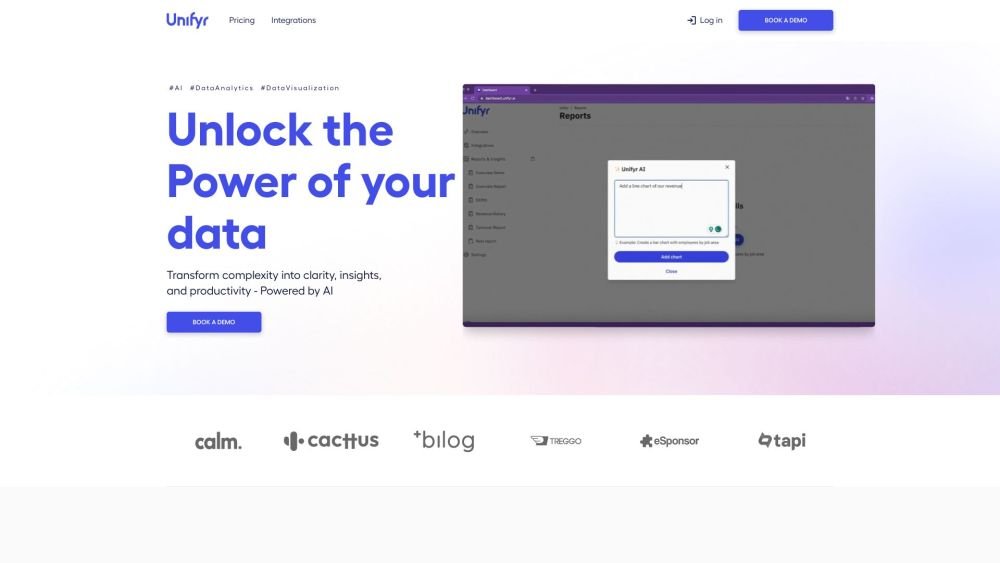
Unifyr is a data aggregation platform designed for executives to track their businesses with a 360-degree view and automate reporting. It allows users to sync their tech stack, build dashboards, and share insights, eliminating manual data collection. Powered by AI, Unifyr transforms complexity into clarity, insights, and productivity.
Sync your tech stack by selecting from over 50 integrations and providing your ID, API Key, or user credentials. Build dashboards using pre-made templates or create them from scratch with AI assistance. Automate your reporting process to save time and focus on strategic initiatives.
We connect directly to your tech stack. Using our pre-trained AI model, we structure your centralized data to build dashboards and scenarios.
1. Unifyr operates on AWS (Amazon Web Services) to ensure high security. 2. Each customer's data is stored in isolated servers and tenants. 3. Unifyr only reads data from your tech stack and does not request write permissions. We identify data errors, which you can then correct at the source.
Yes. If your tool is not listed, contact us and we will add it to our integration list.
Yes. Once created, you can adjust the size and position of your charts at any time.
You can share them via public or private links, or export them as PDFs. We are currently developing a direct Google Slides export integration to help you build presentations in a few clicks.
Free plan available.
Use these comparison pages to understand the trade-offs between the models most relevant to Unifyr.
Compare Amazon Nova Pro and Amazon Nova Lite across pricing, context window, capabilities, benchmarks, and API access to choose the better fit for tool-augmented workflows versus tool-augmented workflows.
Compare Amazon Nova Lite and Amazon Nova Micro across pricing, context window, capabilities, benchmarks, and API access to choose the better fit for tool-augmented workflows versus tool-augmented workflows.
Compare Amazon Nova Lite and Mistral Medium 3 across pricing, context window, capabilities, benchmarks, and API access to choose the better fit for tool-augmented workflows versus tool-augmented workflows.
Compare Amazon Nova Lite and Mistral Small 3.1 (25.03) across pricing, context window, capabilities, benchmarks, and API access to choose the better fit for tool-augmented workflows versus cost-efficient scale.

Similar AI tool in the AI Assistant category.
Similar AI tool in the AI Assistant category.
Similar AI tool in the AI Chatbot category.
Similar AI tool in the AI Productivity Tools category.
Similar AI tool in the AI Marketing category.
Similar AI tool in the AI Assistant category.
Similar AI tool in the AI Assistant category.
Similar AI tool in the AI Chatbot category.
Similar AI tool in the AI Marketing category.
Similar AI tool in the Large Language Models (LLMs) category.
Similar AI tool in the AI Marketing category.
Similar AI tool in the AI Productivity Tools category.