
Free
$0Free plan available.
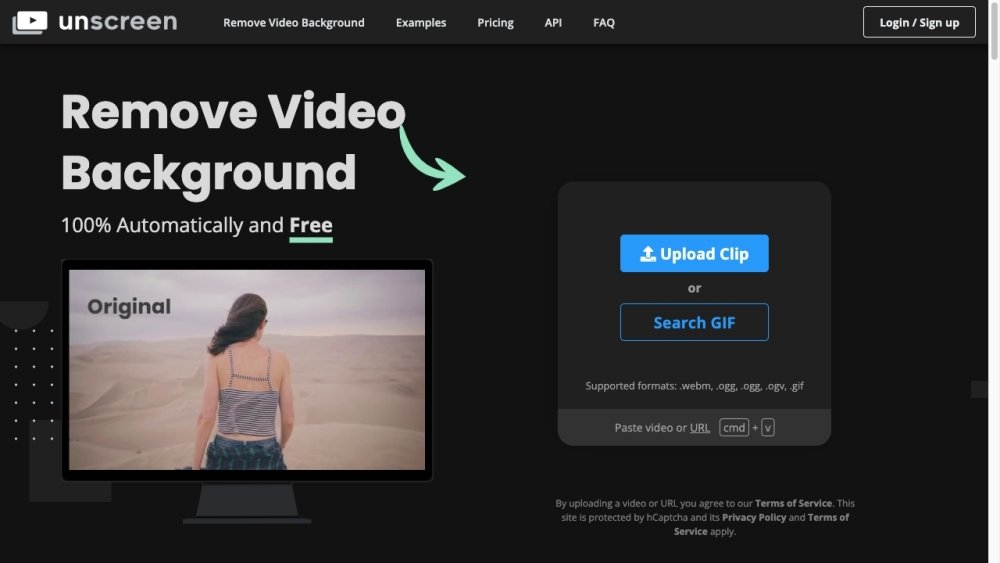
Unscreen is an online tool that automatically removes the background from videos. It eliminates the need for greenscreens or complex chroma keying techniques, allowing users to record footage anywhere and easily remove the background. Unscreen offers both free and paid options, with the paid version, Unscreen Pro, providing additional features like full HD resolution, no watermarks, API access, plugins, full-length clip support, video file downloads, and audio support.
To use Unscreen, upload a video clip in a supported format (.webm, .ogg, .mp4, or .gif) or paste a video URL. The platform automatically analyzes the video and removes the background without requiring manual selection or masking.
Unscreen analyzes your video 100% automatically to generate high-quality results without the need for picking pixels, selecting colors, painting masks, or moving paths.
Unscreen supports .webm, .ogg, .mp4, and .gif file formats.
Unscreen Pro provides Full HD resolution, no watermarks, API and plugin access, support for full-length clips, video file downloads, and audio support.
Unscreen Pro is billed by the second for flexibility. Pay-as-you-go pricing is based on the total seconds in your video, while subscriptions provide a monthly allowance of video minutes, with each video deducted on a per-second basis.
Yes, you can upgrade, downgrade, or cancel your subscription at any time.
All subscriptions include a 14-day money-back guarantee. If you are unsatisfied with your Unscreen Pro results within 14 days of purchase, you are eligible for a refund.
Free plan available.
Use these comparison pages to understand the trade-offs between the models most relevant to Unscreen.
Compare Gemini 1.0 Pro Deprecated and Gemini 2.0 Flash across pricing, context window, capabilities, benchmarks, and API access to choose the better fit for long-context workloads versus long-context workloads.
Compare Gemini 2.0 Flash Lite and Gemini 2.0 Flash across pricing, context window, capabilities, benchmarks, and API access to choose the better fit for long-context workloads versus long-context workloads.
Compare Gemini 1.0 Pro Deprecated and Gemini 1.5 Flash Deprecated across pricing, context window, capabilities, benchmarks, and API access to choose the better fit for long-context workloads versus general-purpose AI workloads.
Compare Gemini 1.0 Pro Deprecated and Gemini 1.5 Flash Vision Deprecated across pricing, context window, capabilities, benchmarks, and API access to choose the better fit for long-context workloads versus general-purpose AI workloads.

Similar AI tool in the AI Assistant category.
Similar AI tool in the AI Writing Assistants category.
Similar AI tool in the AI Assistant category.
Similar AI tool in the AI Image Generator category.
Similar AI tool in the AI Image Generator category.
Similar AI tool in the AI Writing Assistants category.
Similar AI tool in the AI Writing Assistants category.
Similar AI tool in the AI Assistant category.
Similar AI tool in the AI Chatbot category.
Similar AI tool in the AI Image Generator category.
Similar AI tool in the AI Chatbot category.
Similar AI tool in the AI Image Generator category.