
Free
$0Free plan available.
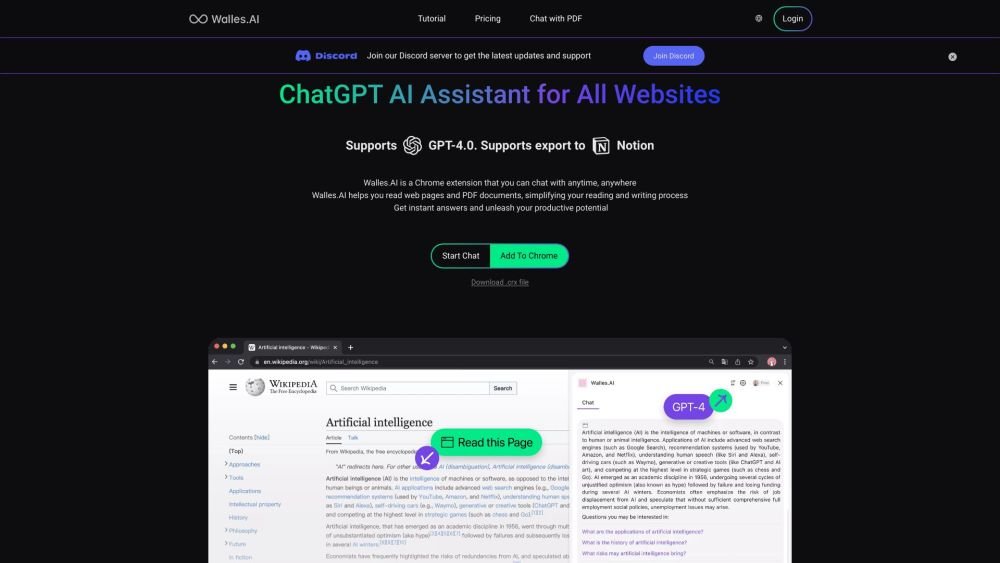
Walles.AI is a browser-based personal AI assistant designed to help you work more efficiently and learn faster online. It provides instant answers, summarizes web content, improves your writing, and extracts insights from PDFs. Serving as a digital co-pilot, it helps you process complex information, summarize YouTube videos, enhance Google search results, and export content directly to Notion.
Access Walles.AI by pressing Cmd+M or Ctrl+M to open the sidebar and begin chatting. You can use it to read webpage content, generate summaries, translate text, provide explanations, and rewrite content. It also supports interactive chat with webpages, PDF documents, and YouTube videos.
Walles.AI is a Chrome extension powered by the ChatGPT API, serving as a personal AI assistant for instant Q&A, web content analysis, and professional writing.
Press Cmd+M or Ctrl+M to open the sidebar and start chatting. You can also use the tool to read webpage content, generate summaries, translate text, provide explanations, and rewrite content.
Walles.AI integrates AI-generated content directly into your workflow, notes, documents, and collaborations. It is currently in a high-speed development phase, featuring a flexible text editor with plans to expand note-taking and team collaboration capabilities.
Yes, Walles.AI is free for all users, though daily usage limits apply. Users requiring professional features or higher usage limits can upgrade to a paid subscription.
Walles.AI is not supported on new tabs, blank pages, or internal Chrome pages, such as settings, history, and the Chrome Web Store.
Free plan available.
Use these comparison pages to understand the trade-offs between the models most relevant to Walles.AI.
Compare Gemini 1.0 Pro Deprecated and Gemini 2.0 Flash across pricing, context window, capabilities, benchmarks, and API access to choose the better fit for long-context workloads versus long-context workloads.
Compare Gemini 1.0 Pro Deprecated and Gemini 2.5 Flash across pricing, context window, capabilities, benchmarks, and API access to choose the better fit for long-context workloads versus long-context workloads.
Compare Gemini 2.0 Flash Lite and Gemini 2.0 Flash across pricing, context window, capabilities, benchmarks, and API access to choose the better fit for long-context workloads versus long-context workloads.
Compare Gemini 2.5 Flash and Gemini 2.0 Flash across pricing, context window, capabilities, benchmarks, and API access to choose the better fit for long-context workloads versus long-context workloads.

Similar AI tool in the AI Assistant category.
Similar AI tool in the AI Assistant category.
Similar AI tool in the AI Writing Assistants category.
Similar AI tool in the AI Assistant category.
Similar AI tool in the AI Writing Assistants category.
Similar AI tool in the AI Writing Assistants category.
Similar AI tool in the AI Assistant category.
Similar AI tool in the AI Chatbot category.
Similar AI tool in the AI Chatbot category.
Similar AI tool in the AI Assistant category.
Similar AI tool in the AI Assistant category.
Similar AI tool in the AI Assistant category.