
Free
$0Free plan available.
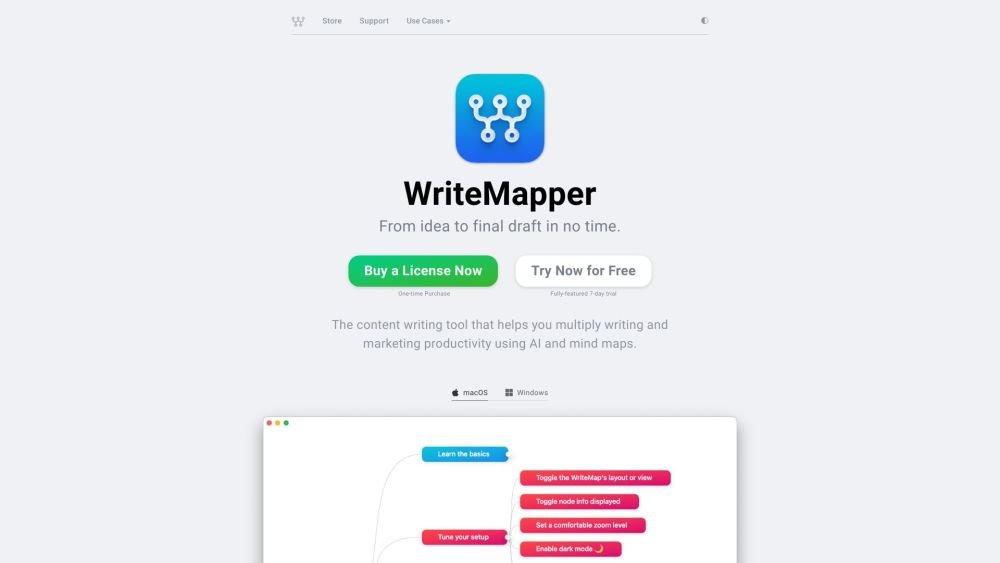
WriteMapper is a content writing productivity tool that helps creators, marketers, and writers get from idea to final draft quickly. It provides a supercharged writing workflow using mind maps and AI, helping users create original, valuable writing with clarity and depth. The app is available on macOS and Windows.
WriteMapper uses mind maps as outlines, optionally assisted by AI, to turn brainstorming into a visual idea-mapping exercise. Double-click any node on the mind map to edit its contents, style, and format your writing. Export your final draft to various file formats or copy it to your clipboard.
WriteMapper is a thinking and writing productivity tool. It excels at helping thought leaders and professionals gain clarity by creating original, valuable content through a workflow that integrates mind maps and AI. If your work requires independent, clear, and deep thinking, WriteMapper is an excellent fit.
One license code allows you to use the app indefinitely for the major version you purchased and provides access to minor updates at no additional cost. You may purchase licenses for future major version upgrades at a 50% discount.
Yes, you can continue using your license on a new machine, whether it is a macOS or Windows device. WriteMapper includes a feature that allows you to deactivate your license on your original computer directly within the app. Once deactivated, you can use the license code on another desktop computer you own.
If you require a refund, email us with your purchase details within fourteen days of the purchase date to receive a full refund. We encourage you to utilize the trial version before purchasing to ensure the app meets your needs. Please note that upon refund, your purchased license codes will be revoked and rendered invalid.
You will receive license code(s) for the WriteMapper app. These are immediately accessible via our License Manager and sent to your email for instant activation. You may use these codes perpetually. The purchase includes minor updates for your version of WriteMapper, while major upgrades are optional.
Yes. After purchase, you can reassign license codes to different email addresses via the License Manager page, allowing you to distribute multiple license codes to others.
Yes, though you must deactivate and reactivate your license code when switching between machines, as each code can only be active on one computer at a time. If you need to switch between computers frequently or use WriteMapper on multiple devices simultaneously, consider purchasing multiple licenses to avoid the need for repeated transfers.
We use Stripe, an established and trusted third-party payment provider. Your information is secure; Stripe is certified to PCI Service Provider Level 1, the most stringent certification in the payments industry. Sensitive cardholder data is processed solely by Stripe and does not reach our servers.
Free plan available.
Use these comparison pages to understand the trade-offs between the models most relevant to WriteMapper.
Compare Gemini 1.0 Pro Deprecated and Gemini 2.0 Flash across pricing, context window, capabilities, benchmarks, and API access to choose the better fit for long-context workloads versus long-context workloads.
Compare Gemini 1.0 Pro Deprecated and Gemini 2.5 Flash across pricing, context window, capabilities, benchmarks, and API access to choose the better fit for long-context workloads versus long-context workloads.
Compare Gemini 2.0 Flash Lite and Gemini 2.0 Flash across pricing, context window, capabilities, benchmarks, and API access to choose the better fit for long-context workloads versus long-context workloads.
Compare Gemini 2.5 Flash and Gemini 2.0 Flash across pricing, context window, capabilities, benchmarks, and API access to choose the better fit for long-context workloads versus long-context workloads.

Similar AI tool in the AI Image Generator category.
Similar AI tool in the AI Assistant category.
Similar AI tool in the AI Marketing category.
Similar AI tool in the AI Productivity Tools category.
Similar AI tool in the AI Writing Assistants category.
Similar AI tool in the AI Assistant category.
Similar AI tool in the AI Chatbot category.
Similar AI tool in the AI Writing Assistants category.
Similar AI tool in the AI Writing Assistants category.
Similar AI tool in the AI Assistant category.
Similar AI tool in the AI Assistant category.
Similar AI tool in the AI Chatbot category.