
Free
$0Free plan available.
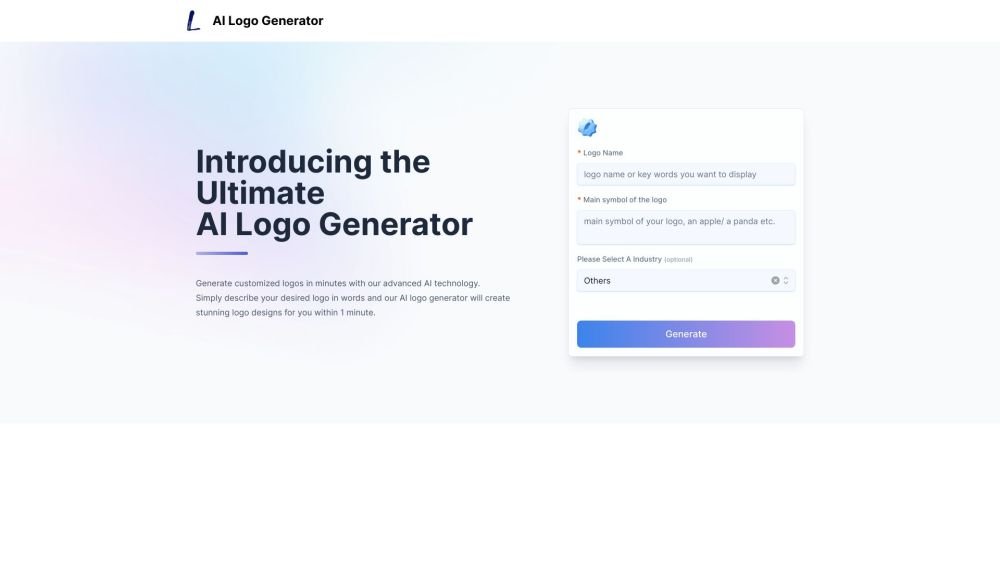
AI Logo Generator is an online tool that uses artificial intelligence to create logos based on user-provided text descriptions. It allows users to generate custom, industry-specific logos in minutes without requiring any design skills. The tool supports various image styles and offers customization options for colors, fonts, and layouts. Users can download their finished logos in multiple formats, including PNG, JPG, PDF, and SVG.
To use the AI Logo Generator, enter a text description of your desired logo, including your company name and any specific symbols or styles. The AI will generate multiple logo options for you to review. You can then use the built-in editor to refine the colors, fonts, and layout of your chosen design before downloading it in your preferred format.
The AI logo generator is trained on millions of professional logo designs. Simply enter a text description of your desired logo, and the AI will generate hundreds of unique options in seconds that match your input.
No design skills are required. Our intuitive editor allows anyone to customize their AI-generated logo by adjusting colors, fonts, icons, and more until the design is perfect.
You can download your finished logo in high-resolution PNG, JPG, PDF, and vector SVG formats for use across web, print, merchandise, and other branding applications.
Generating unlimited AI logos to find your ideal design is free. A small fee is required only when you download the high-resolution file of your final design.
Yes, you have full control to customize AI-generated logos. You can modify colors, fonts, icons, layouts, and more within our editor to match your vision.
Our AI system can generate tailored logos for any industry, including technology, finance, real estate, healthcare, food and beverage, education, nonprofits, personal branding, and many others.
Free plan available.
Use these comparison pages to understand the trade-offs between the models most relevant to AI Logo Generator.
Compare Amazon Nova Pro and Amazon Nova Lite across pricing, context window, capabilities, benchmarks, and API access to choose the better fit for tool-augmented workflows versus tool-augmented workflows.
Compare Amazon Nova Lite and Amazon Nova Micro across pricing, context window, capabilities, benchmarks, and API access to choose the better fit for tool-augmented workflows versus tool-augmented workflows.
Compare Amazon Nova Lite and Mistral Medium 3 across pricing, context window, capabilities, benchmarks, and API access to choose the better fit for tool-augmented workflows versus tool-augmented workflows.
Compare Amazon Nova Lite and Mistral Small 3.1 (25.03) across pricing, context window, capabilities, benchmarks, and API access to choose the better fit for tool-augmented workflows versus cost-efficient scale.

Similar AI tool in the AI Image Generator category.
Similar AI tool in the AI Image Generator category.
Similar AI tool in the No-Code&Low-Code category.
Similar AI tool in the AI Chatbot category.
Similar AI tool in the AI Image Generator category.
Similar AI tool in the AI Image Generator category.
Similar AI tool in the AI Image Generator category.
Similar AI tool in the AI Design Generator category.
Similar AI tool in the AI Art Generator category.
Similar AI tool in the AI Image Generator category.
Similar AI tool in the AI Chatbot category.
Similar AI tool in the AI Image Generator category.