
Free
$0Free plan available.
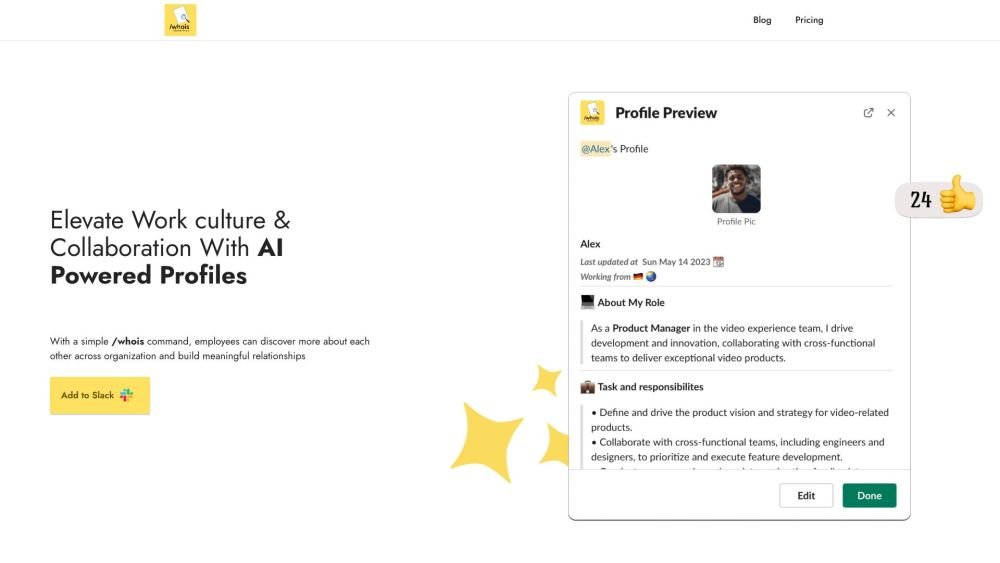
Profile For Slack is an AI-powered app designed to elevate work culture and collaboration within organizations using Slack. It allows colleagues to connect through chats, build connections, offer praise, and send wishes. The app aims to foster an inclusive culture where everyone feels connected, especially in remote and geographically diverse workspaces. Key features include virtual coffee chats, kudos, automated celebrations, and AI-driven profile enhancements.
Use the /whois command to access and update profiles. Colleagues can search for like-minded individuals, initiate coffee chats, praise each other, and celebrate birthdays or work anniversaries directly within Slack.
The free plan provides access to all listed features for one month. You can set up coffee chats, automate birthday and work anniversary greetings, create profiles, and enjoy unlimited profile sharing within channels, groups, or direct messages. Additionally, you can send an unlimited number of praises.
Active users are identified automatically based on engagement, such as creating profiles, adding birthday or work anniversary dates, participating in coffee chats, interacting with other profiles, or giving and receiving praise. Each user is counted only once, regardless of how many features they use.
Both billing options are available. For annual plans, you may make a one-time payment, while monthly plans involve receiving a payment link for the selected number of users. You can cancel your subscription at any time by stopping payments for the next billing cycle. Please note that we do not offer refunds for payments already processed; you will retain access to the app for the remainder of the period you have already paid for.
Free plan available.
Use these comparison pages to understand the trade-offs between the models most relevant to Profile For Slack.
Compare Amazon Nova Pro and Amazon Nova Lite across pricing, context window, capabilities, benchmarks, and API access to choose the better fit for tool-augmented workflows versus tool-augmented workflows.
Compare Amazon Nova Lite and Amazon Nova Micro across pricing, context window, capabilities, benchmarks, and API access to choose the better fit for tool-augmented workflows versus tool-augmented workflows.
Compare Amazon Nova Lite and Mistral Medium 3 across pricing, context window, capabilities, benchmarks, and API access to choose the better fit for tool-augmented workflows versus tool-augmented workflows.
Compare Amazon Nova Lite and Mistral Small 3.1 (25.03) across pricing, context window, capabilities, benchmarks, and API access to choose the better fit for tool-augmented workflows versus cost-efficient scale.

Similar AI tool in the AI Assistant category.
Similar AI tool in the AI Assistant category.
Similar AI tool in the AI Assistant category.
Similar AI tool in the AI Productivity Tools category.
Similar AI tool in the AI Assistant category.
Similar AI tool in the AI Assistant category.
Similar AI tool in the AI Assistant category.
Similar AI tool in the AI Productivity Tools category.
Similar AI tool in the AI Assistant category.
Similar AI tool in the AI Chatbot category.
Similar AI tool in the AI Assistant category.
Similar AI tool in the AI Assistant category.