
Free
$0Free plan available.
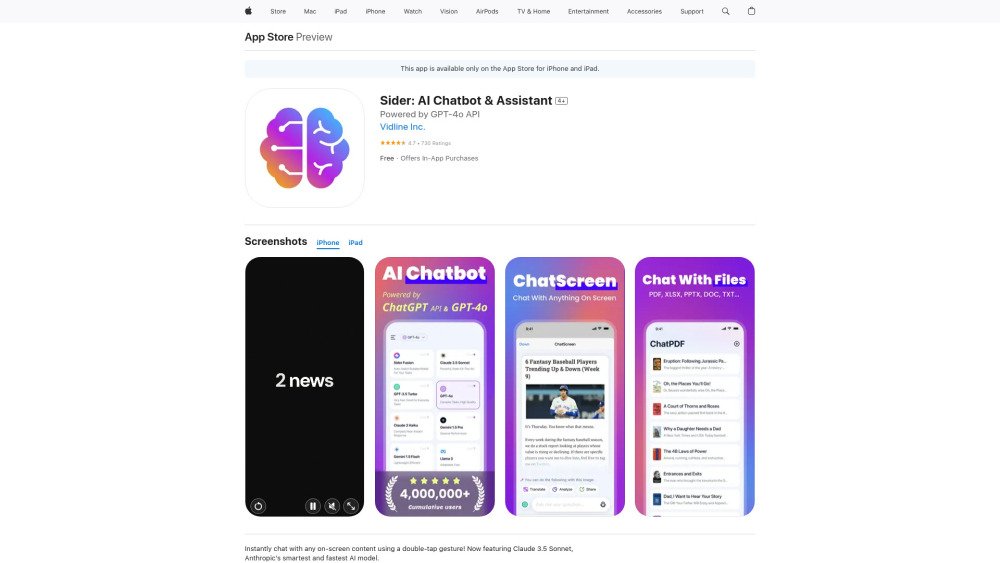
Sider is an AI Chatbot & Assistant available on the App Store that transforms your screen into a dynamic interactive hub, powered by leading AI technologies such as ChatGPT, Claude, and Gemini. It allows users to seamlessly access and interact with top AI models, files, and images—all in one app. With the ChatScreen feature, users can directly engage with on-screen content by using a simple double-tap or a customizable screenshot gesture. Sider can analyze and summarize information, or extract text from screenshots effortlessly, serving as a work copilot and school tool.
Activate the ChatScreen feature using a simple double-tap or a customizable screenshot gesture. Once active, use the AI to analyze, summarize, or extract text from your on-screen content. You can also upload files and images to engage in a chat.
Activate the ChatScreen feature by using a simple double-tap or a customizable screenshot gesture.
Sider supports OpenAI (GPT-3.5, GPT-4o), Anthropic (Claude 3 Haiku, Claude 3.5 Sonnet), Google (Gemini 1.5 Flash, Gemini 1.5 Pro), and Meta (Llama 3).
Sider supports over 30 file formats, including PDF, DOC, DOCX, JSON, PPTX, TXT, and CSS.
The developer states that the app may use data to track you across apps and websites owned by other companies, including identifiers. Some information, such as diagnostics and usage data, may be collected without being linked to your identity.
Free plan available.
Use these comparison pages to understand the trade-offs between the models most relevant to Sider: AI Chatbot & Assistant.
Compare Gemini 1.0 Pro Deprecated and Gemini 1.5 Flash Deprecated across pricing, context window, capabilities, benchmarks, and API access to choose the better fit for long-context workloads versus general-purpose AI workloads.
Compare Gemini 1.0 Pro Vision Deprecated and Gemini 1.5 Flash Deprecated across pricing, context window, capabilities, benchmarks, and API access to choose the better fit for general-purpose AI workloads versus general-purpose AI workloads.
Compare Gemini 1.5 Flash Vision Deprecated and Gemini 1.5 Flash Deprecated across pricing, context window, capabilities, benchmarks, and API access to choose the better fit for general-purpose AI workloads versus general-purpose AI workloads.
Compare Gemini 1.5 Pro Deprecated and Gemini 1.5 Flash Deprecated across pricing, context window, capabilities, benchmarks, and API access to choose the better fit for general-purpose AI workloads versus general-purpose AI workloads.

Similar AI tool in the AI Assistant category.
Similar AI tool in the AI Assistant category.
Similar AI tool in the AI Assistant category.
Similar AI tool in the AI Productivity Tools category.
Similar AI tool in the AI Assistant category.
Similar AI tool in the AI Assistant category.
Similar AI tool in the AI Chatbot category.
Similar AI tool in the AI Chatbot category.
Similar AI tool in the AI Assistant category.
Similar AI tool in the AI Chatbot category.
Similar AI tool in the AI Assistant category.
Similar AI tool in the AI Assistant category.