
Free
$0Free plan available.
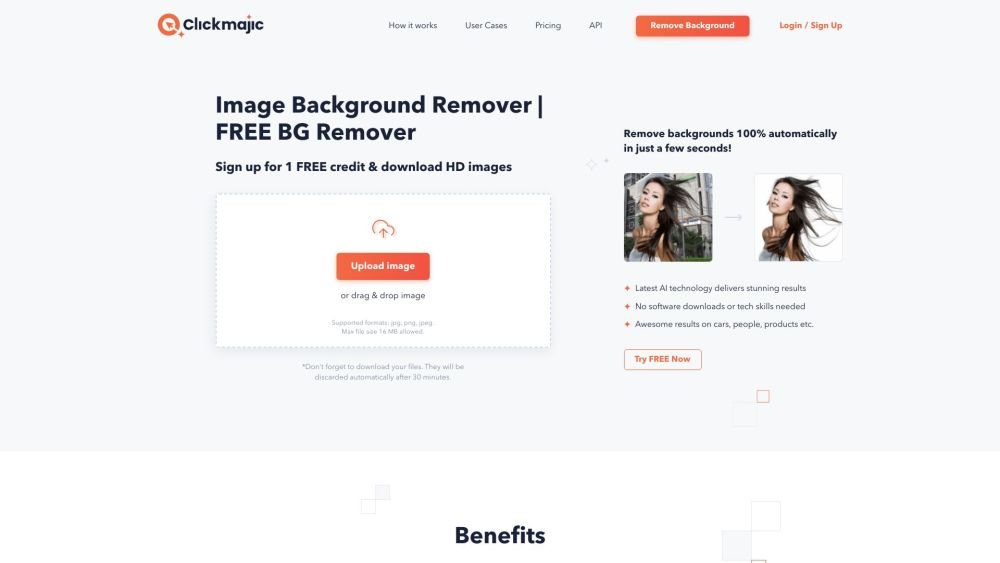
Clickmajic is an automatic image background removal tool that uses AI technology to remove background images in seconds. It requires no software downloads or tech skills. Users can remove backgrounds fast and accurately, and it offers options to download transparent background images, change backgrounds, or create stunning graphics. It also provides an API for processing millions of images and plugins for design tools and eCommerce platforms.
Upload an image to the Clickmajic website, and the AI algorithm will automatically remove the background. You can then download the image with a transparent background or further edit it by adding text, effects, or new backgrounds.
Navigate to the Clickmajic website, upload an image, and the background will be automatically removed. You can then refine the image using the Edit > Erase/Restore tools.
Clickmajic is a photo background removal tool that allows you to easily remove backgrounds from your images.
The Clickmajic website is a reliable resource for removing image backgrounds and creating transparent files.
Yes. Click the 'Edit Image' button on the top toolbar, select 'BG Remover' from the left-hand panel, and click 'Erase' to remove the background.
Upload your photograph using drag-and-drop. Let the AI automatically remove the backdrop from your image. Once finished, download the high-resolution file to your computer. The background removal process takes approximately 5 seconds.
Free plan available.
Use these comparison pages to understand the trade-offs between the models most relevant to Clickmajic.
Compare Amazon Nova Pro and Amazon Nova Lite across pricing, context window, capabilities, benchmarks, and API access to choose the better fit for tool-augmented workflows versus tool-augmented workflows.
Compare Amazon Nova Lite and Amazon Nova Micro across pricing, context window, capabilities, benchmarks, and API access to choose the better fit for tool-augmented workflows versus tool-augmented workflows.
Compare Amazon Nova Lite and Mistral Medium 3 across pricing, context window, capabilities, benchmarks, and API access to choose the better fit for tool-augmented workflows versus tool-augmented workflows.
Compare Amazon Nova Lite and Mistral Small 3.1 (25.03) across pricing, context window, capabilities, benchmarks, and API access to choose the better fit for tool-augmented workflows versus cost-efficient scale.

Similar AI tool in the AI Assistant category.
Similar AI tool in the AI Image Generator category.
Similar AI tool in the AI Writing Assistants category.
Similar AI tool in the AI Background Remover category.
Similar AI tool in the AI Chatbot category.
Similar AI tool in the AI Image Generator category.
Similar AI tool in the AI Image Generator category.
Similar AI tool in the AI Writing Assistants category.
Similar AI tool in the AI Writing Assistants category.
Similar AI tool in the AI Chatbot category.
Similar AI tool in the AI Image Generator category.
Similar AI tool in the AI Chatbot category.