
Free
$0Free plan available.
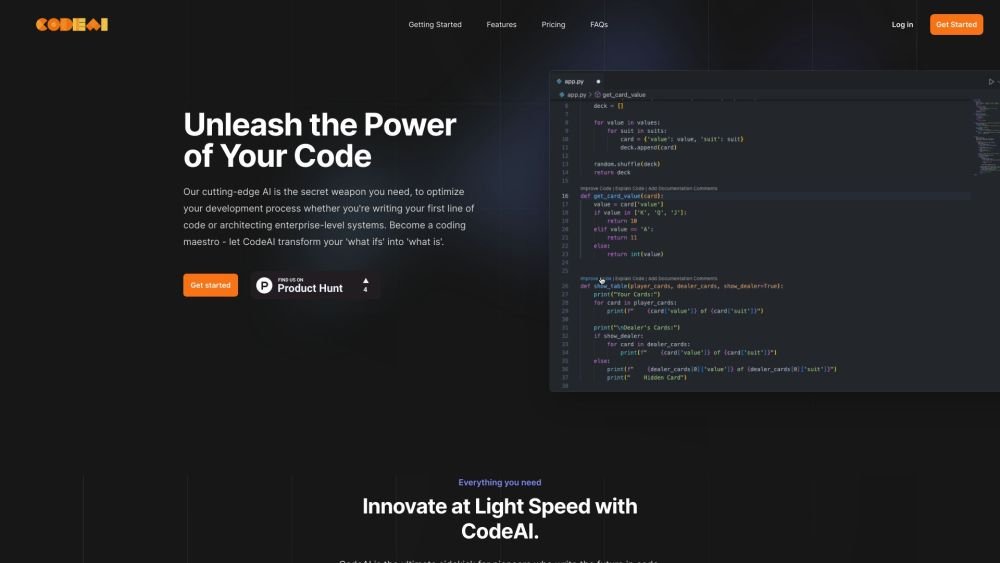
CodeAI is an AI coding assistant and developer tool that helps developers create better code, optimize existing code, decipher new code, auto-generate documentation and tests, and remove unnecessary parts. It offers features like full-stack application generation, local-first privacy, GitHub integration, and one-click deployment.
Access CodeAI via its VS Code extension or CodeAI Studio Pro to generate code, create unit tests, and produce documentation. Additionally, you can use CodeAI Studio Pro to build full-stack applications with a single click.
CodeAI Studio Pro is an AI-powered development suite that allows you to build full-stack applications with a single click. It supports React and Next.js frontends paired with Express and Node.js backends, featuring built-in GitHub integration and instant deployment.
Security is a priority. All code is stored locally in your browser and, upon commitment, is saved exclusively within your connected GitHub repository. We do not store or access your code on our servers, ensuring your intellectual property remains private and under your control.
Yes, you maintain full control over your projects. You can delete any project via the settings menu, which removes it from your account while leaving any existing commits in your GitHub repository intact.
Free plan available.
Use these comparison pages to understand the trade-offs between the models most relevant to CodeAI.
Compare Amazon Nova Pro and Amazon Nova Lite across pricing, context window, capabilities, benchmarks, and API access to choose the better fit for tool-augmented workflows versus tool-augmented workflows.
Compare Amazon Nova Lite and Amazon Nova Micro across pricing, context window, capabilities, benchmarks, and API access to choose the better fit for tool-augmented workflows versus tool-augmented workflows.
Compare Amazon Nova Lite and Mistral Medium 3 across pricing, context window, capabilities, benchmarks, and API access to choose the better fit for tool-augmented workflows versus tool-augmented workflows.
Compare Amazon Nova Lite and Mistral Small 3.1 (25.03) across pricing, context window, capabilities, benchmarks, and API access to choose the better fit for tool-augmented workflows versus cost-efficient scale.

Similar AI tool in the AI Copilot category.
Similar AI tool in the AI Assistant category.
Similar AI tool in the AI Assistant category.
Similar AI tool in the AI Productivity Tools category.
Similar AI tool in the AI Assistant category.
Similar AI tool in the AI Assistant category.
Similar AI tool in the AI Assistant category.
Similar AI tool in the AI Chatbot category.
Similar AI tool in the AI Productivity Tools category.
Similar AI tool in the AI Assistant category.
Similar AI tool in the AI Chatbot category.
Similar AI tool in the AI Assistant category.