
Free
$0Free plan available.
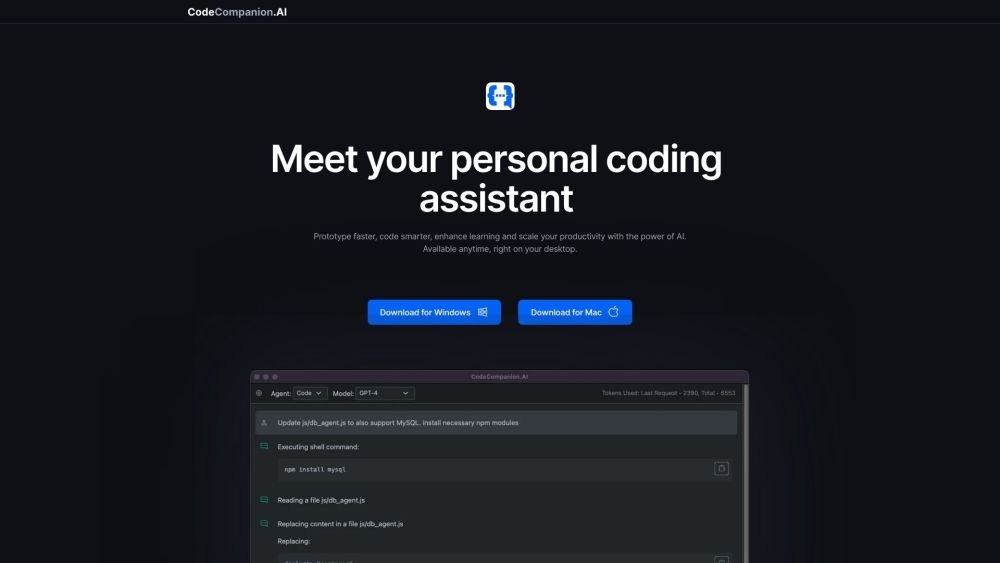
CodeCompanion.AI is an AI-powered desktop application designed to assist with various coding tasks. It can read, write, and modify code, execute shell commands, and supports multiple programming languages and frameworks. It allows users to chat with AI to scaffold projects, generate files, and improve code. It aims to enhance coding productivity by providing an all-in-one coding assistant available directly on the desktop.
Download the CodeCompanion.AI application from the website. Use the built-in chatbot interface to request coding tasks, such as creating files, deploying applications, or generating code. The AI will process your requests to execute shell commands, manage database queries, and review your existing code.
CodeCompanion.AI is a desktop application powered by OpenAI's ChatGPT, designed to assist with a variety of coding tasks. The application streamlines development through a chatbot interface capable of executing shell commands, generating code, managing database queries, and reviewing your existing codebase.
GPT-3.5 models are effective for smaller, simpler tasks and offer faster, more cost-effective performance. We recommend trying this option first, though GPT-4 is suggested for more complex requirements.
CodeCompanion.AI stores your data locally on your machine. It does not transmit your data or code to any backend servers, except when making necessary API calls to OpenAI. Please refer to our Privacy Policy for further details.
Free plan available.
Use these comparison pages to understand the trade-offs between the models most relevant to CodeCompanion.AI.
Compare GPT 5.4 and GPT 5.4 Pro across pricing, context window, capabilities, benchmarks, and API access to choose the better fit for long-context workloads versus long-context workloads.
Compare GPT 5.5 and GPT 5.4 across pricing, context window, capabilities, benchmarks, and API access to choose the better fit for long-context workloads versus long-context workloads.
Compare GPT 5.5 and Claude 4.6 Opus across pricing, context window, capabilities, benchmarks, and API access to choose the better fit for long-context workloads versus long-context workloads.
Compare GPT 5.5 and Claude 4.6 Sonnet across pricing, context window, capabilities, benchmarks, and API access to choose the better fit for long-context workloads versus long-context workloads.

Similar AI tool in the AI Copilot category.
Similar AI tool in the AI Chatbot category.
Similar AI tool in the AI Assistant category.
Similar AI tool in the AI Assistant category.
Similar AI tool in the AI Assistant category.
Similar AI tool in the AI Writing Assistants category.
Similar AI tool in the AI Assistant category.
Similar AI tool in the AI Assistant category.
Similar AI tool in the AI Image Generator category.
Similar AI tool in the AI Assistant category.
Similar AI tool in the AI Chatbot category.
Similar AI tool in the AI Chatbot category.