
Free
$0Free plan available.
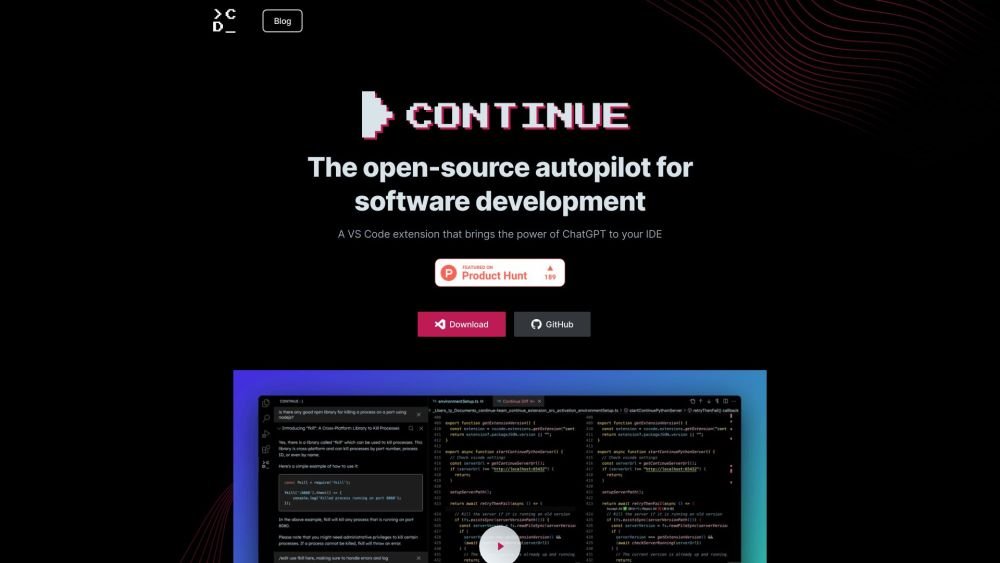
Continue is an open-source autopilot for software development, built to be highly customizable and capable of learning from your development data. It functions as a VS Code extension that brings AI-powered assistance into your IDE, enabling you to connect your choice of models and context sources to build tailored autocomplete and chat experiences.
1. Install the Continue extension for VS Code or JetBrains. 2. Connect your preferred AI models and context sources. 3. Customize your autocomplete and chat settings within the IDE. 4. Use the tab key for code completion, reference your codebase in chat, and highlight code to edit it using natural language instructions.
Continue is compatible with both VS Code and JetBrains IDEs.
You can connect a wide range of models, including those from Ollama, OpenAI, Together, Anthropic, Mistral, Azure OpenAI Service, and LM Studio.
You can integrate various context sources, such as your local codebase, GitLab Issues, documentation, specific methods, Confluence pages, and individual files.
Free plan available.
Use these comparison pages to understand the trade-offs between the models most relevant to Continue.
Compare Claude 4 Opus and Claude 4 Sonnet across pricing, context window, capabilities, benchmarks, and API access to choose the better fit for reasoning-heavy tasks versus reasoning-heavy tasks.
Compare Claude 4 Opus and Claude 4.5 Haiku across pricing, context window, capabilities, benchmarks, and API access to choose the better fit for reasoning-heavy tasks versus reasoning-heavy tasks.
Compare Claude 4 Opus and Claude 4.5 Sonnet across pricing, context window, capabilities, benchmarks, and API access to choose the better fit for reasoning-heavy tasks versus reasoning-heavy tasks.
Compare Claude 4 Opus and Claude 4.6 Sonnet across pricing, context window, capabilities, benchmarks, and API access to choose the better fit for reasoning-heavy tasks versus long-context workloads.

Similar AI tool in the AI Assistant category.
Similar AI tool in the AI Assistant category.
Similar AI tool in the AI Assistant category.
Similar AI tool in the AI Productivity Tools category.
Similar AI tool in the AI Assistant category.
Similar AI tool in the AI Assistant category.
Similar AI tool in the AI Chatbot category.
Similar AI tool in the AI Chatbot category.
Similar AI tool in the AI Productivity Tools category.
Similar AI tool in the AI Assistant category.
Similar AI tool in the AI Chatbot category.
Similar AI tool in the AI Assistant category.