
Free
$0Free plan available.
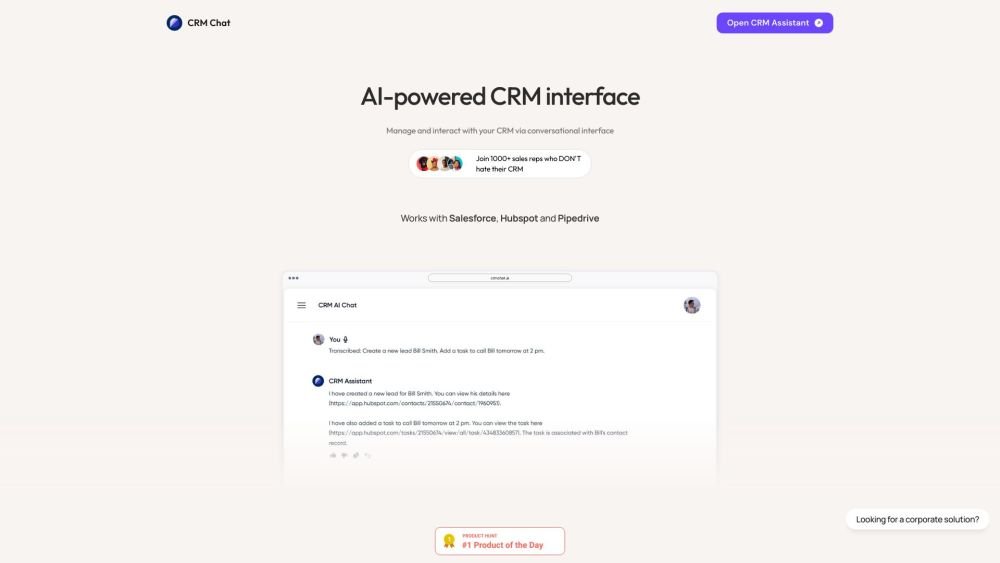
CRM Chat is a platform that allows users to manage and interact with their CRM data via a conversational interface. It integrates with popular CRMs like Pipedrive, HubSpot, and Salesforce, and works on various platforms including WhatsApp, Telegram, SMS, Web, and iOS. It enables users to create and retrieve CRM data using chat and voice, automate Telegram sales, parse leads, send automated messages, and manage deals with their team.
Connect your existing CRM accounts (HubSpot, Pipedrive, or Salesforce) to CRM Chat. Once connected, use chat or voice commands within supported platforms like Telegram or WhatsApp to update CRM records, retrieve information, assign tasks, and automate sales outreach.
CRM Chat is a platform that allows you to manage and interact with your CRM via a conversational interface. It enables you to create and retrieve CRM data using chat and voice, with support for HubSpot, Pipedrive, and Salesforce.
Yes, CRM Chat provides team collaboration features, including workspace management and the ability to conduct outreach from a single Telegram account.
CRM Chat integrates with HubSpot, Pipedrive, and Salesforce, as well as other tools via available integrations.
With four years of experience in the CRM market, we are official partners with HubSpot and Pipedrive and are trusted by the TON Foundation, Solana Superteam, and over 500 other Web3 companies.
Free plan available.
Use these comparison pages to understand the trade-offs between the models most relevant to CRM Chat.
Compare Gemini 1.0 Pro Deprecated and Gemini 2.0 Flash across pricing, context window, capabilities, benchmarks, and API access to choose the better fit for long-context workloads versus long-context workloads.
Compare Gemini 1.0 Pro Deprecated and Gemini 2.5 Flash across pricing, context window, capabilities, benchmarks, and API access to choose the better fit for long-context workloads versus long-context workloads.
Compare Gemini 2.0 Flash Lite and Gemini 2.0 Flash across pricing, context window, capabilities, benchmarks, and API access to choose the better fit for long-context workloads versus long-context workloads.
Compare Gemini 2.5 Flash and Gemini 2.0 Flash across pricing, context window, capabilities, benchmarks, and API access to choose the better fit for long-context workloads versus long-context workloads.

Similar AI tool in the AI Assistant category.
Similar AI tool in the AI Chatbot category.
Similar AI tool in the AI Assistant category.
Similar AI tool in the AI Assistant category.
Similar AI tool in the AI Chatbot category.
Similar AI tool in the AI Assistant category.
Similar AI tool in the AI Chatbot category.
Similar AI tool in the AI Assistant category.
Similar AI tool in the AI Chatbot category.
Similar AI tool in the AI Chatbot category.
Similar AI tool in the Large Language Models (LLMs) category.
Similar AI tool in the AI Chatbot category.