
Free
$0Free plan available.
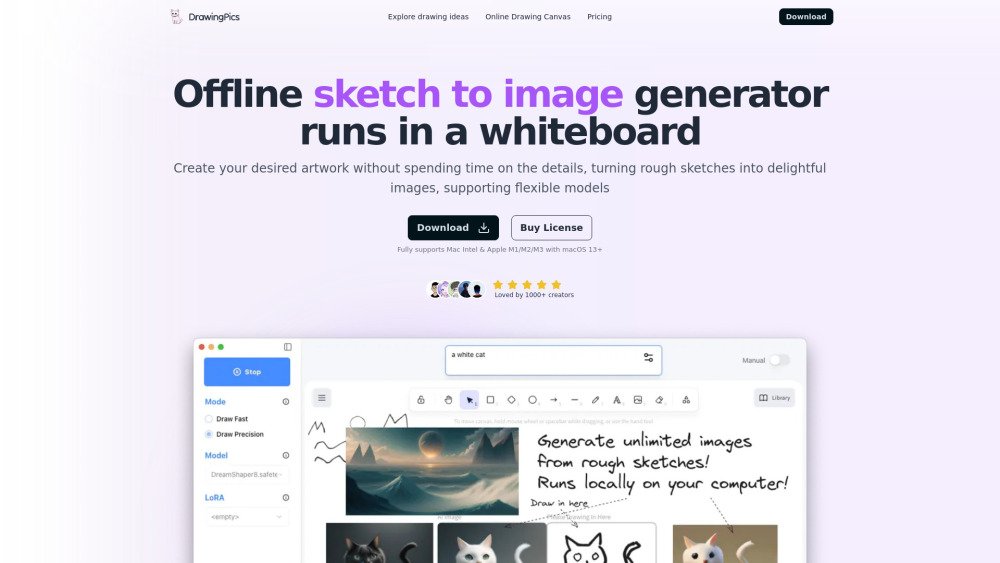
DrawingPics is an offline AI art generator that runs in a whiteboard environment. It allows users to create unlimited images from various stable diffusion finetuned models and LoRAs locally on their computers. It turns rough sketches into delightful images without spending time on the details, supporting flexible models. The application fully supports Mac Intel & Apple M1/M2/M3 with macOS 13+.
Download the DrawingPics desktop application, which is compatible with both macOS ARM and Intel processors. After installation, you can generate images by sketching on the whiteboard and applying your preferred Stable Diffusion models and LoRAs. The application functions offline once the initial setup is complete.
DrawingPics is an offline AI art generator that operates on a whiteboard, enabling you to create images from sketches using Stable Diffusion models and LoRAs. Further details are available via the provided Hackernews link.
The offline application supports both macOS ARM and Intel chips. Note that performance on older Intel GPUs may be lower than on M-series Macs. There are currently no plans to support Windows in the near future.
If a model download fails, click the retry button. If the problem continues, verify your network connection or try using a mirror download URL. For additional guidance, visit the documentation at docs.drawing.pics.
On a 16GB M1 MacBook Air, generating a 512x512 image takes approximately 6 seconds. DrawingPics utilizes LCM and Metal GPU acceleration to provide faster performance than standard solutions.
Yes. While DrawingPics includes a default model, you can download any Stable Diffusion 1.5 model or LoRA from community platforms such as civitai.com or liblib.art.
Commercial usage depends on the specific model license. You should review the license provided by the model author upon download. Many models use the CreativeML Open RAIL-M license, which permits commercial use.
DrawingPics is a fully offline application once setup is complete, meaning your data is stored exclusively on your computer. The app only collects error logs, crash reports, and anonymous usage statistics.
No, refunds are not offered. Please utilize the free trial to test the software before purchasing. If you experience technical issues, please contact team@drawing.pics.
The online drawing canvas is free for light users and includes a daily quota. For heavy usage, you may subscribe or download the offline desktop application.
Free plan available.

Similar AI tool in the AI Image Generator category.
Similar AI tool in the AI Chatbot category.
Similar AI tool in the AI Image Generator category.
Similar AI tool in the AI Image Generator category.
Similar AI tool in the AI Assistant category.
Similar AI tool in the AI Image Generator category.
Similar AI tool in the AI Art Generator category.
Similar AI tool in the AI Image Generator category.
Similar AI tool in the AI Chatbot category.
Similar AI tool in the AI Assistant category.
Similar AI tool in the AI Image Generator category.
Similar AI tool in the AI Image Generator category.