
Free
$0Free plan available.
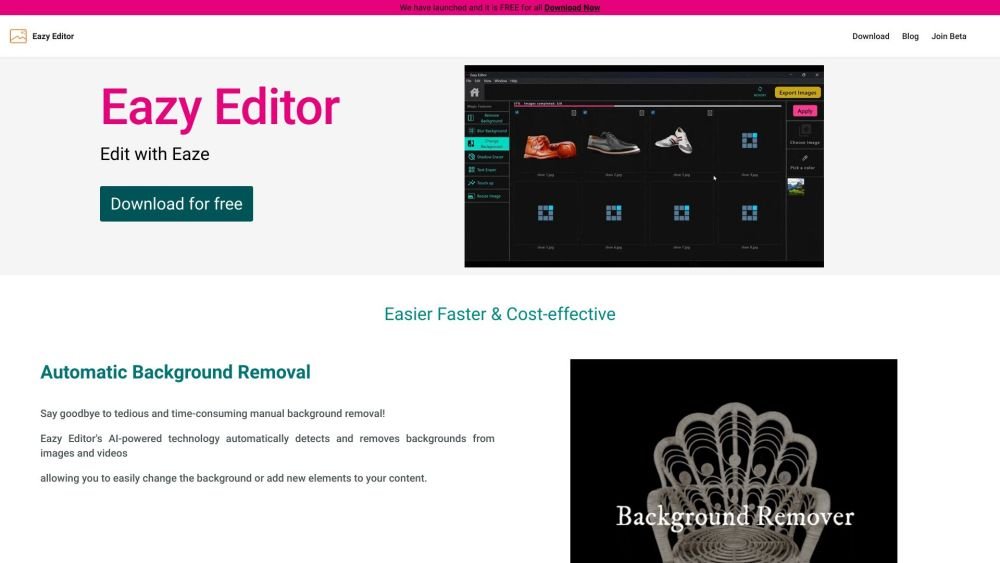
Eazy Editor is an AI-powered software designed for product photographers and e-commerce image editors. It leverages artificial intelligence to simplify image transformation, providing tools for automatic background removal, object erasure, shadow manipulation, text removal, image resizing, and batch editing. The platform is built to be intuitive and cost-effective, helping users save time and optimize their editing workflows.
Eazy Editor features an intuitive interface. Users can upload their images or videos and apply AI-powered tools to perform tasks such as background removal, object erasure, shadow adjustment, text removal, image resizing, and batch editing.
Beta participants receive free access to the software, the chance to provide feedback that shapes the final product, early access to new features, and opportunities to learn the platform.
Eazy Editor provides tools for automatic background removal, object erasure, shadow manipulation, text removal, image resizing, and batch editing.
Free plan available.
Use these comparison pages to understand the trade-offs between the models most relevant to Eazy Editor.
Compare Gemini 1.0 Pro Deprecated and Gemini 2.0 Flash across pricing, context window, capabilities, benchmarks, and API access to choose the better fit for long-context workloads versus long-context workloads.
Compare Gemini 1.0 Pro Deprecated and Gemini 2.5 Flash across pricing, context window, capabilities, benchmarks, and API access to choose the better fit for long-context workloads versus long-context workloads.
Compare Gemini 2.0 Flash Lite and Gemini 2.0 Flash across pricing, context window, capabilities, benchmarks, and API access to choose the better fit for long-context workloads versus long-context workloads.
Compare Gemini 2.5 Flash and Gemini 2.0 Flash across pricing, context window, capabilities, benchmarks, and API access to choose the better fit for long-context workloads versus long-context workloads.

Similar AI tool in the AI Video Generator category.
Similar AI tool in the AI Image Generator category.
Similar AI tool in the AI API category.
Similar AI tool in the AI Background Remover category.
Similar AI tool in the AI Chatbot category.
Similar AI tool in the AI Image Generator category.
Similar AI tool in the AI Image Generator category.
Similar AI tool in the AI Assistant category.
Similar AI tool in the AI Video Generator category.
Similar AI tool in the AI Chatbot category.
Similar AI tool in the AI Video Editor category.
Similar AI tool in the AI Image Generator category.