
Free
$0Free plan available.
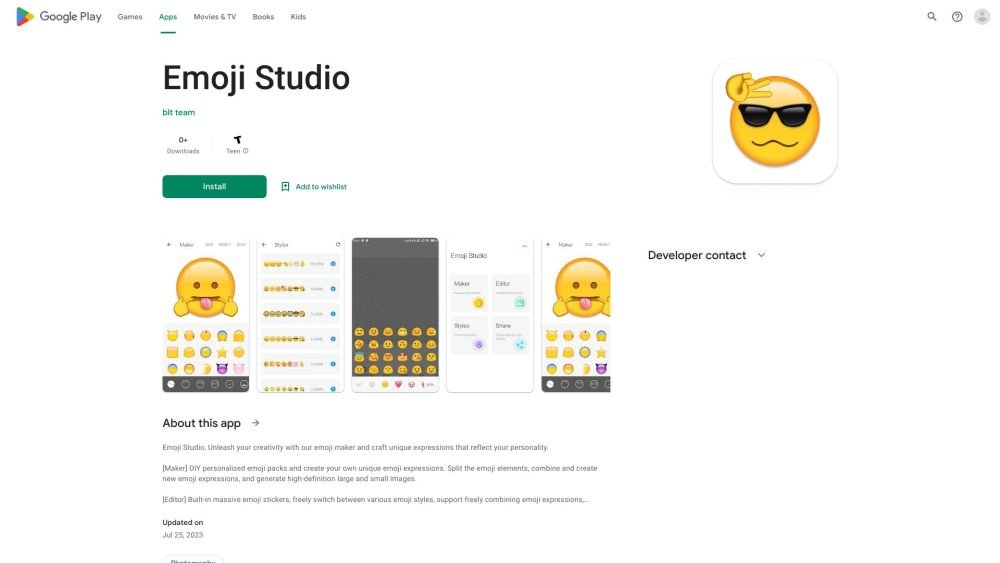
Emoji Studio allows users to create funny emoji stickers or add different styles of emojis to their photos. It features a DIY emoji maker for personalized emoji packs, enabling users to split emoji elements, combine them, and generate high-definition images. The built-in editor offers a massive selection of emojis, various styles, custom stickers, filters, graffiti, and text addition.
Use the app to create personalized emoji packs, split and combine emoji elements, and incorporate them into photos using custom stickers, filters, graffiti, and text tools.
You can create custom emoji stickers or add various styles of emojis to your photos.
The app includes a DIY emoji maker, tools for splitting and combining emoji elements, and a built-in editor featuring custom stickers, filters, graffiti, and text addition.
Free plan available.
Use these comparison pages to understand the trade-offs between the models most relevant to Emoji Studio.
Compare Gemini 1.0 Pro Deprecated and Gemini 1.5 Flash Vision Deprecated across pricing, context window, capabilities, benchmarks, and API access to choose the better fit for long-context workloads versus general-purpose AI workloads.
Compare Gemini 1.5 Pro Vision Deprecated and Gemini 1.0 Pro Deprecated across pricing, context window, capabilities, benchmarks, and API access to choose the better fit for general-purpose AI workloads versus long-context workloads.
Compare Gemini 1.0 Pro Vision Deprecated and Gemini 1.5 Flash Vision Deprecated across pricing, context window, capabilities, benchmarks, and API access to choose the better fit for general-purpose AI workloads versus general-purpose AI workloads.
Compare Gemini 1.5 Pro Vision Deprecated and Gemini 1.0 Pro Vision Deprecated across pricing, context window, capabilities, benchmarks, and API access to choose the better fit for general-purpose AI workloads versus general-purpose AI workloads.

Similar AI tool in the AI Chatbot category.
Similar AI tool in the AI Writing Assistants category.
Similar AI tool in the AI Assistant category.
Similar AI tool in the AI Image Generator category.
Similar AI tool in the AI Writing Assistants category.
Similar AI tool in the AI Writing Assistants category.
Similar AI tool in the AI Assistant category.
Similar AI tool in the AI Chatbot category.
Similar AI tool in the AI Image Generator category.
Similar AI tool in the AI Image Generator category.
Similar AI tool in the AI Assistant category.
Similar AI tool in the AI Assistant category.