
Free
$0Free plan available.
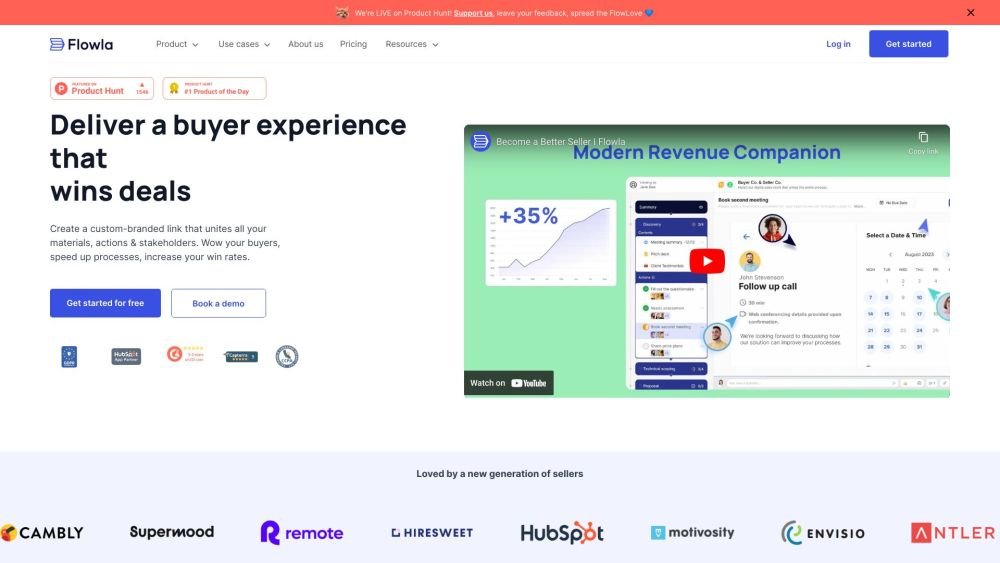
Flowla is a client-facing workspace designed for sales and customer success teams. It provides a single link to unite documents, tasks, calendars, and chats, aiming to streamline buyer journeys, enhance collaboration, and boost win rates. Flowla offers interactive, personalized spaces for sales and CS teams to engage with their buyers, automate processes, and manage revenue pipelines end-to-end.
Flowla enables users to create digital sales rooms or client workspaces by consolidating all necessary materials into a single, shareable link. Teams can automate follow-ups, identify key stakeholders, and manage sales-to-CS handoffs. The platform also provides AI-generated actions for review and approval, maintaining a human-in-the-loop approach.
Yes. Flowla was built with your and your customers’ privacy in mind. We adhere to all data collection and compliance guidelines, including GDPR, UK GDPR, PECR, and CCPA.
Yes. Our freemium model limits usage based on the number of rooms rather than time. If your organization requires 5 rooms or fewer, Flowla remains free for you indefinitely.
If you are on a monthly plan, you are billed month-to-month. You can cancel your Flowla subscription at any time without additional fees and restart it whenever needed. There are no long-term commitments.
Once you reach the 5-room limit on the free plan, you will be notified via email and within your Flowla dashboard. You can upgrade your plan independently in seconds using our secure Stripe checkout. For teams requiring multiple seats, you can book a call with us to discuss your options.
A room is a client-facing workspace used for sales and onboarding. Each room functions as a private link that unifies your materials, actions, and stakeholders. Each room is typically used to manage a single process or a set of processes with one customer. There is no limit to the number of stages or steps a room can include.
We believe there should be no cap on your team's productivity. Team members can create as many rooms as necessary to manage their processes effectively, which is why we charge per seat. This allows your entire team to collaborate on rooms and shared assets while maintaining the flexibility to handle processes as they see fit.
No. You only pay for room creators. When adding new team members, you can invite them as viewer-only. They can access all your content but cannot create or edit rooms. Viewer-only seats are not included in your billing.
Yes. Flowla integrates with CRMs like HubSpot and Salesforce and hosts materials from platforms such as Loom, DocuSign, Calendly, Canva, and Figma. You can also upload your own video files, spreadsheets, and PDFs, or create them directly within Flowla.
Free plan available.
Use these comparison pages to understand the trade-offs between the models most relevant to Flowla.
Compare Gemini 1.0 Pro Deprecated and Gemini 2.0 Flash across pricing, context window, capabilities, benchmarks, and API access to choose the better fit for long-context workloads versus long-context workloads.
Compare Gemini 1.0 Pro Deprecated and Gemini 2.5 Flash across pricing, context window, capabilities, benchmarks, and API access to choose the better fit for long-context workloads versus long-context workloads.
Compare Gemini 2.0 Flash Lite and Gemini 2.0 Flash across pricing, context window, capabilities, benchmarks, and API access to choose the better fit for long-context workloads versus long-context workloads.
Compare Gemini 2.5 Flash and Gemini 2.0 Flash across pricing, context window, capabilities, benchmarks, and API access to choose the better fit for long-context workloads versus long-context workloads.

Similar AI tool in the AI Chatbot category.
Similar AI tool in the AI Assistant category.
Similar AI tool in the AI Assistant category.
Similar AI tool in the AI Chatbot category.
Similar AI tool in the AI Assistant category.
Similar AI tool in the AI Productivity Tools category.
Similar AI tool in the AI Assistant category.
Similar AI tool in the AI API category.
Similar AI tool in the AI Assistant category.
Similar AI tool in the AI Chatbot category.
Similar AI tool in the AI Chatbot category.
Similar AI tool in the AI Productivity Tools category.