
Free
$0Free plan available.
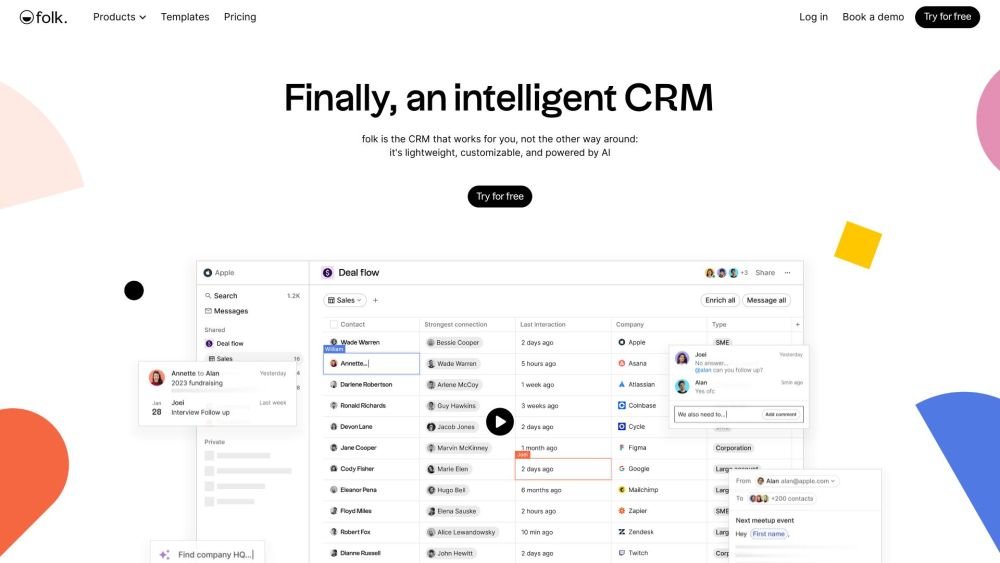
folk is a CRM designed to work for the user, offering a lightweight, customizable, and AI-powered platform to build stronger relationships. It integrates with LinkedIn, Gmail, Outlook, WhatsApp, and other platforms, providing features like contact enrichment, personalized email sequences, sales dashboards, and collaborative pipelines. folk aims to be a single source of truth for leads and deals, simplifying sales flows and helping teams prioritize leads.
Start with a template, edit it like a spreadsheet, and customize the fields you want to track. Connect folk to your email, social media, and sales tools. Collaborate with your team on deals using shared pipelines and sales dashboards. Leverage AI to receive suggestions for the best next steps.
When you sign up for folk, we automatically activate a 2-week free trial for your workspace, allowing you to fully test the platform and all its premium features.
At the end of the 2-week trial, your account will be blocked if you do not upgrade. Your data is not immediately deleted; you can request a one-week trial extension or upgrade your account to regain access.
No, credit card information is not required during the trial. You can test the platform for 2 weeks and only provide payment details when you choose to upgrade.
Pricing is based on the number of members in your workspace. When you add or remove a member, a prorated price is calculated and applied to your next bill.
You can upgrade your plan at any time by navigating to Settings > Plans and clicking "Upgrade" on your preferred plan.
We only accept credit cards. You can update your credit card information at any time via the Billing section in your Settings.
If a payment fails, you have 7 days to update your payment details in the Billing section of your Settings. If the payment method is not updated within 7 days, your account will be temporarily blocked.
You can cancel your subscription at any time by going to the plan section in your settings and clicking "Downgrade" on the free plan.
Yes, you can manage multiple workspaces. Billing is calculated individually for each workspace.
Yes, you can edit your billing details via the Billing page in your Settings. You may use the first address line to include your company name. Please note that once an invoice is issued and paid, the information cannot be changed for that specific invoice; updates will only apply to future invoices.
Free plan available.
Use these comparison pages to understand the trade-offs between the models most relevant to folk.
Compare Gemini 1.0 Pro Deprecated and Gemini 2.0 Flash across pricing, context window, capabilities, benchmarks, and API access to choose the better fit for long-context workloads versus long-context workloads.
Compare Gemini 1.0 Pro Deprecated and Gemini 2.5 Flash across pricing, context window, capabilities, benchmarks, and API access to choose the better fit for long-context workloads versus long-context workloads.
Compare Gemini 2.0 Flash Lite and Gemini 2.0 Flash across pricing, context window, capabilities, benchmarks, and API access to choose the better fit for long-context workloads versus long-context workloads.
Compare Gemini 2.5 Flash and Gemini 2.0 Flash across pricing, context window, capabilities, benchmarks, and API access to choose the better fit for long-context workloads versus long-context workloads.

Similar AI tool in the AI Social Media category.
Similar AI tool in the AI Social Media category.
Similar AI tool in the AI Chatbot category.
Similar AI tool in the AI Assistant category.
Similar AI tool in the AI Chatbot category.
Similar AI tool in the AI Marketing category.
Similar AI tool in the AI Marketing category.
Similar AI tool in the AI Assistant category.
Similar AI tool in the AI Chatbot category.
Similar AI tool in the AI Assistant category.
Similar AI tool in the AI Chatbot category.
Similar AI tool in the AI Chatbot category.