
Free
$0Free plan available.
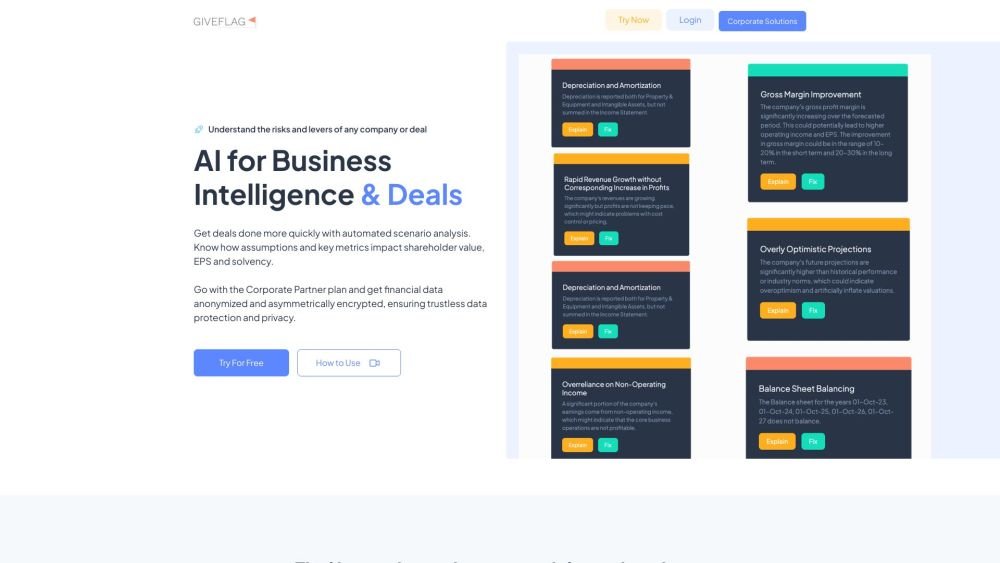
GiveFlag is an AI-powered business intelligence platform designed to help users unlock insights from documents, spreadsheets, and other data sources. It offers features like financial statement analysis, project plan analysis, M&A AI, policy analysis, legal analysis, and more. GiveFlag aims to automate administrative and transactional tasks, freeing up time for value creation. It also provides tools for lead generation and contact list building.
Users can upload files, send messages to their AI persona team, and utilize FlagShares for clear explanations. The platform offers tools for analyzing documents, spreadsheets, and generating targeted outreach lists.
You can send up to 10 messages to your AI persona team before upgrading to a paid plan. GiveFlag provides both pay-as-you-go and subscription options tailored to your file analysis, strategy, management, and lead generation needs. Visit giveflag.com/pricing for more details and to start a free trial.
Details regarding expert partner compensation can be found on the Expert Partners page.
Getting started is simple; just click the "Try Now Free" button at the top of the page.
GiveFlag team members cannot access your files or chat messages. If you require support with a file upload, we must sign a mutual non-disclosure and indemnification agreement before accepting data via email or other digital transmission. Alternatively, you may share a public GiveFlag FlagShare link, which we can review to provide the necessary assistance.
The SME plan allows you to upload 100 documents per month and provides 1,000 AI chat prompts for your team.
Yes.
GiveFlag is ideal if you need to ensure your spreadsheets are accurate and your project plans remain coherent.
Free plan available.
Use these comparison pages to understand the trade-offs between the models most relevant to GiveFlag.
Compare Amazon Nova Pro and Amazon Nova Lite across pricing, context window, capabilities, benchmarks, and API access to choose the better fit for tool-augmented workflows versus tool-augmented workflows.
Compare Amazon Nova Lite and Amazon Nova Micro across pricing, context window, capabilities, benchmarks, and API access to choose the better fit for tool-augmented workflows versus tool-augmented workflows.
Compare Amazon Nova Lite and Mistral Medium 3 across pricing, context window, capabilities, benchmarks, and API access to choose the better fit for tool-augmented workflows versus tool-augmented workflows.
Compare Amazon Nova Lite and Mistral Small 3.1 (25.03) across pricing, context window, capabilities, benchmarks, and API access to choose the better fit for tool-augmented workflows versus cost-efficient scale.

Similar AI tool in the AI Transcription category.
Similar AI tool in the AI Marketing category.
Similar AI tool in the AI Assistant category.
Similar AI tool in the AI Assistant category.
Similar AI tool in the AI Chatbot category.
Similar AI tool in the AI Chatbot category.
Similar AI tool in the AI Copilot category.
Similar AI tool in the AI Marketing category.
Similar AI tool in the AI Marketing category.
Similar AI tool in the AI Art Generator category.
Similar AI tool in the AI Chatbot category.
Similar AI tool in the Large Language Models (LLMs) category.