
Free
$0Free plan available.
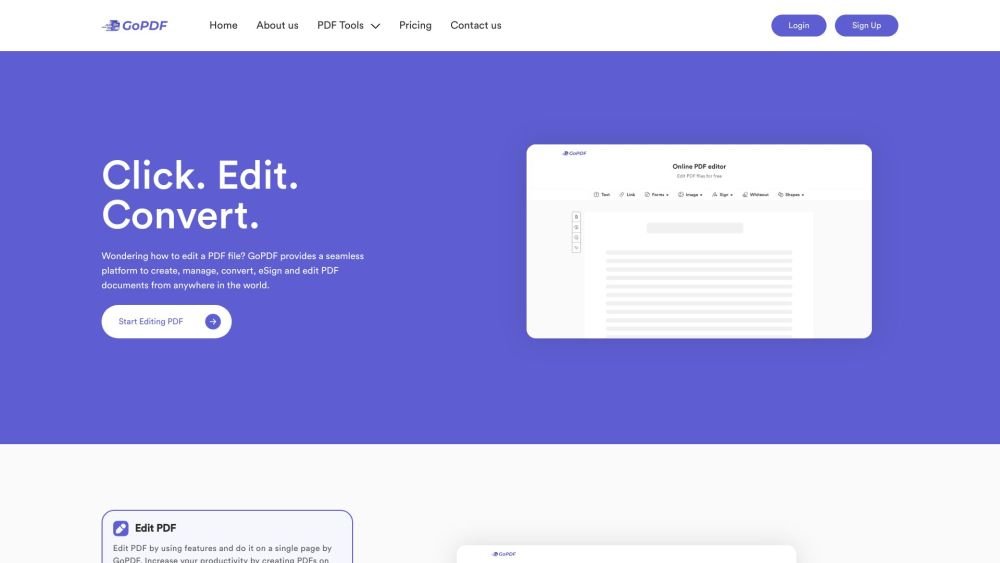
GoPDF is an all-in-one PDF solution that offers a free online PDF editor and AI-powered PDF management tool. It allows users to edit, convert, compress, sign, merge, protect, crop, and interact with PDFs using advanced AI features. Whether for business or personal use, GoPDF streamlines PDF-related tasks.
Users can edit and convert PDFs online using GoPDF's free tools. The platform provides various functionalities, including editing, compressing, converting, and signing PDFs, all accessible through a user-friendly interface without the need for software downloads.
gopdf.io is an online platform that provides a suite of tools for creating, editing, compressing, and managing PDF files. Its AI-driven features allow users to interact with their documents in new and efficient ways.
gopdf.io offers both free and premium plans. The free plan provides access to essential features, while premium plans offer advanced tools and higher usage limits.
Data security is a top priority. We utilize industry-standard encryption to protect your files and ensure they are not stored beyond your session. Please review our Privacy Policy for detailed information.
Visit our 'Pricing' page to view our various plans designed for individual and business needs. Select the option that best suits your requirements and follow the on-screen instructions to upgrade.
Free plan available.
Use these comparison pages to understand the trade-offs between the models most relevant to GoPDF.
Compare Gemini 1.0 Pro Deprecated and Gemini 2.0 Flash across pricing, context window, capabilities, benchmarks, and API access to choose the better fit for long-context workloads versus long-context workloads.
Compare Gemini 1.0 Pro Deprecated and Gemini 2.5 Flash across pricing, context window, capabilities, benchmarks, and API access to choose the better fit for long-context workloads versus long-context workloads.
Compare Gemini 2.0 Flash Lite and Gemini 2.0 Flash across pricing, context window, capabilities, benchmarks, and API access to choose the better fit for long-context workloads versus long-context workloads.
Compare Gemini 2.5 Flash and Gemini 2.0 Flash across pricing, context window, capabilities, benchmarks, and API access to choose the better fit for long-context workloads versus long-context workloads.

Similar AI tool in the AI Assistant category.
Similar AI tool in the AI Assistant category.
Similar AI tool in the AI Writing Assistants category.
Similar AI tool in the AI Assistant category.
Similar AI tool in the AI Assistant category.
Similar AI tool in the AI Chatbot category.
Similar AI tool in the AI Chatbot category.
Similar AI tool in the AI Chatbot category.
Similar AI tool in the AI Productivity Tools category.
Similar AI tool in the AI Assistant category.
Similar AI tool in the AI Assistant category.
Similar AI tool in the Large Language Models (LLMs) category.