
Free
$0Free plan available.
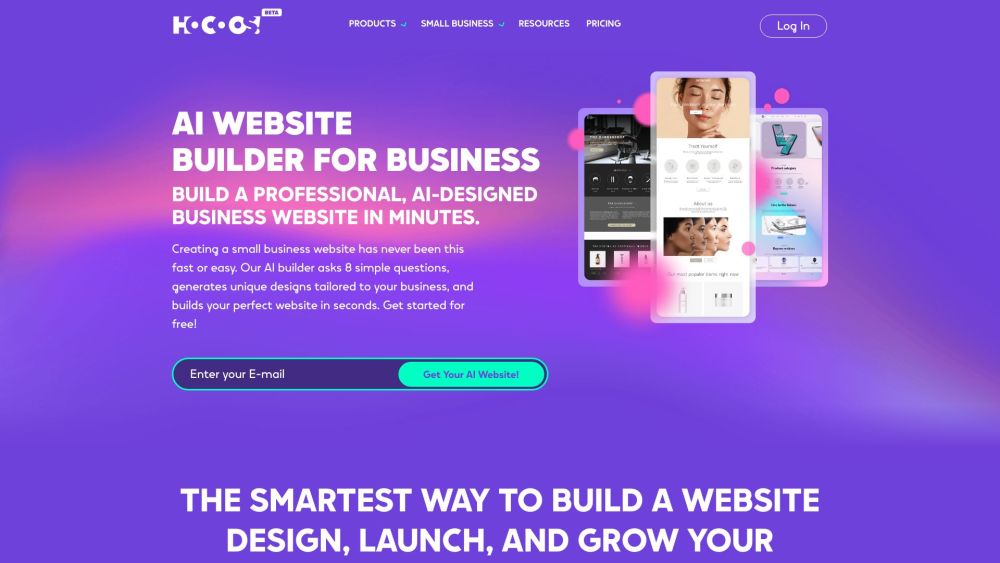
Hocoos AI Website Builder is an AI-powered tool that allows users to create professional websites in minutes. It uses artificial intelligence to design and build websites tailored to the user's business needs, asking simple questions and generating unique designs. Hocoos offers a comprehensive suite of AI tools for creating portfolios, online stores, blogs, and other business sites. It also includes features like an AI Logo Generator, AI Image Editor, and AI Content Generator to enhance website visuals and content.
To use Hocoos AI Website Builder, answer eight simple questions about your business and goals. The AI will then generate unique website designs tailored to your needs. Customize the design using the intuitive editor to add images, refine text, and adjust layouts. Launch your website without any coding knowledge.
An AI website builder like Hocoos uses artificial intelligence to create custom business sites from scratch in seconds.
Yes. You do not need technical experience, coding skills, or design expertise. Simply answer eight quick questions about your business, and Hocoos AI handles the rest.
The Hocoos AI website builder is designed for anyone looking to quickly and easily create a website for their business.
Creating your website is free. Access to all features is available for $15 per month, or $150 per year, which includes two months free and a complimentary custom domain name.
It takes less than 5 minutes to answer the eight questions required for Hocoos AI to build your website.
Yes, you can either register a custom domain through Hocoos or connect a domain you already own.
Simply answer eight questions about your business, and our AI will build your unique website. Once generated, you can customize the pages using the intuitive editor.
You can use most features to a limited capacity during your free trial. You can increase or remove these usage limits by upgrading your account.
To create a website with Hocoos, you only need to answer eight quick questions about your business and your website goals.
No, all websites are unique and customized to meet your specific business needs.
Hocoos AI makes the website-building process quick, easy, and affordable, saving you time and resources.
Yes. Once the AI has created your website, you can make changes at any time using our easy-to-use editor.
No coding skills are required. Our AI handles the technical work, allowing anyone to build a professional website. Web designers and developers can also use Hocoos to build simple websites for clients more efficiently.
You can contact us via live chat through your Hocoos dashboard, or reach out via email and our social media channels.
Yes, we offer a variety of premium widgets and customization options to help you personalize your website.
Hocoos AI-built websites include robust security features, advanced encryption protocols, and regular security updates to protect against potential threats.
Yes, all websites are responsive by default and designed to look professional on any device or screen size.
Yes, when you create a website with Hocoos, we provide free hosting.
Creating and hosting a website with Hocoos is free. Access to all premium features is available for $15 per month.
Yes, Hocoos AI websites include specialized tools and features for setting up an eCommerce store quickly.
It is free to create and host your Hocoos AI website. You can upgrade for $15 per month to access all premium features.
Free plan available.
Use these comparison pages to understand the trade-offs between the models most relevant to Hocoos AI Website Builder.
Compare Amazon Nova Pro and Amazon Nova Lite across pricing, context window, capabilities, benchmarks, and API access to choose the better fit for tool-augmented workflows versus tool-augmented workflows.
Compare Amazon Nova Lite and Amazon Nova Micro across pricing, context window, capabilities, benchmarks, and API access to choose the better fit for tool-augmented workflows versus tool-augmented workflows.
Compare Amazon Nova Lite and Mistral Medium 3 across pricing, context window, capabilities, benchmarks, and API access to choose the better fit for tool-augmented workflows versus tool-augmented workflows.
Compare Amazon Nova Lite and Mistral Small 3.1 (25.03) across pricing, context window, capabilities, benchmarks, and API access to choose the better fit for tool-augmented workflows versus cost-efficient scale.

Similar AI tool in the AI Image Generator category.
Similar AI tool in the AI Marketing category.
Similar AI tool in the AI Writing Assistants category.
Similar AI tool in the AI Image Generator category.
Similar AI tool in the No-Code&Low-Code category.
Similar AI tool in the AI Assistant category.
Similar AI tool in the AI Chatbot category.
Similar AI tool in the AI Writing Assistants category.
Similar AI tool in the AI Writing Assistants category.
Similar AI tool in the AI Assistant category.
Similar AI tool in the AI Chatbot category.
Similar AI tool in the AI Chatbot category.