
Free
$0Free plan available.
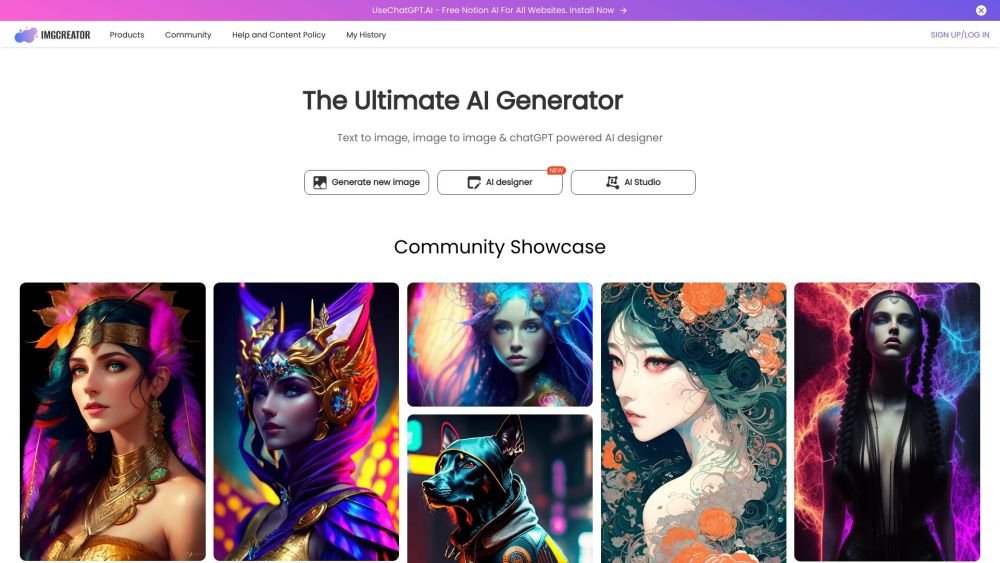
ImgCreator.AI is an all-in-one AI design and art generator that allows users to create images for free. It generates art, illustrations, anime, logos, and designs from text and images using proprietary technology, and includes tools for AI image generation, object removal, and image editing.
Enter a description of your desired image into the text input, then select your preferred result from the four generated candidates. To edit an existing photo, erase the specific area you wish to modify and provide a text description of the desired changes for that section.
ImgCreator.AI is an AI-powered image generation tool that converts text descriptions into visual images.
ImgCreator.AI is ideal for creating illustrations, anime, and concept designs. It also supports editing existing photos through text-based instructions.
Enter a description of your desired image into the text input, then select your preferred result from the four generated candidates. To edit an existing photo, erase the specific area you wish to modify and provide a text description of the desired changes for that section.
Yes, ImgCreator.AI is free to use with certain limitations, providing 9 free images to get started.
You hold a perpetual, worldwide, non-exclusive, royalty-free, and irrevocable copyright license to reproduce, display, distribute, and create derivative works based on the images you generate.
Yes, users have full rights to commercialize images created with ImgCreator.AI, including the right to reprint, sell, and merchandise any images they generate.
Free plan available.
Use these comparison pages to understand the trade-offs between the models most relevant to ImgCreator.AI.
Compare GPT 5.4 and GPT 5.4 Pro across pricing, context window, capabilities, benchmarks, and API access to choose the better fit for long-context workloads versus long-context workloads.
Compare GPT 5.5 and GPT 5.4 across pricing, context window, capabilities, benchmarks, and API access to choose the better fit for long-context workloads versus long-context workloads.
Compare GPT 5.5 and Claude 4.6 Opus across pricing, context window, capabilities, benchmarks, and API access to choose the better fit for long-context workloads versus long-context workloads.
Compare GPT 5.5 and Claude 4.6 Sonnet across pricing, context window, capabilities, benchmarks, and API access to choose the better fit for long-context workloads versus long-context workloads.

Similar AI tool in the AI Image Generator category.
Similar AI tool in the AI Chatbot category.
Similar AI tool in the AI Image Generator category.
Similar AI tool in the AI Image Generator category.
Similar AI tool in the AI Assistant category.
Similar AI tool in the AI Image Generator category.
Similar AI tool in the AI Art Generator category.
Similar AI tool in the AI Image Generator category.
Similar AI tool in the AI Chatbot category.
Similar AI tool in the AI Assistant category.
Similar AI tool in the AI Image Generator category.
Similar AI tool in the AI Image Generator category.