
Free
$0Free plan available.
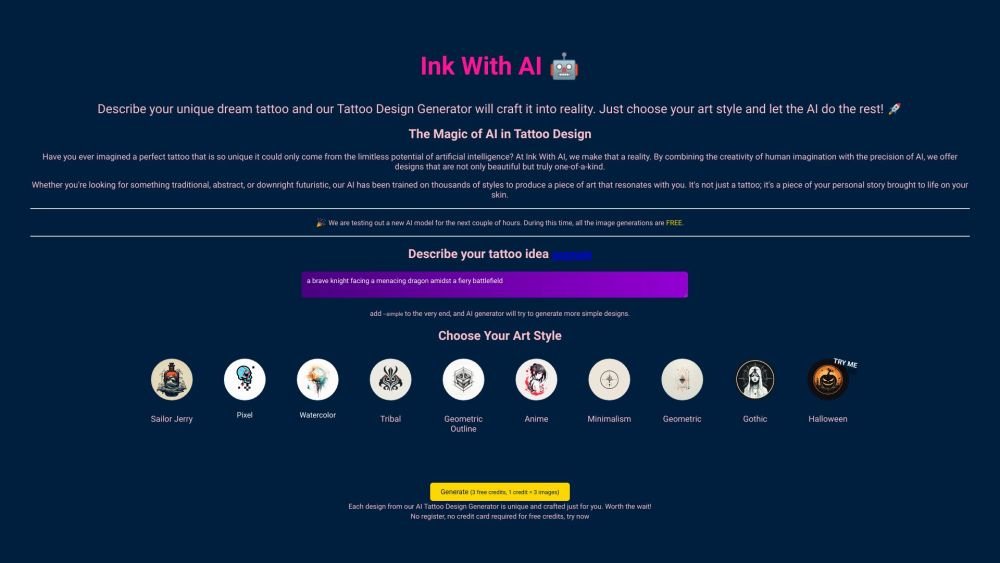
Ink With AI is an AI tattoo design generator that transforms your tattoo ideas into unique designs. It allows users to describe their dream tattoo and preferred art style, then uses AI to create bespoke tattoo designs. The service offers a variety of art styles, from Sailor Jerry to geometric patterns, and provides multiple design options per generation. It's developed by Eray Alakese, a solo entrepreneur and cloud solutions architect.
Enter a detailed description of your tattoo concept into the input field. Choose your desired art style from the available gallery. Click 'Generate' to have the AI create your design. Each generation provides four unique design options.
Ink With AI offers the first two generations for free, with each generation providing four designs, totaling eight free tattoo designs.
Tattoo size is a matter of personal preference and pain tolerance, so we recommend consulting your tattoo artist. The most important factor is the aspect ratio of your design—whether you prefer a rectangular, square, or circular shape. Please refer to our guide for suggestions on body placement and how to configure the aspect ratio in Ink With AI.
For optimal results, describe the primary object, person, or animal in the singular form. You may also include details regarding the atmosphere, such as the background, weather, or time of day. Refer to our Ideas page for additional examples.
Not all complex designs can be transferred to the skin exactly as generated due to factors like skin condition, color, and size. Very small designs may also not translate well. You should discuss all generated designs with your professional tattoo artist to ensure they are suitable for tattooing.
Free plan available.

Similar AI tool in the AI Image Generator category.
Similar AI tool in the AI Chatbot category.
Similar AI tool in the AI Image Generator category.
Similar AI tool in the AI Image Generator category.
Similar AI tool in the AI Assistant category.
Similar AI tool in the AI Image Generator category.
Similar AI tool in the AI Art Generator category.
Similar AI tool in the AI Image Generator category.
Similar AI tool in the AI Chatbot category.
Similar AI tool in the AI Assistant category.
Similar AI tool in the AI Image Generator category.
Similar AI tool in the AI Image Generator category.