
Free
$0Free plan available.
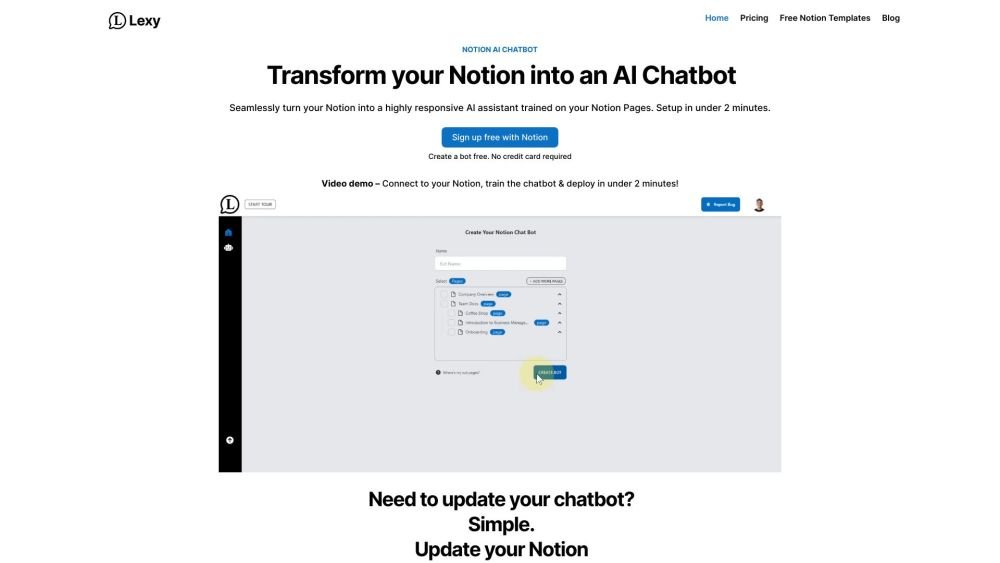
Lexy is an AI chatbot assistant that integrates with Notion pages. It allows users to link their Notion, select pages, and deploy the bot as a widget for teams, audiences, or personal use. Lexy turns a knowledge base into an AI customer service chatbot for websites.
Connect your Notion workspace, authorize access to your chosen pages, train the bot by selecting those pages, and launch Lexy on your site by embedding the provided code snippet into your website or Notion page.
Lexy is an AI-powered chatbot that integrates with your Notion workspace to learn from your page content, helping you turn your stored information into an intelligent resource.
Yes, Lexy offers a free tier that allows you to create your first bot with a limit of 30 messages per month. You can upgrade your plan if you require additional bots or message capacity.
Lexy connects to your selected Notion pages to learn from your content. By training on these pages, Lexy can provide quick and accurate answers to user questions.
Yes, Lexy is designed to be compatible with various Notion templates, ensuring versatility across different workflows and knowledge bases.
Yes, Lexy is designed to function alongside your existing Notion integrations to support your current productivity workflows.
Lexy can access any page in your Notion workspace that you authorize, ensuring it provides accurate and current information. Support for Notion databases is currently in development.
To get started, connect your Notion workspace, select your knowledge base, and embed the provided code snippet onto your website or Notion page to begin automating customer support.
Yes, choosing an annual subscription provides a discount equivalent to two months of service for free.
No, Lexy works with both free and paid Notion plans, making it accessible for businesses of all sizes.
Yes, Lexy provides scalable solutions for large enterprise teams. Please contact our sales team for details regarding enterprise-specific plans and pricing.
Lexy uses Stripe for secure payment processing and accepts most major debit and credit cards.
Yes, you can manage your subscription by upgrading, downgrading, or canceling at any time through your settings page.
Lexy provides a free account option, allowing you to explore the AI chatbot features without an upfront payment. You can upgrade to a paid plan at any time if you require more features.
Free plan available.
Use these comparison pages to understand the trade-offs between the models most relevant to Lexy.
Compare Amazon Nova Pro and Amazon Nova Lite across pricing, context window, capabilities, benchmarks, and API access to choose the better fit for tool-augmented workflows versus tool-augmented workflows.
Compare Amazon Nova Lite and Amazon Nova Micro across pricing, context window, capabilities, benchmarks, and API access to choose the better fit for tool-augmented workflows versus tool-augmented workflows.
Compare Amazon Nova Lite and Mistral Medium 3 across pricing, context window, capabilities, benchmarks, and API access to choose the better fit for tool-augmented workflows versus tool-augmented workflows.
Compare Amazon Nova Lite and Mistral Small 3.1 (25.03) across pricing, context window, capabilities, benchmarks, and API access to choose the better fit for tool-augmented workflows versus cost-efficient scale.

Similar AI tool in the AI Image Generator category.
Similar AI tool in the AI Assistant category.
Similar AI tool in the AI Assistant category.
Similar AI tool in the AI Marketing category.
Similar AI tool in the AI Assistant category.
Similar AI tool in the AI Chatbot category.
Similar AI tool in the AI Writing Assistants category.
Similar AI tool in the AI Assistant category.
Similar AI tool in the AI Chatbot category.
Similar AI tool in the AI Chatbot category.
Similar AI tool in the AI Chatbot category.
Similar AI tool in the AI Assistant category.