
Free
$0Free plan available.
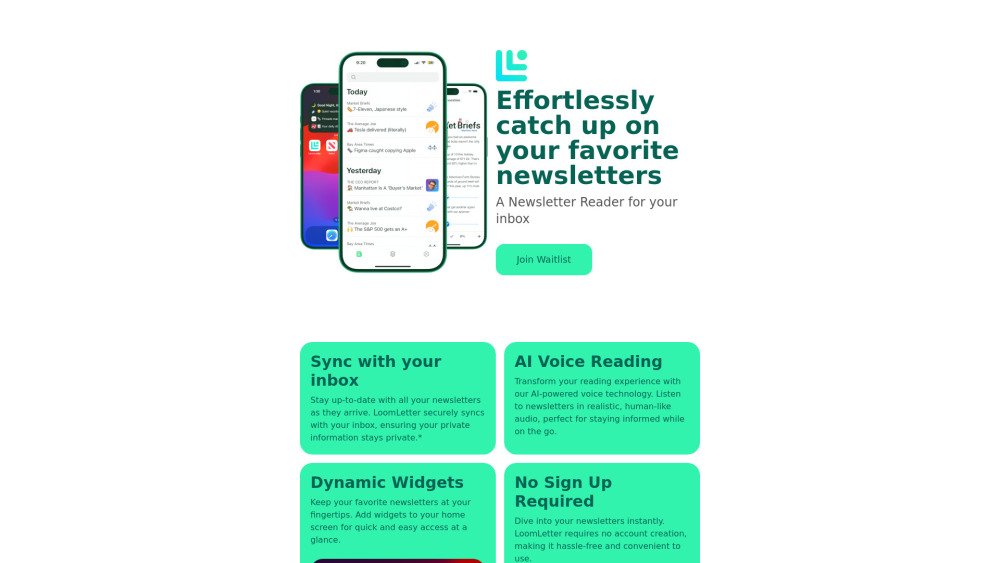
LoomLetter is a newsletter reader app designed to help users manage and read their newsletters efficiently. It syncs with your inbox, offers widgets for quick access, provides text-to-speech functionality for listening on the go, and tracks reading progress. It aims to streamline newsletter consumption and prevent users from missing important content.
LoomLetter syncs with your inbox to gather your newsletters. You can then use the app to read, listen to content via text-to-speech, and manage your subscriptions. Widgets provide quick access to your favorite newsletters. No sign-up is required.
All your data is processed securely on your device, ensuring your personal information remains private. We do not store your email content on our servers; only a secure, encrypted refresh token is stored to maintain your account connection.
LoomLetter requires access to your email to fetch your newsletters and organize them in one place. This access is handled securely, and your email content is processed exclusively on your device.
No, your email data is not stored on our servers. All email content is processed on your device. Our servers only manage the secure, encrypted refresh token required to maintain the connection with your device.
You can disconnect your email account by navigating to the app settings and tapping the Log Out button. This action stops all data synchronization, removes saved data from the app, and deletes your token from our servers.
Free plan available.
Use these comparison pages to understand the trade-offs between the models most relevant to LoomLetter.
Compare Gemini 1.0 Pro Deprecated and Gemini 2.0 Flash across pricing, context window, capabilities, benchmarks, and API access to choose the better fit for long-context workloads versus long-context workloads.
Compare Gemini 1.0 Pro Deprecated and Gemini 2.5 Flash across pricing, context window, capabilities, benchmarks, and API access to choose the better fit for long-context workloads versus long-context workloads.
Compare Gemini 2.0 Flash Lite and Gemini 2.0 Flash across pricing, context window, capabilities, benchmarks, and API access to choose the better fit for long-context workloads versus long-context workloads.
Compare Gemini 2.5 Flash and Gemini 2.0 Flash across pricing, context window, capabilities, benchmarks, and API access to choose the better fit for long-context workloads versus long-context workloads.

Similar AI tool in the AI Assistant category.
Similar AI tool in the AI Assistant category.
Similar AI tool in the AI Marketing category.
Similar AI tool in the AI Image Generator category.
Similar AI tool in the AI Chatbot category.
Similar AI tool in the AI Image Generator category.
Similar AI tool in the AI Video Generator category.
Similar AI tool in the AI Assistant category.
Similar AI tool in the AI Writing Assistants category.
Similar AI tool in the AI Assistant category.
Similar AI tool in the AI Chatbot category.
Similar AI tool in the AI Video Generator category.