
Free
$0Free plan available.
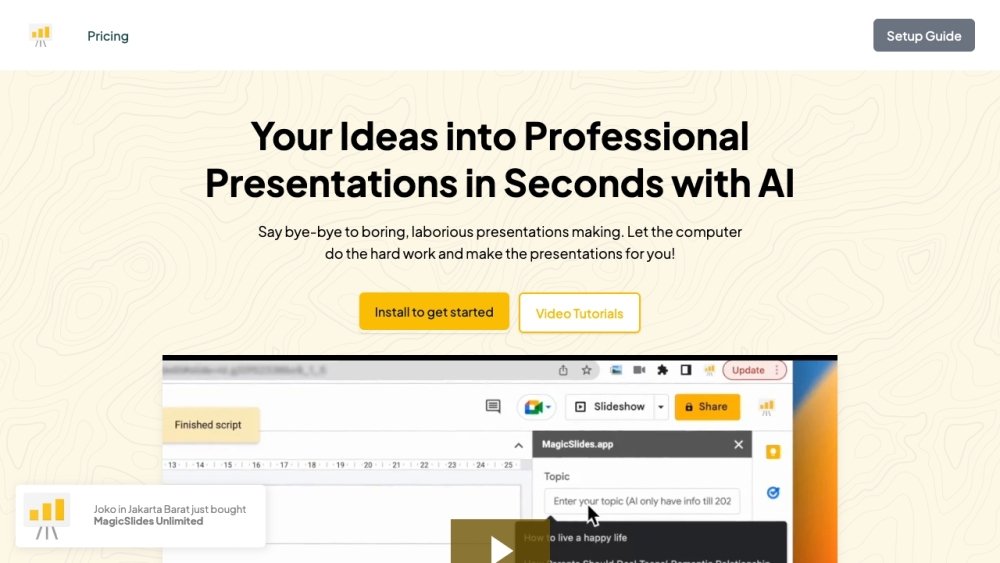
MagicSlides.app is an AI-powered presentation tool that helps users create professional presentations quickly and easily. It offers customizable templates and AI-driven features to generate slides from various content sources like topics, text, YouTube videos, PDFs, and URLs. It also provides add-ons for Google Slides, Chrome Extension, Figma, ChatGPT, and Telegram to generate presentations within the tools you use already.
Users can sign up for free on MagicSlides.app and create presentations by inputting a topic, pasting text, providing a YouTube video link, uploading a PDF, or entering a URL. The AI then generates the presentation slides in seconds.
MagicSlides supports over 100 languages, allowing you to create presentations in your preferred language.
Upon purchase, the Google account associated with your email address will be automatically upgraded. No license key is required; simply follow the instructions at https://www.magicslides.app/thankyou.
Yes. When a purchase is made, the Google account specified in the order is automatically upgraded, regardless of the payer's email address.
You can email support@magicslides.app while your support period is active. Support covers issues related to installation, licensing, and usage, but does not include custom feature requests or personalized customizations.
A user is defined as a single Google account email address. Licenses are tied to the specific Google account, allowing you to use the add-ons on any computer as long as you are signed in with that account.
Yes, you can cancel at any time. Visit the manage subscription link at https://billing.stripe.com/p/login/00gg1PcIvftS1jy4gg, log in with your email, and select cancel. Your subscription will remain active until the end of the current billing cycle.
Free plan available.
Use these comparison pages to understand the trade-offs between the models most relevant to MagicSlides.app.
Compare Gemini 1.0 Pro Deprecated and Gemini 2.0 Flash across pricing, context window, capabilities, benchmarks, and API access to choose the better fit for long-context workloads versus long-context workloads.
Compare Gemini 1.0 Pro Deprecated and Gemini 2.5 Flash across pricing, context window, capabilities, benchmarks, and API access to choose the better fit for long-context workloads versus long-context workloads.
Compare Gemini 2.0 Flash Lite and Gemini 2.0 Flash across pricing, context window, capabilities, benchmarks, and API access to choose the better fit for long-context workloads versus long-context workloads.
Compare Gemini 2.5 Flash and Gemini 2.0 Flash across pricing, context window, capabilities, benchmarks, and API access to choose the better fit for long-context workloads versus long-context workloads.

Similar AI tool in the AI Lead Generation category.
Similar AI tool in the AI Assistant category.
Similar AI tool in the AI Chatbot category.
Similar AI tool in the AI Chatbot category.
Similar AI tool in the AI Image Generator category.
Similar AI tool in the No-Code&Low-Code category.
Similar AI tool in the AI Chatbot category.
Similar AI tool in the AI Image Generator category.
Similar AI tool in the AI Assistant category.
Similar AI tool in the AI Image Generator category.
Similar AI tool in the AI Design Generator category.
Similar AI tool in the AI Art Generator category.