
Free
$0Free plan available.
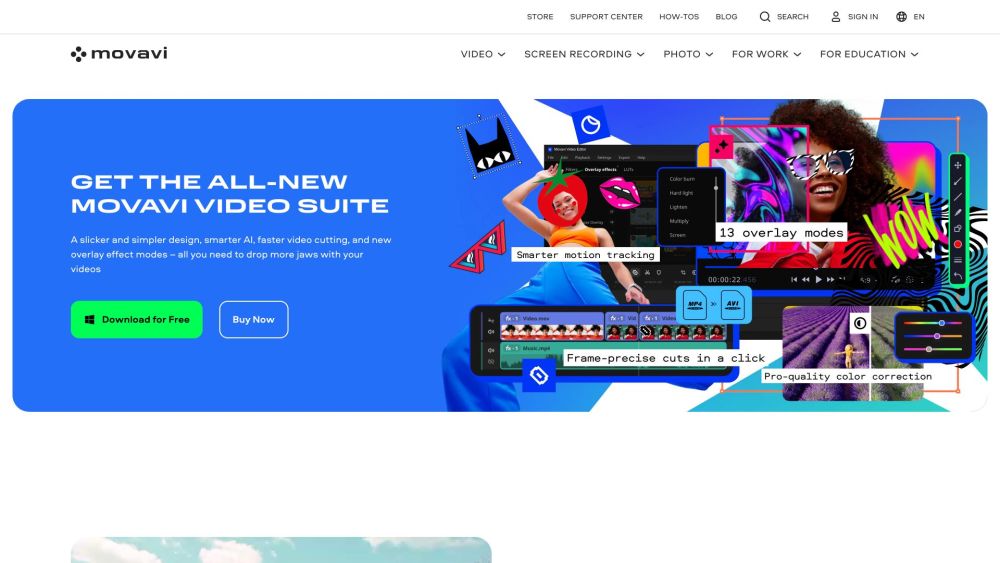
Movavi offers a range of fast and easy-to-use photo and video editing software, trusted worldwide. Their products include video editors, media converters, screen recorders, and more, designed for both beginners and experienced users. Movavi provides tools for creating stunning content with features like AI motion tracking, background removal, auto subtitles, and a vast library of effects and templates.
Users can download the Movavi software from the official website to begin editing photos or videos via the intuitive interface. The software supports drag-and-drop functionality, includes ready-made templates, and provides helpful tooltips to guide users through the editing process.
Movavi Video Editor provides a free version that is secure and user-friendly. This version includes limitations such as a Movavi watermark, a 60-second video or half-audio length restriction, and restricted access to certain advanced features during export.
Movavi Video Editor is considered a top choice for beginners due to its intuitive interface, helpful tooltips, and accessible support team.
Movavi Video Editor offers a free download option, which allows you to test the software for 7 days before purchasing the full version.
Movavi Video Editor serves as an effective alternative to iMovie, offering comparable functionality and ease of use.
Free plan available.
Use these comparison pages to understand the trade-offs between the models most relevant to Movavi.
Compare Gemini 1.0 Pro Deprecated and Gemini 2.0 Flash across pricing, context window, capabilities, benchmarks, and API access to choose the better fit for long-context workloads versus long-context workloads.
Compare Gemini 1.0 Pro Deprecated and Gemini 2.5 Flash across pricing, context window, capabilities, benchmarks, and API access to choose the better fit for long-context workloads versus long-context workloads.
Compare Gemini 2.0 Flash Lite and Gemini 2.0 Flash across pricing, context window, capabilities, benchmarks, and API access to choose the better fit for long-context workloads versus long-context workloads.
Compare Gemini 2.5 Flash and Gemini 2.0 Flash across pricing, context window, capabilities, benchmarks, and API access to choose the better fit for long-context workloads versus long-context workloads.

Similar AI tool in the AI Video Generator category.
Similar AI tool in the AI Image Generator category.
Similar AI tool in the AI API category.
Similar AI tool in the AI Background Remover category.
Similar AI tool in the AI Chatbot category.
Similar AI tool in the AI Image Generator category.
Similar AI tool in the AI Image Generator category.
Similar AI tool in the AI Assistant category.
Similar AI tool in the AI Video Generator category.
Similar AI tool in the AI Chatbot category.
Similar AI tool in the AI Video Editor category.
Similar AI tool in the AI Image Generator category.