
Free
$0Free plan available.
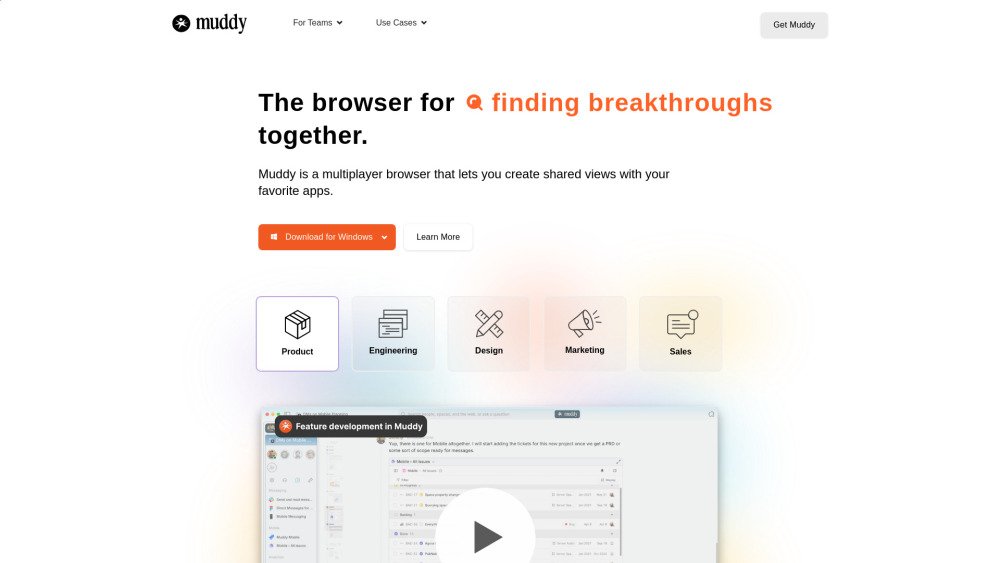
Muddy is a multiplayer browser designed to streamline teamwork by centralizing your applications with AI-powered organization. It enables teams to visualize projects on a shared timeline and rewind to previous states. Muddy integrates apps, messaging, and intelligence into a unified platform, featuring shared workspaces, universal commenting, and multiplayer presence across all integrated tools.
1. Download Muddy for Mac, Windows, iOS, or Android. 2. Import your existing browser history, passwords, and login credentials. 3. Create shared views using your preferred applications to begin team collaboration. 4. Utilize AI features to organize tabs, navigate project history, and communicate directly within your apps.
Most users utilize Muddy as their primary work browser, opening apps and websites directly within it. We provide tools to easily import your existing history, passwords, and logins.
While Muddy is built to simplify teamwork, its spaces are also effective for individual use. You can build and organize your own workspaces before choosing to share them with others.
No setup is required. Muddy's AI is ready to browse the web and answer questions immediately. As you build projects within Muddy, the AI automatically leverages that context to improve its responses and website retrieval.
Muddy supports any application that functions within a standard browser, including Chrome extensions.
Your cookies and passwords are stored locally and are never kept on our servers. Our business model focuses on providing collaboration services and enterprise features rather than advertising.
Muddy manages your apps and tabs efficiently. It optimizes memory and battery usage by automatically hibernating inactive tabs and waking them only when necessary.
Free plan available.
Use these comparison pages to understand the trade-offs between the models most relevant to Muddy.
Compare Amazon Nova Pro and Amazon Nova Lite across pricing, context window, capabilities, benchmarks, and API access to choose the better fit for tool-augmented workflows versus tool-augmented workflows.
Compare Amazon Nova Lite and Amazon Nova Micro across pricing, context window, capabilities, benchmarks, and API access to choose the better fit for tool-augmented workflows versus tool-augmented workflows.
Compare Amazon Nova Lite and Mistral Medium 3 across pricing, context window, capabilities, benchmarks, and API access to choose the better fit for tool-augmented workflows versus tool-augmented workflows.
Compare Amazon Nova Lite and Mistral Small 3.1 (25.03) across pricing, context window, capabilities, benchmarks, and API access to choose the better fit for tool-augmented workflows versus cost-efficient scale.