
Free
$0Free plan available.
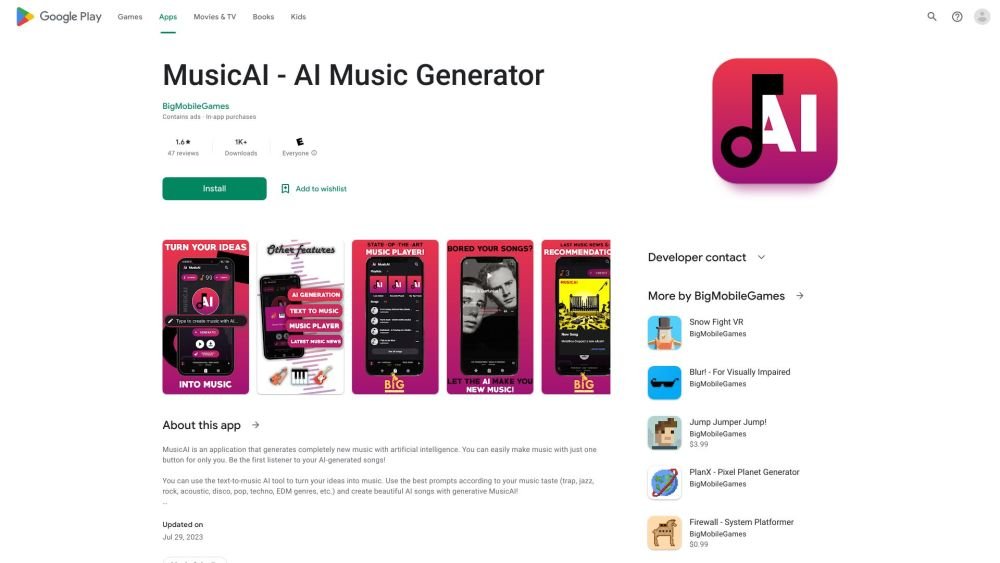
MusicAI is a mobile application that uses artificial intelligence to generate completely new music. It allows users to create music by typing their ideas using a text-to-music AI tool. The app also features a modern music player for listening to and downloading generated songs. It supports various music and audio formats and offers features like stereo settings adjustment, automatic background image changes, shuffle/loop playback, and playlist creation.
Users can generate music by entering prompts into the text-to-music AI tool. Additionally, the 'Generate with Instruments' feature allows for the creation of musical pieces using violin, guitar, and piano. The app also serves as a music player for listening to generated and downloaded tracks.
MusicAI can compose music across various genres, including Classical, Rock, Jazz, Electronic, Hip-Hop, Country, and more.
Yes, MusicAI allows you to create your own songs without prior musical knowledge by converting text into music.
MusicAI supports a wide range of music and audio formats, including MP3, MIDI, WAV, and AAC.
Free plan available.
Use these comparison pages to understand the trade-offs between the models most relevant to MusicAI.
Compare Gemini 1.0 Pro Deprecated and Gemini 2.0 Flash across pricing, context window, capabilities, benchmarks, and API access to choose the better fit for long-context workloads versus long-context workloads.
Compare Gemini 1.0 Pro Deprecated and Gemini 2.5 Flash across pricing, context window, capabilities, benchmarks, and API access to choose the better fit for long-context workloads versus long-context workloads.
Compare Gemini 2.0 Flash Lite and Gemini 2.0 Flash across pricing, context window, capabilities, benchmarks, and API access to choose the better fit for long-context workloads versus long-context workloads.
Compare Gemini 2.5 Flash and Gemini 2.0 Flash across pricing, context window, capabilities, benchmarks, and API access to choose the better fit for long-context workloads versus long-context workloads.

Similar AI tool in the AI Ad Generator category.
Similar AI tool in the AI Image Generator category.
Similar AI tool in the AI API category.
Similar AI tool in the AI Marketing category.
Similar AI tool in the AI Marketing category.
Similar AI tool in the AI Chatbot category.
Similar AI tool in the AI Image Generator category.
Similar AI tool in the AI Assistant category.
Similar AI tool in the AI Text-to-Speech category.
Similar AI tool in the AI Chatbot category.
Similar AI tool in the AI Marketing category.
Similar AI tool in the AI Marketing category.