
Free
$0Free plan available.
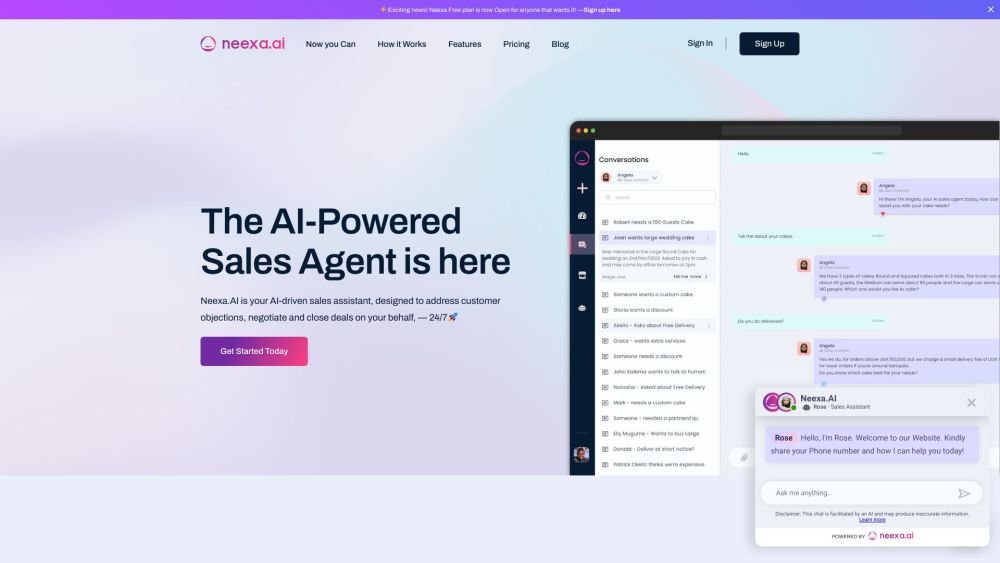
Neexa is an AI-powered sales agent that engages prospects, nurtures them with consistent follow-ups, and converts leads into paying customers 24/7, helping businesses effortlessly increase sales. It's a fully Autonomous Sales CRM.
To use Neexa, configure your business information, products, and services within the dashboard. Next, deploy your Neexa bot on your website, WhatsApp Business, or other supported platforms. The AI will then engage prospects 24/7 to help convert them into customers.
An agent is an AI-powered chatbot capable of conducting human-like conversations. You can create multiple agents for different objectives, such as a sales agent or a Q&A agent.
Credits represent the number of interactions your AI has with customers or prospects. Each interaction, such as a reply to a customer or a follow-up message generated by the AI, equals one credit.
Yes. While Neexa was primarily designed as a sales agent, you can create secondary bots with the role of 'Support Assistant' to help your customers resolve issues.
Neexa features a dashboard where you can upload business or product documents. You can also train the AI using your website pages or plain text entry. All information is editable, and the training process completes within seconds after data is added.
The WhatsApp integration uses Meta’s WhatsApp Business API to send and receive messages. This allows your AI to respond to messages sent to your WhatsApp account. You can view all conversations in your dashboard and use the 'Human Takeover' feature to engage with users manually when necessary.
Setup time depends on your information source and your website platform. If your information is ready in documents or on your website, the AI can learn in about 5 minutes. Integration typically takes another 5 minutes, especially with our WordPress plugin. On average, the entire process of setting up, testing, and integrating takes 10 to 20 minutes.
Free plan available.
Use these comparison pages to understand the trade-offs between the models most relevant to Neexa.
Compare Amazon Nova Pro and Amazon Nova Lite across pricing, context window, capabilities, benchmarks, and API access to choose the better fit for tool-augmented workflows versus tool-augmented workflows.
Compare Amazon Nova Lite and Amazon Nova Micro across pricing, context window, capabilities, benchmarks, and API access to choose the better fit for tool-augmented workflows versus tool-augmented workflows.
Compare Amazon Nova Lite and Mistral Medium 3 across pricing, context window, capabilities, benchmarks, and API access to choose the better fit for tool-augmented workflows versus tool-augmented workflows.
Compare Amazon Nova Lite and Mistral Small 3.1 (25.03) across pricing, context window, capabilities, benchmarks, and API access to choose the better fit for tool-augmented workflows versus cost-efficient scale.

Similar AI tool in the AI Chatbot category.
Similar AI tool in the AI Assistant category.
Similar AI tool in the AI Assistant category.
Similar AI tool in the AI Chatbot category.
Similar AI tool in the AI Assistant category.
Similar AI tool in the AI Assistant category.
Similar AI tool in the AI API category.
Similar AI tool in the AI Assistant category.
Similar AI tool in the AI Chatbot category.
Similar AI tool in the AI Chatbot category.
Similar AI tool in the AI Chatbot category.
Similar AI tool in the AI Productivity Tools category.