
Free
$0Free plan available.
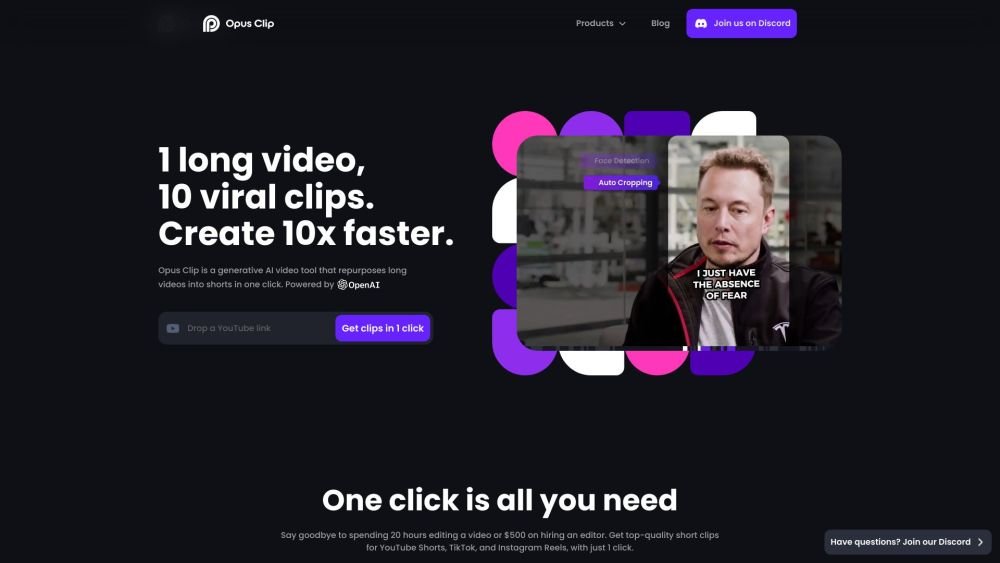
Opus Clip is a generative AI video tool that repurposes long videos into shorts in one click. It turns long videos into high-quality viral clips for sharing on TikTok, YouTube Shorts, and Reels to increase social media reach. OpusClip offers features like AI b-roll generator, viral caption templates, and AI reframe to resize videos for different platforms.
Upload a long video to OpusClip, and the AI will automatically identify key moments to create engaging short clips optimized for various social media platforms. Users can further customize these clips using the built-in editor.
OpusClip is an AI-powered video repurposing tool that converts long-form videos into high-quality clips for social media.
OpusClip provides features such as AI clipping with a virality score, AI animated captions, AI B-Roll generation, AI Reframe, a social media scheduler, and more.
OpusClip offers Free, Starter, Pro, and Business plans with varying features and credit limits. The Pro plan includes options for yearly billing to provide savings.
Yes, OpusClip provides a Free plan with limited credits and features, allowing users to test the platform before committing to a paid subscription.
OpusClip provides customer support via Discord AI chat, Intercom live chat, and priority support with a dedicated Slack channel for Business plan users.
Free plan available.
Use these comparison pages to understand the trade-offs between the models most relevant to Opus Clip.
Compare Gemini 1.0 Pro Deprecated and Gemini 2.0 Flash across pricing, context window, capabilities, benchmarks, and API access to choose the better fit for long-context workloads versus long-context workloads.
Compare Gemini 1.0 Pro Deprecated and Gemini 2.5 Flash across pricing, context window, capabilities, benchmarks, and API access to choose the better fit for long-context workloads versus long-context workloads.
Compare Gemini 2.0 Flash Lite and Gemini 2.0 Flash across pricing, context window, capabilities, benchmarks, and API access to choose the better fit for long-context workloads versus long-context workloads.
Compare Gemini 2.5 Flash and Gemini 2.0 Flash across pricing, context window, capabilities, benchmarks, and API access to choose the better fit for long-context workloads versus long-context workloads.

Similar AI tool in the AI Social Media Post Generator category.
Similar AI tool in the AI Chatbot category.
Similar AI tool in the AI Video Generator category.
Similar AI tool in the AI Image Generator category.
Similar AI tool in the AI Video Generator category.
Similar AI tool in the AI Video Generator category.
Similar AI tool in the AI Chatbot category.
Similar AI tool in the AI Video Editor category.
Similar AI tool in the AI Design Generator category.
Similar AI tool in the AI Marketing category.
Similar AI tool in the AI Art Generator category.
Similar AI tool in the AI Assistant category.