
Free
$0Free plan available.
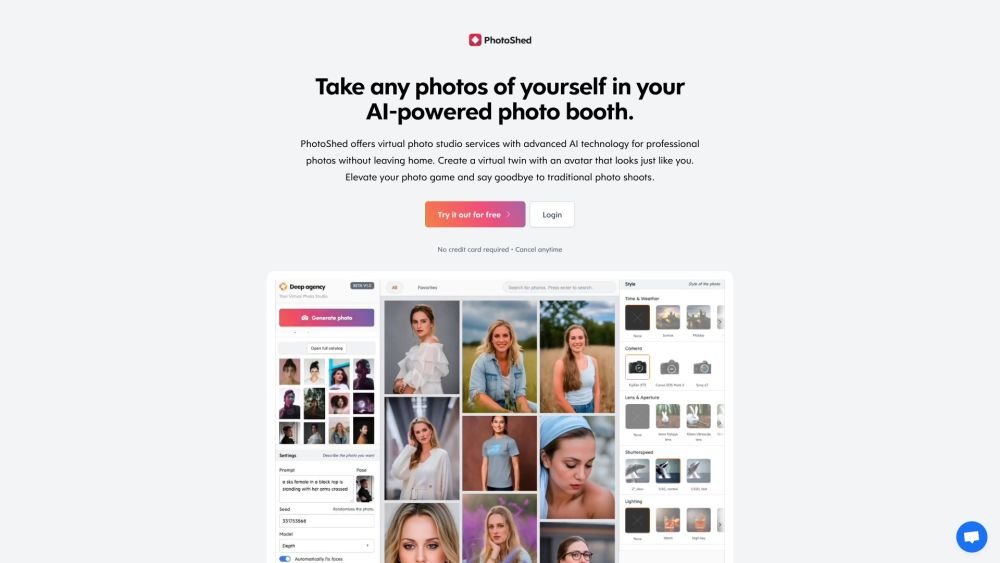
PhotoShed provides a virtual photo studio powered by advanced AI, enabling users to generate professional-quality images from home. The platform allows you to create a virtual twin by training an AI avatar on your own photos or to hire virtual AI models for photoshoots. Users can generate unlimited images of their virtual twin or utilize AI-generated models across a variety of environments.
To use PhotoShed, upload at least 20 photos of yourself to train the AI. Once the AI generates a virtual twin, you can use it to create unlimited photoshoots. Alternatively, you may choose to hire AI-generated models for your virtual photoshoots.
We use your input photos to train our AI model and store them securely. You can delete your data instantly at any time by selecting the delete option.
AI training is resource-intensive, as it requires significant computing power to train a model on a single subject. Our pricing reflects these operational costs.
We recommend uploading 10 close-ups, 3 side profiles, 5 chest-up shots, and 3 full-body shots. Variety is essential; ensure your photos feature different facial expressions, locations, backgrounds, and perspectives. Including shots where you are looking away from the camera is also helpful. Use high-quality images and minimal makeup, as makeup may be exaggerated by the AI. Nude photos are prohibited, though swimwear and underwear are acceptable.
Your data is stored securely on servers located in the United States by our vetted, highly secure third-party partners.
Yes, we offer refunds for purchases made within 14 days, provided you have not yet initiated the AI training process. Once the 14-day window has passed or the plan has been used, it is no longer eligible for a refund. Please consult our Terms of Service for further details.
We support JPG, PNG, WebP, and HEIC formats. AVIF and GIF files are not supported.
Yes, we process payments through Stripe and do not store any of your credit card information.
Yes, you can generate an invoice for your purchase. Simply visit the invoice page after your transaction, enter your details, and save the document as a PDF.
Yes, you have full usage rights for your photos. You may use them on social media profiles, websites, business cards, or for personal purposes such as dating profiles.
Free plan available.
Use these comparison pages to understand the trade-offs between the models most relevant to PhotoShed.
Compare Gemini 1.0 Pro Deprecated and Gemini 2.0 Flash across pricing, context window, capabilities, benchmarks, and API access to choose the better fit for long-context workloads versus long-context workloads.
Compare Gemini 1.0 Pro Deprecated and Gemini 2.5 Flash across pricing, context window, capabilities, benchmarks, and API access to choose the better fit for long-context workloads versus long-context workloads.
Compare Gemini 2.0 Flash Lite and Gemini 2.0 Flash across pricing, context window, capabilities, benchmarks, and API access to choose the better fit for long-context workloads versus long-context workloads.
Compare Gemini 2.5 Flash and Gemini 2.0 Flash across pricing, context window, capabilities, benchmarks, and API access to choose the better fit for long-context workloads versus long-context workloads.

Similar AI tool in the AI Image Generator category.
Similar AI tool in the AI Chatbot category.
Similar AI tool in the AI Image Generator category.
Similar AI tool in the AI Image Generator category.
Similar AI tool in the AI Assistant category.
Similar AI tool in the AI Image Generator category.
Similar AI tool in the AI Art Generator category.
Similar AI tool in the AI Image Generator category.
Similar AI tool in the AI Chatbot category.
Similar AI tool in the AI Assistant category.
Similar AI tool in the AI Image Generator category.
Similar AI tool in the AI Image Generator category.