
Free
$0Free plan available.
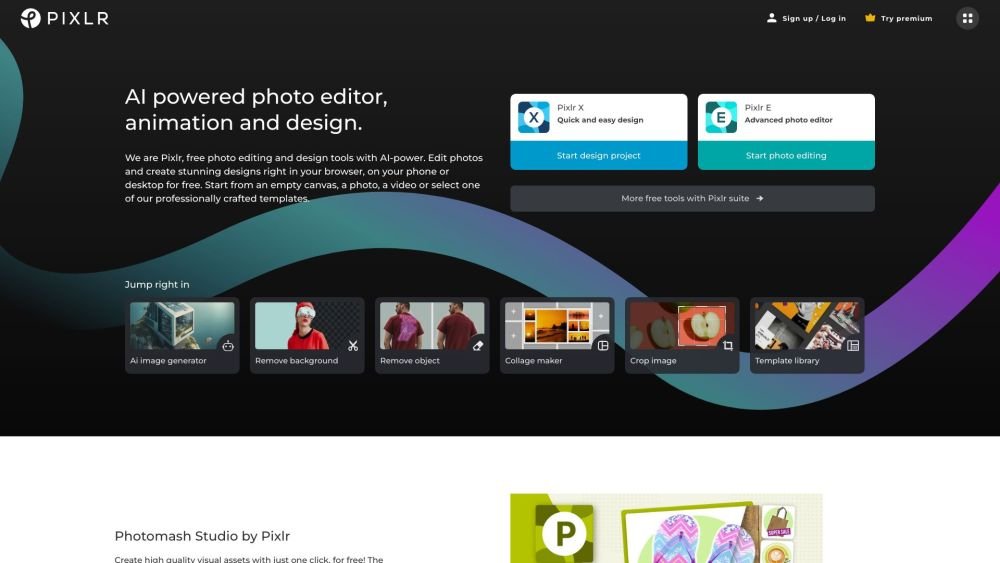
Pixlr is a provider of cloud-based photo editing services, delivering editing capabilities in browsers for both consumers and companies. It offers a platform for 3rd-party integrations and provides free and premium online photo editor access. Pixlr includes AI-powered features, design tools, and templates for creating stunning designs on various devices.
Start by opening an empty canvas, uploading a photo or video, or selecting a professionally crafted template. Choose Pixlr X for quick, simple designs or Pixlr E for advanced photo editing. Use the built-in AI tools for tasks such as background removal and image generation.
A Pixlr subscription provides access across all platforms. You can enjoy Plus or Premium features on web, desktop, and mobile devices by logging into your Pixlr account.
You can pay using a Visa or Mastercard credit/debit card, or via PayPal. Receipts are sent to the email address associated with your subscription. For mobile apps, payments are processed through your device's app store account.
You can cancel your subscription at any time via your 'My Account' page. After canceling, you will retain access to premium features until the current subscription period concludes.
Pixlr cannot process refunds once a payment has been completed. If you subscribed through a mobile app, your subscription is managed by the app store, and you must contact them directly to request a refund.
There are two types of AI credits. Subscription credits are replenished each time your plan renews; for example, if you have a monthly premium subscription, your balance resets to 1,000 credits upon renewal. If you cancel your subscription, these credits reset to zero. Credit Packs are the second type; they never expire and are tracked separately. If you have both a subscription and a Credit Pack, your subscription credits are used first, followed by your Credit Pack credits.
Free plan available.
Use these comparison pages to understand the trade-offs between the models most relevant to Pixlr.
Compare Gemini 1.0 Pro Deprecated and Gemini 2.0 Flash across pricing, context window, capabilities, benchmarks, and API access to choose the better fit for long-context workloads versus long-context workloads.
Compare Gemini 1.0 Pro Deprecated and Gemini 2.5 Flash across pricing, context window, capabilities, benchmarks, and API access to choose the better fit for long-context workloads versus long-context workloads.
Compare Gemini 2.0 Flash Lite and Gemini 2.0 Flash across pricing, context window, capabilities, benchmarks, and API access to choose the better fit for long-context workloads versus long-context workloads.
Compare Gemini 2.5 Flash and Gemini 2.0 Flash across pricing, context window, capabilities, benchmarks, and API access to choose the better fit for long-context workloads versus long-context workloads.

Similar AI tool in the AI Chatbot category.
Similar AI tool in the AI Image Generator category.
Similar AI tool in the No-Code&Low-Code category.
Similar AI tool in the AI Chatbot category.
Similar AI tool in the AI Chatbot category.
Similar AI tool in the AI Image Generator category.
Similar AI tool in the AI Image Generator category.
Similar AI tool in the AI Assistant category.
Similar AI tool in the AI Image Generator category.
Similar AI tool in the AI Design Generator category.
Similar AI tool in the AI Image Generator category.
Similar AI tool in the AI Art Generator category.